Know what’s open, what’s fixed, and what’s verified.
CivicReport keeps a record of every report from submission to resolution. Staff mark issues fixed and confirm outcomes, and verified status appears differently from resident reports so the public isn’t left guessing.
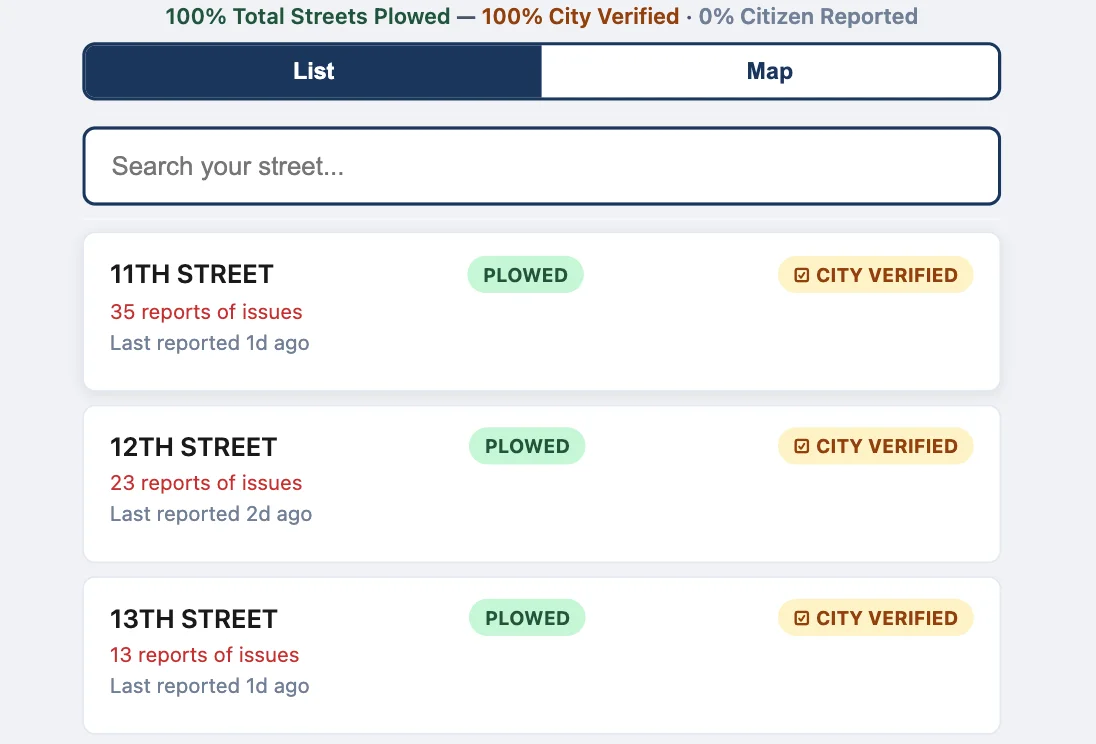
Without a record, the same problem gets reported again and again.
When residents can’t tell whether anyone saw their report, they report it again, call, or post about it online. Staff, meanwhile, have no simple record of what was fixed and when, which makes it hard to answer questions from residents, boards, or the press.
- Repeat reports for issues already handled
- No easy answer to “Was this ever fixed?”
- Resident opinion and official status blur together
How tracking and verification work.
- Step 1
Reports are recorded
Each report keeps its category, location, date, and any approved note or photo in the dashboard.
- Step 2
Residents add signals
Other residents can confirm a report, which helps staff see which issues affect the most people.
- Step 3
Staff update status
As work happens, staff update the report in the dashboard and mark it fixed when it’s resolved.
- Step 4
Outcomes are verified
Authorized staff can mark verified outcomes, such as a street confirmed as plowed, with a distinct public badge.
Issue Tracking & Verification in detail
Confirmations show which issues matter to the most people.
Each public report has confirm, share, and flag buttons. When residents confirm an existing report instead of filing a new one, the confirmation count grows on a single record rather than spreading across duplicates. Staff can sort reports by most voted to see which issues residents are noticing most.
- Confirm counts on each public report
- Sort by most recent, oldest, or most voted
- Share links that point to a specific report
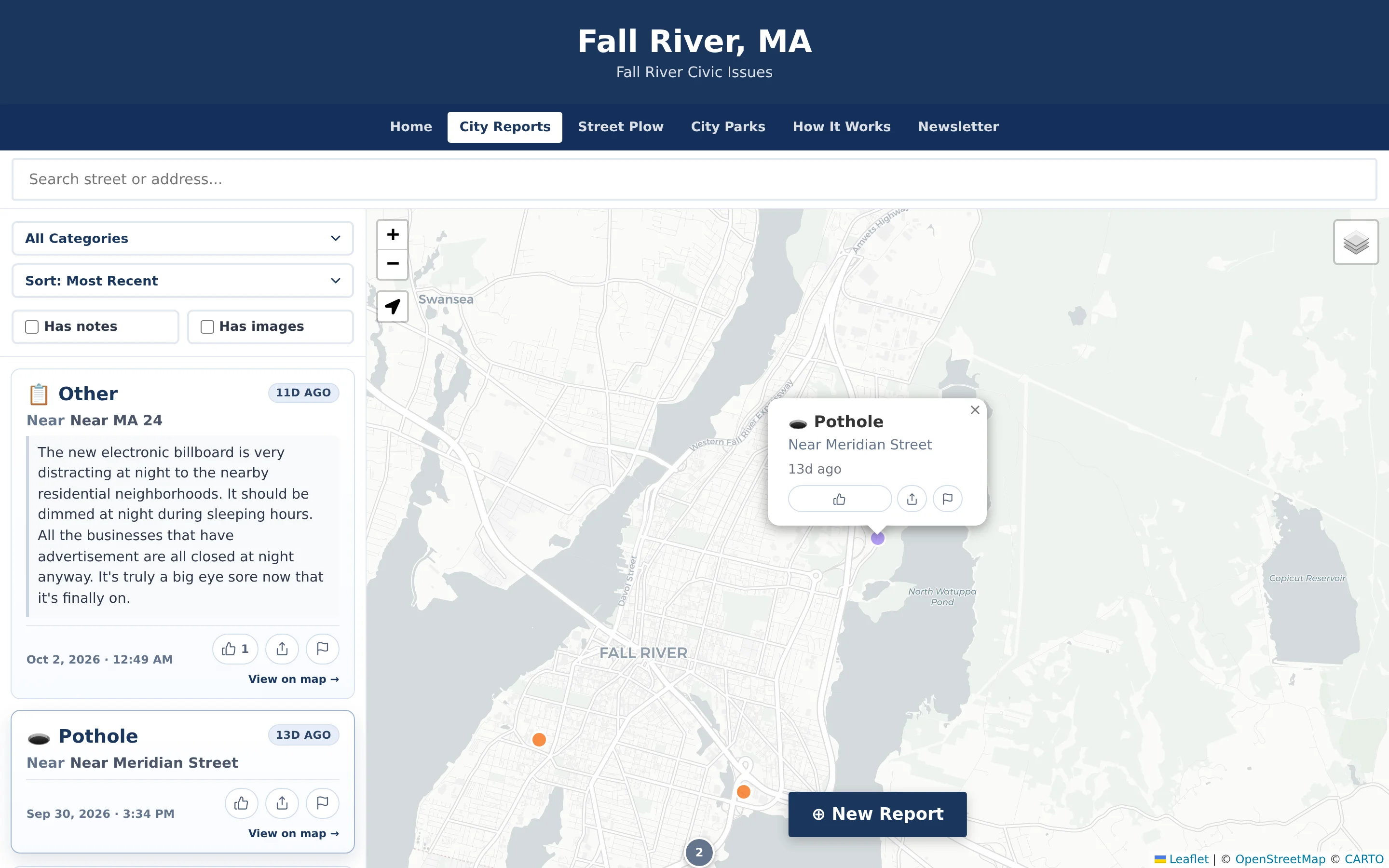
A “City Verified” badge residents can recognize.
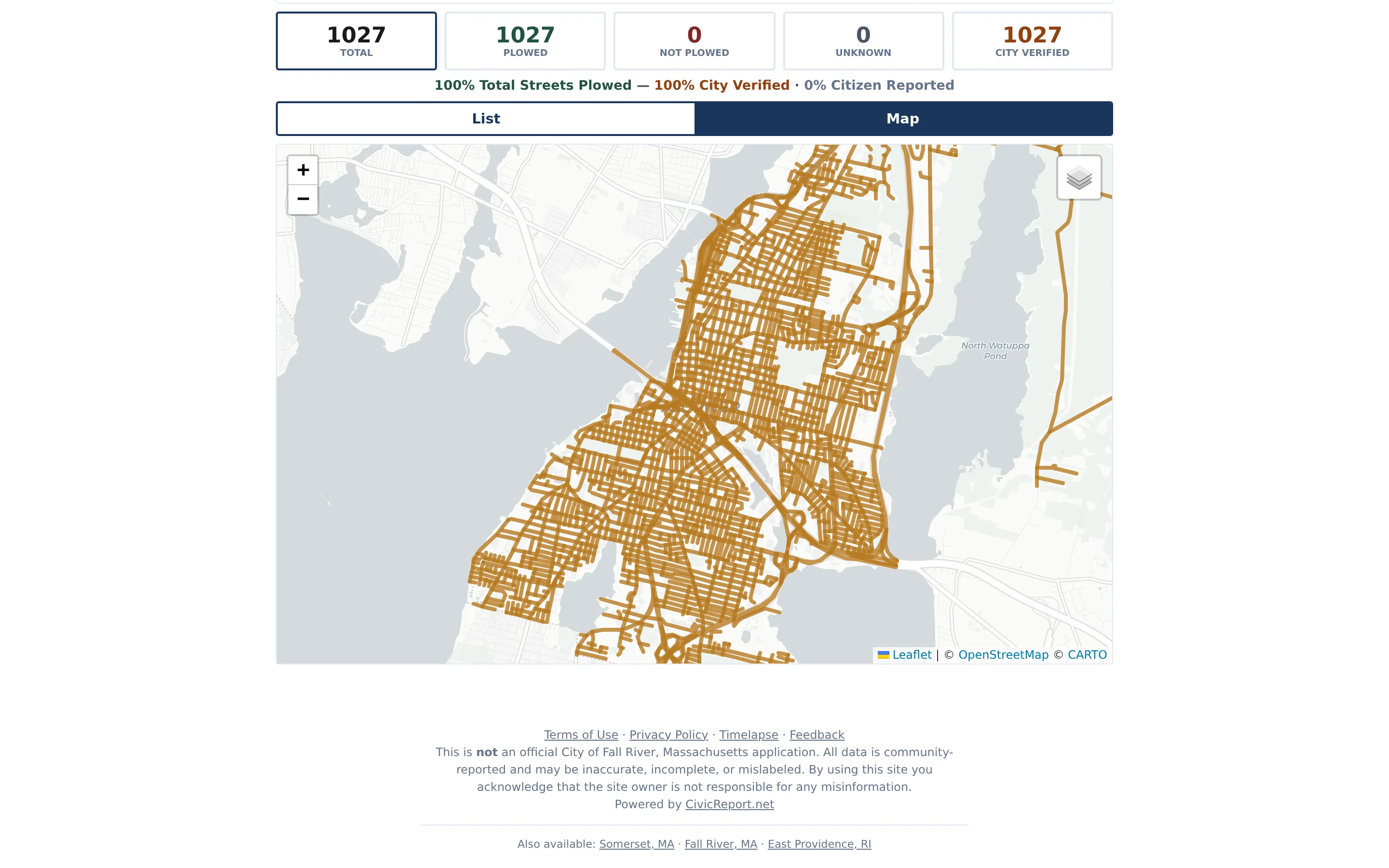
In street-status mode, residents vote on whether each street is plowed, and authorized staff can mark streets verified from the dashboard. Verified streets appear in gold on the public map with a “City Verified” badge, separate from the green and red of resident votes. Residents can still vote on verified streets, so staff continue to hear if conditions change.
- Distinct gold treatment for staff-verified streets
- Resident votes stay visible alongside official status
- Verification set by authorized staff only
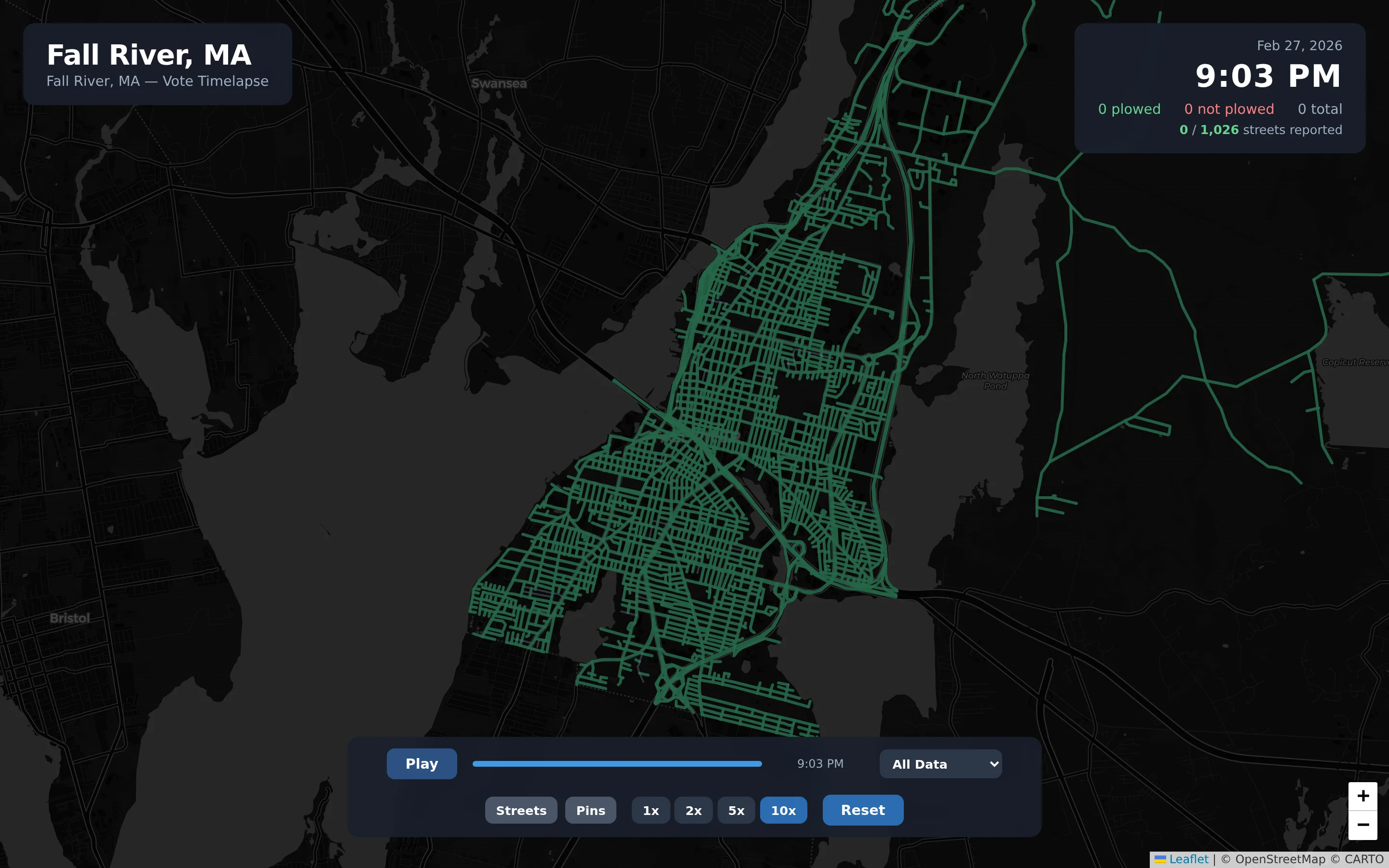
Replay what happened for after-action reviews.
Timelapse playback replays how street statuses changed over a storm, with date-range and speed controls. It gives public works and administration a shared view for debriefs, and combined with CSV exports of street statuses and vote counts it supports budget discussions and after-action reports without reconstructing events from memory.
- Timelapse with play, scrub, and speed controls
- Choose a date range to review
- CSV export of street statuses and vote counts
Example: confirming streets after a snowstorm
An illustrative example of street-status tracking in a town that uses CivicReport during winter storms.
Street-status mode is one way to use verification. For everyday reports such as potholes, staff mark issues fixed in the dashboard, and how much status appears publicly is configured with each municipality.
As plowing begins, residents mark their streets Plowed or Not Plowed on the public street map.
The public works supervisor checks the map and the most-voted list to see where residents are reporting unplowed streets.
As crews confirm routes are complete, authorized staff mark those streets verified in the dashboard.
Verified streets turn gold on the public map with the “City Verified” badge, so residents can tell confirmed status from neighbor reports.
After the storm, the supervisor uses timelapse playback and a CSV export to review how the storm response unfolded.
Practical benefits for your municipality.
A record that answers questions
Staff can show what was reported and what was fixed when residents, boards, or reporters ask.
Fewer repeat reports
Confirmations consolidate interest on a single report instead of spreading it across duplicates.
Official status stands out
Verified outcomes look different from resident input, which protects public trust in both.
Better debriefs
Timelapse playback and exports give storm and event reviews a factual starting point.
Keep exploring.
Features that work alongside issue tracking & verification, in CivicReport and across the CivicTally portfolio.
Do residents get notified when their report is fixed?
Residents report without an account or email address, so CivicReport doesn’t send personal status notifications. Staff track status in the dashboard, and how much of that status is shown on the public map is a configuration decision made with each municipality.
What does marking a report fixed do?
Marking a report fixed moves it out of the active review queues and into the Fixed view in the dashboard, so the record of the issue and its resolution is kept. It can then be included in CSV exports for reporting.
What is the difference between a resident confirmation and staff verification?
A confirmation is a resident saying they see the same issue. Verification is an authorized staff member confirming an outcome, such as a street being plowed. The two are displayed differently so the public can tell them apart.
Can residents still vote on a street after staff verify it?
Yes. Residents can continue to vote on verified streets. That keeps a channel open if conditions change, for example if drifting snow closes a street again after it was plowed.
Can we review what happened during a storm afterward?
Yes. Timelapse playback replays street-status changes over a chosen date range, and staff can export street statuses and vote counts to CSV for after-action reports.
See issue tracking & verification with your own municipality in mind.
We’ll walk through CivicReport using your departments, categories, and goals — and answer the practical questions about setup.