Answer “what happened at the meeting?” once.
Clerks and communications staff are the front door for questions about local government. CivicTally makes meetings searchable and decisions easy to trace, so residents can find answers themselves.
Featured products:CivicMeetingCivicBudgetCivicReport
Public information is public — but hard to use.
Records are published, yet residents still call, email, and post the same questions every week.
Multi-hour recordings
Residents can’t find the one discussion they care about in hours of unindexed video.
Minutes arrive later
Approved minutes take time, and residents want to know what happened now.
Repeated questions
Staff answer the same meeting and decision questions over and over.
Inconsistent updates
Regular resident communication is hard to sustain with a small team.
Practical tools for clerks & communications teams.
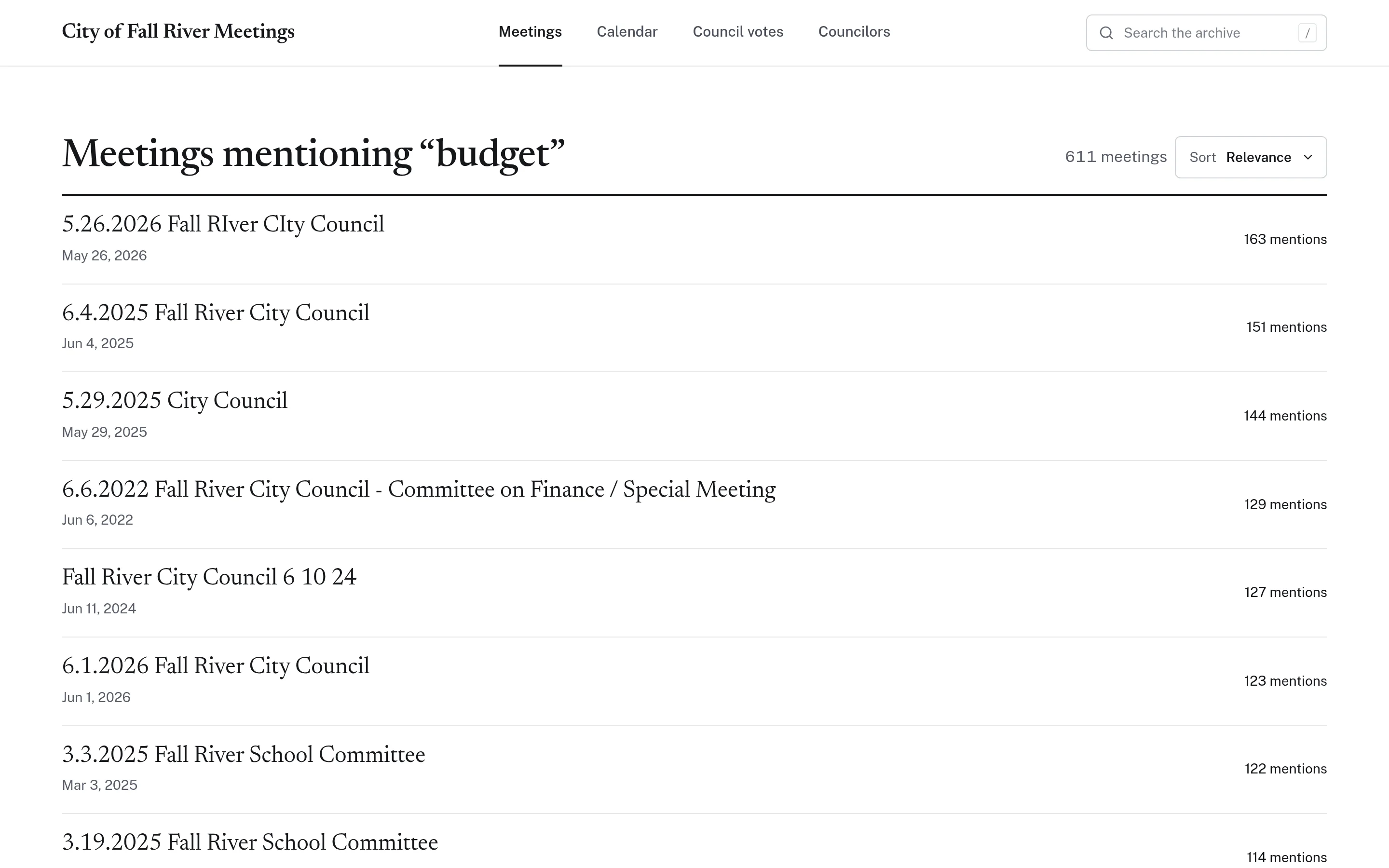
Searchable meetings with a link to every moment.
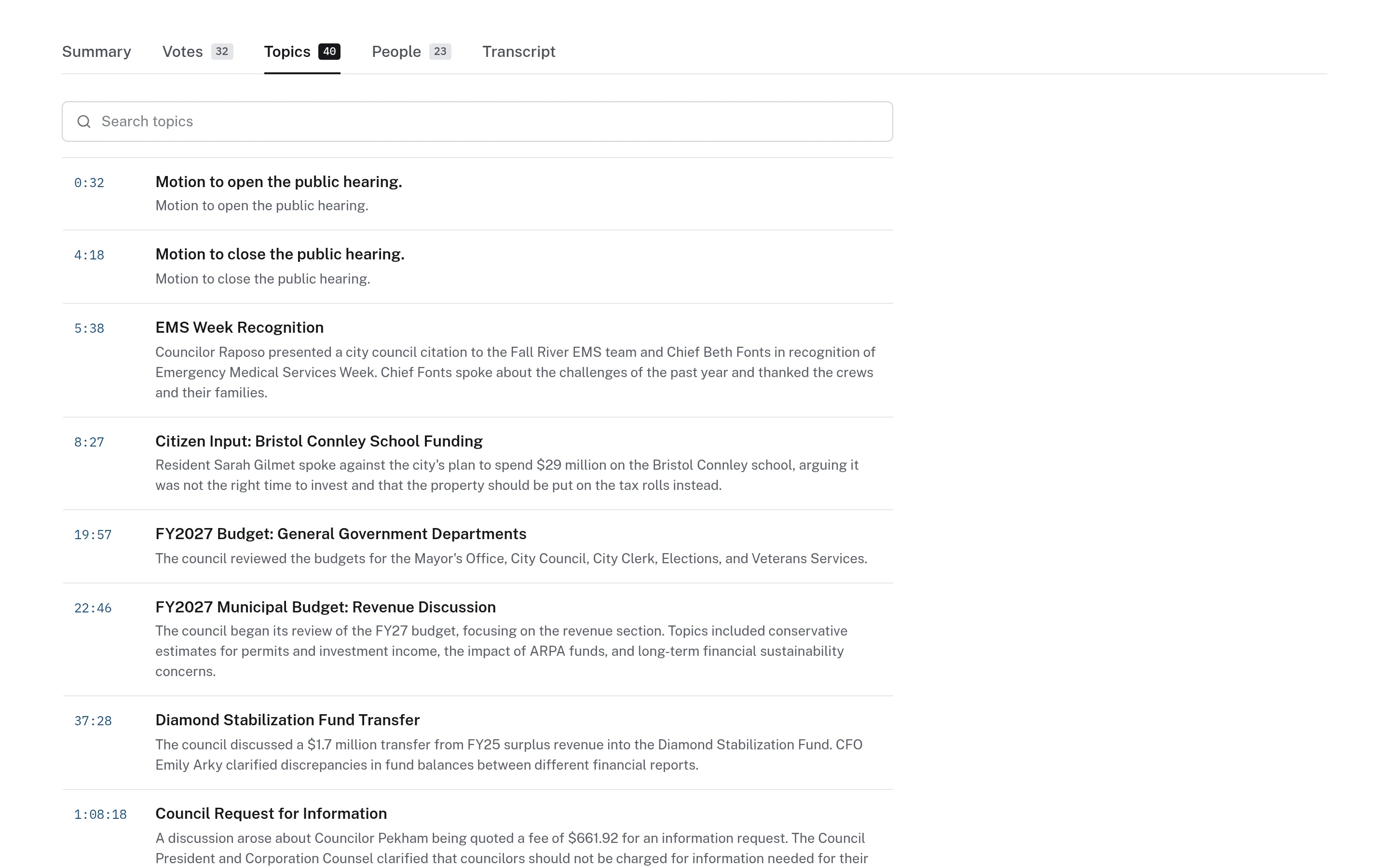
Every recorded meeting becomes a searchable transcript organized into timestamped topics. Share a link that opens the recording at the exact moment a topic was discussed, instead of a three-hour video.
- Search across years of meetings
- Timestamped topics and transcripts
- Links back to the official minutes and source video
A consistent weekly update for residents.
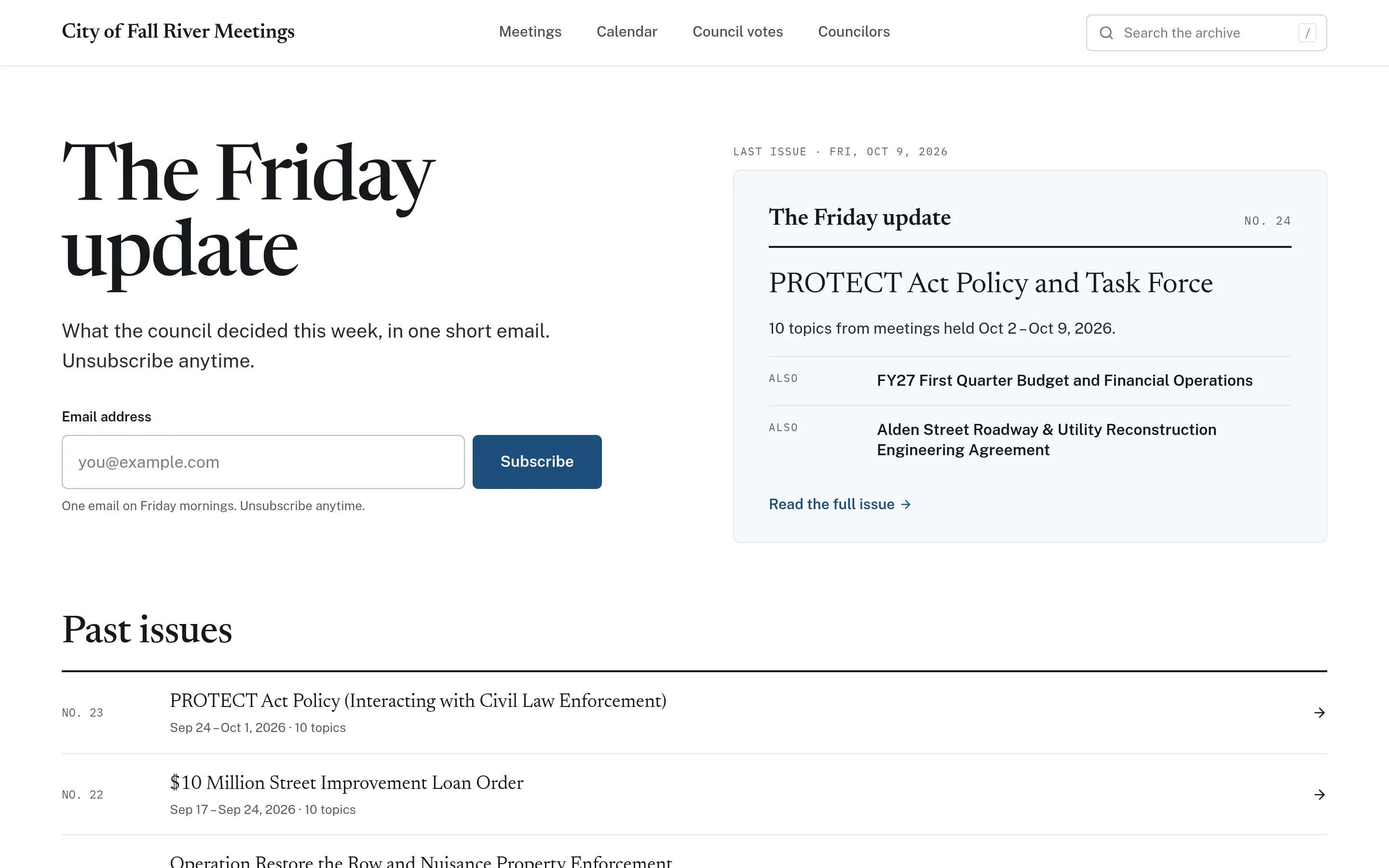
An optional weekly newsletter summarizes recent meetings and links to the relevant moments, with a public archive of every issue. A calendar lists upcoming meetings with agenda links.
- Weekly email update with a public archive
- Meeting calendar with agendas
- AI-assisted content clearly labelled
Decisions residents can trace to the record.
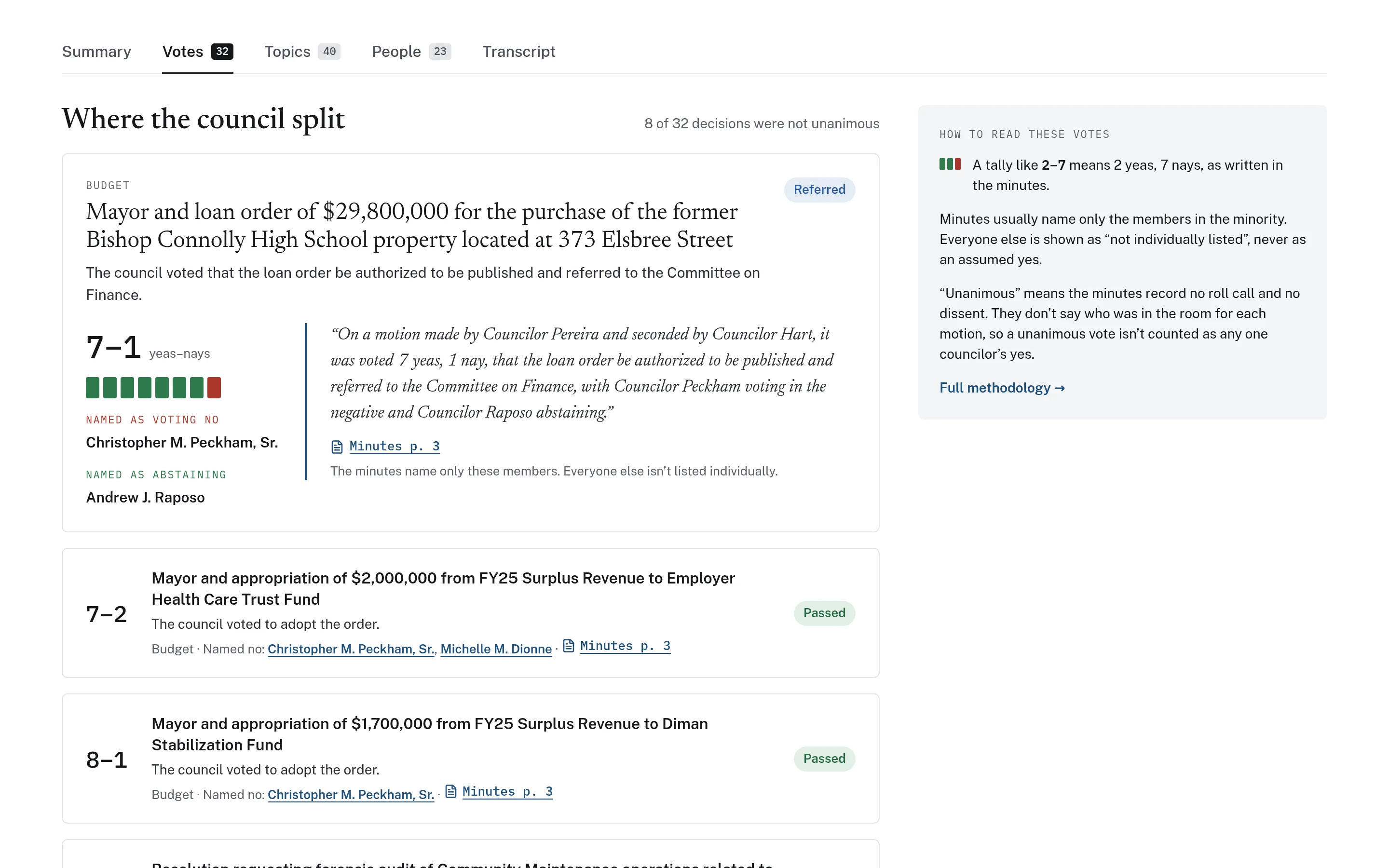
Where official minutes are available, CivicMeeting lists each decision with its outcome and a page citation from the minutes. AI summaries help navigation but are never presented as minutes — the official record remains yours.
- Votes drawn from official minutes
- Page citations and quotations
- Summaries labelled as AI-generated
Practical applications for Clerks & Communications.
Public records questions
Point residents and reporters to a searchable archive instead of pulling recordings by hand.
Sharing key moments
Share a timestamped link to a discussion on social media or in a newsletter.
Weekly resident update
Publish a consistent weekly summary of recent meetings with a public archive.
Board & committee coverage
Make planning board and school committee meetings as findable as council sessions.
Budget season
Pair meeting discussions with CivicBudget so residents can see the numbers being debated.
Resident reporting link
Give residents one consistent place to report non-emergency issues with CivicReport.
Getting started is straightforward.
Review your meeting sources
We look at where recordings, agendas, and minutes are published today.
Choose your modules
Start with archives and transcripts, and add topics, votes, or newsletters as needed.
Launch your archive
We process the agreed archive, then add new meetings as they are published.
Features clerks & communications teams use most.
Let’s talk about your clerks & communications needs.
Tell us what your department is working on. We’ll suggest a practical starting point — often a single product — and show how it would work for you.