Every recorded decision, cited to the minutes.
Where official minutes are available, CivicMeeting records each decision with its outcome, tally, a quotation from the minutes, and the page it came from. Residents can search the full record and check every entry against the source.
How a body voted is public, but hard to find.
Votes are recorded in minutes, but minutes are long PDFs organized by meeting date. Answering "how did the council vote on that?" means knowing which meeting it was, finding the document, and reading through it. Many minutes also name only the members in the minority, which makes simple tallies easy to misread.
- Votes are scattered across years of PDF minutes
- No easy way to search by subject or member
- Unnamed members are easy to misrepresent
How voting records are compiled.
- Step 1
Read the official minutes
Decisions are drawn from your published minutes, not from transcripts or summaries.
- Step 2
Record each decision
Each entry captures the outcome, the tally where stated, a quotation from the minutes, and a page citation.
- Step 3
Apply a published method
Members not named in the minutes are shown as "not individually listed," never assumed, under a published methodology.
- Step 4
Search and filter
Residents search decisions by issue or address and filter by member, subject, outcome, and year.
Voting Records in detail
Split votes surfaced, with the minutes quoted.
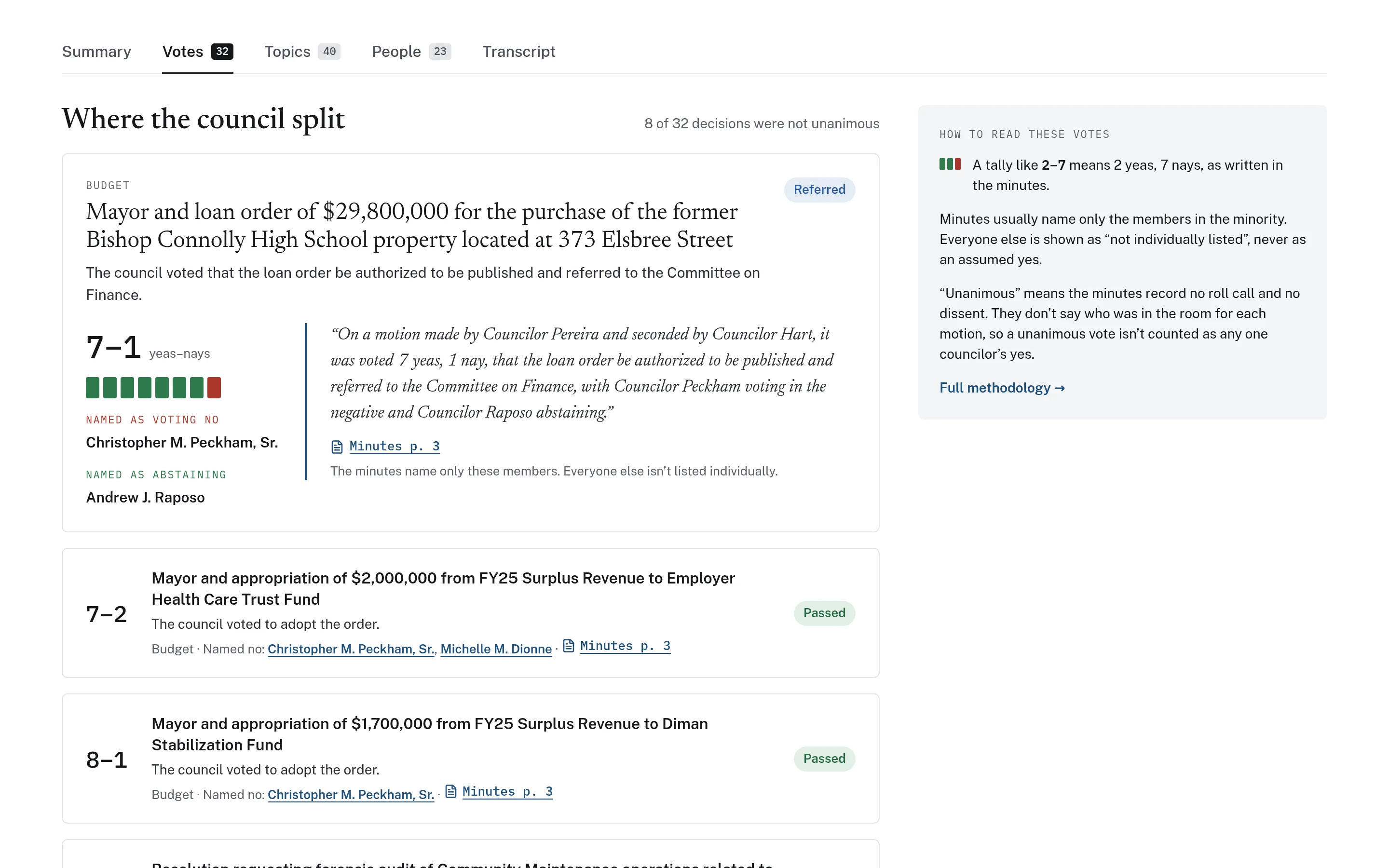
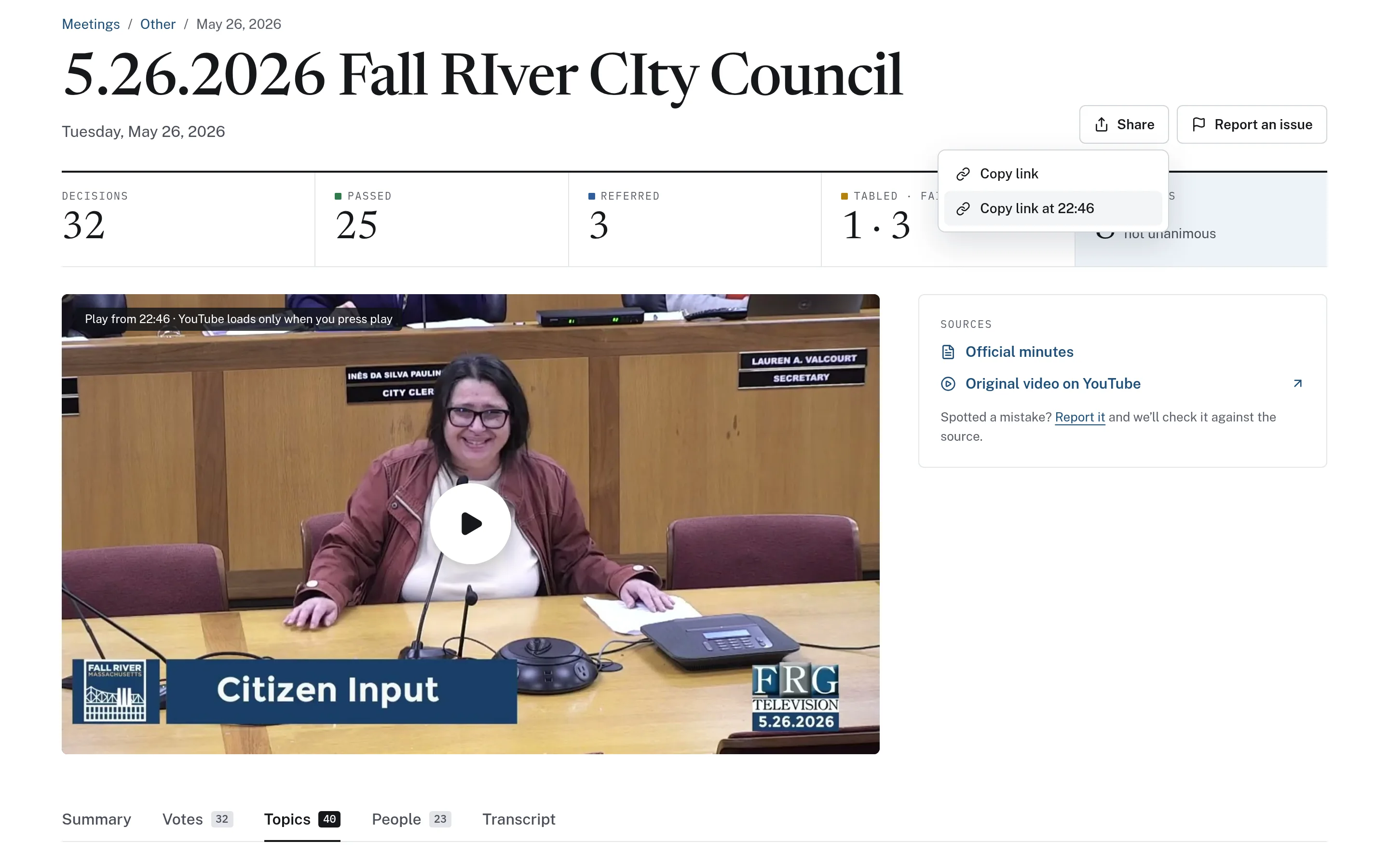
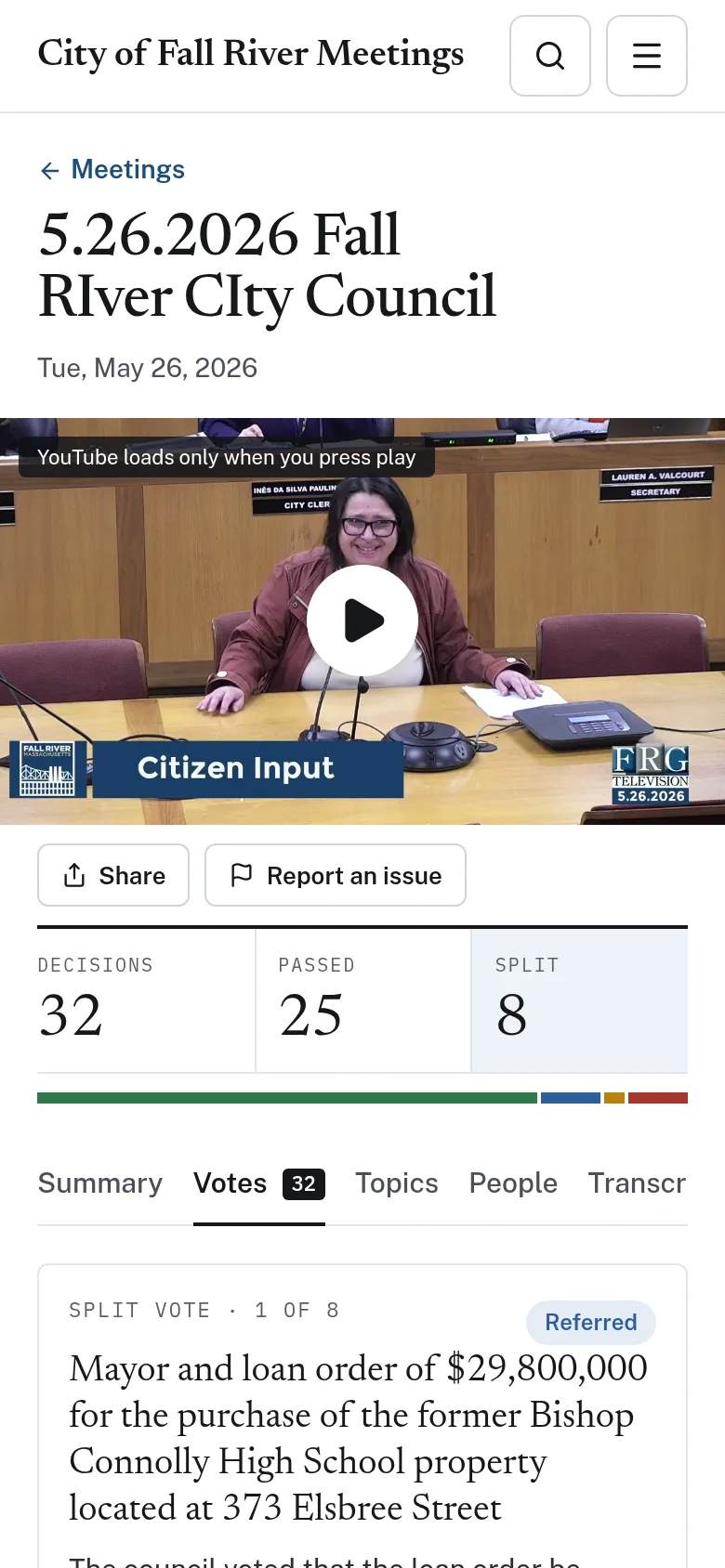
Each meeting page opens with its decision counts and links to the official minutes, and its votes view highlights where the body split. Every decision shows a tally bar, the members named as voting no or abstaining, a verbatim quotation from the minutes, and a link to the cited page. A short guide on the page explains how to read the tallies and links to the full methodology.
- Split votes highlighted for each meeting
- Verbatim quotation and "Minutes p. N" citation
- Readable on a phone, vote by vote
The full record, searchable in one place.
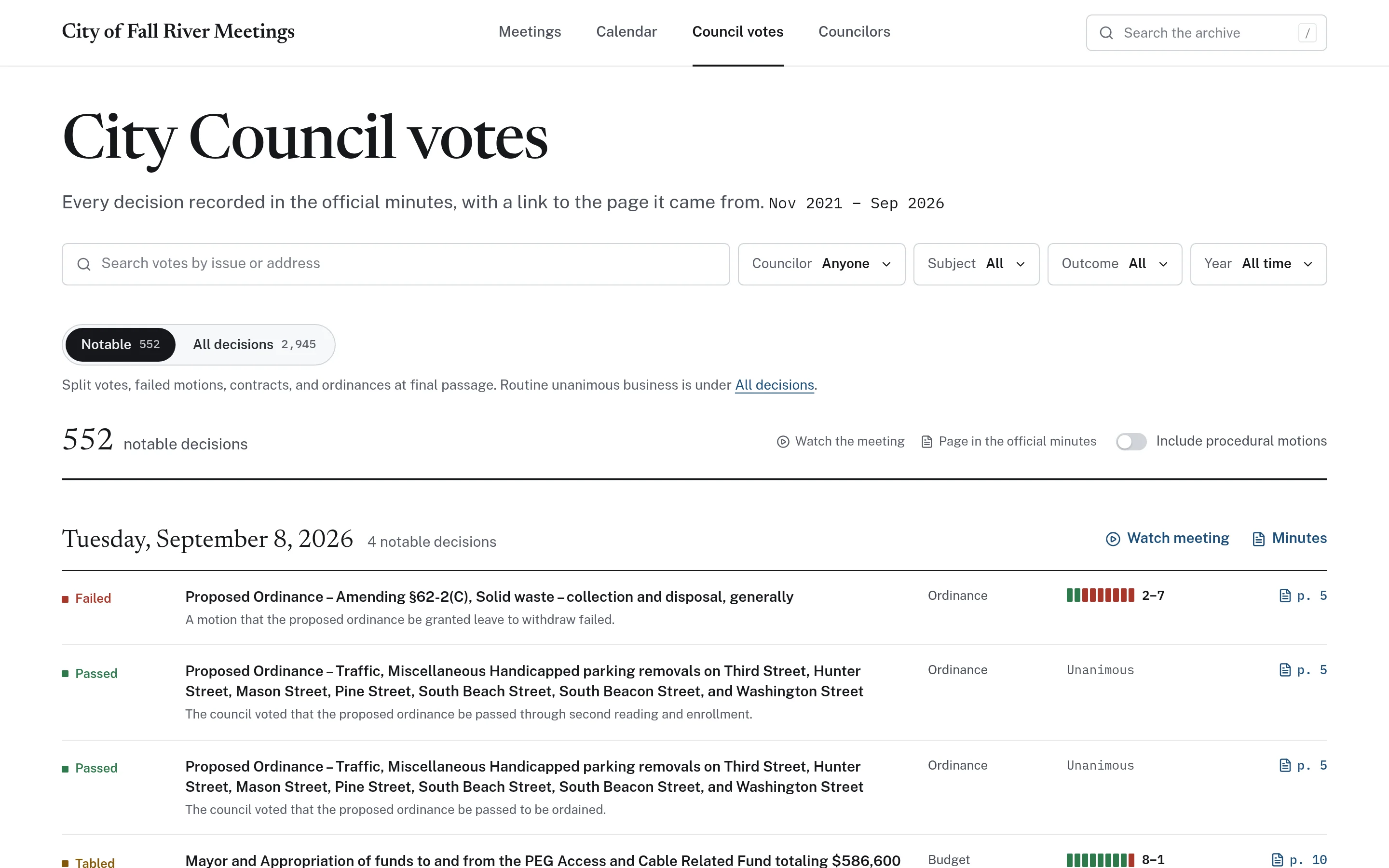
A single votes page lists every decision drawn from the minutes, grouped by meeting and linked to the page it came from. Residents can search by issue or address and filter by member, subject, outcome, and year. They can focus on notable decisions or view all of them, and choose whether to include procedural motions.
- Filters for member, subject, outcome, and year
- Notable-only or all decisions, with procedural motions optional
- Every row linked to its page in the minutes
Attendance and voting records, counted carefully.
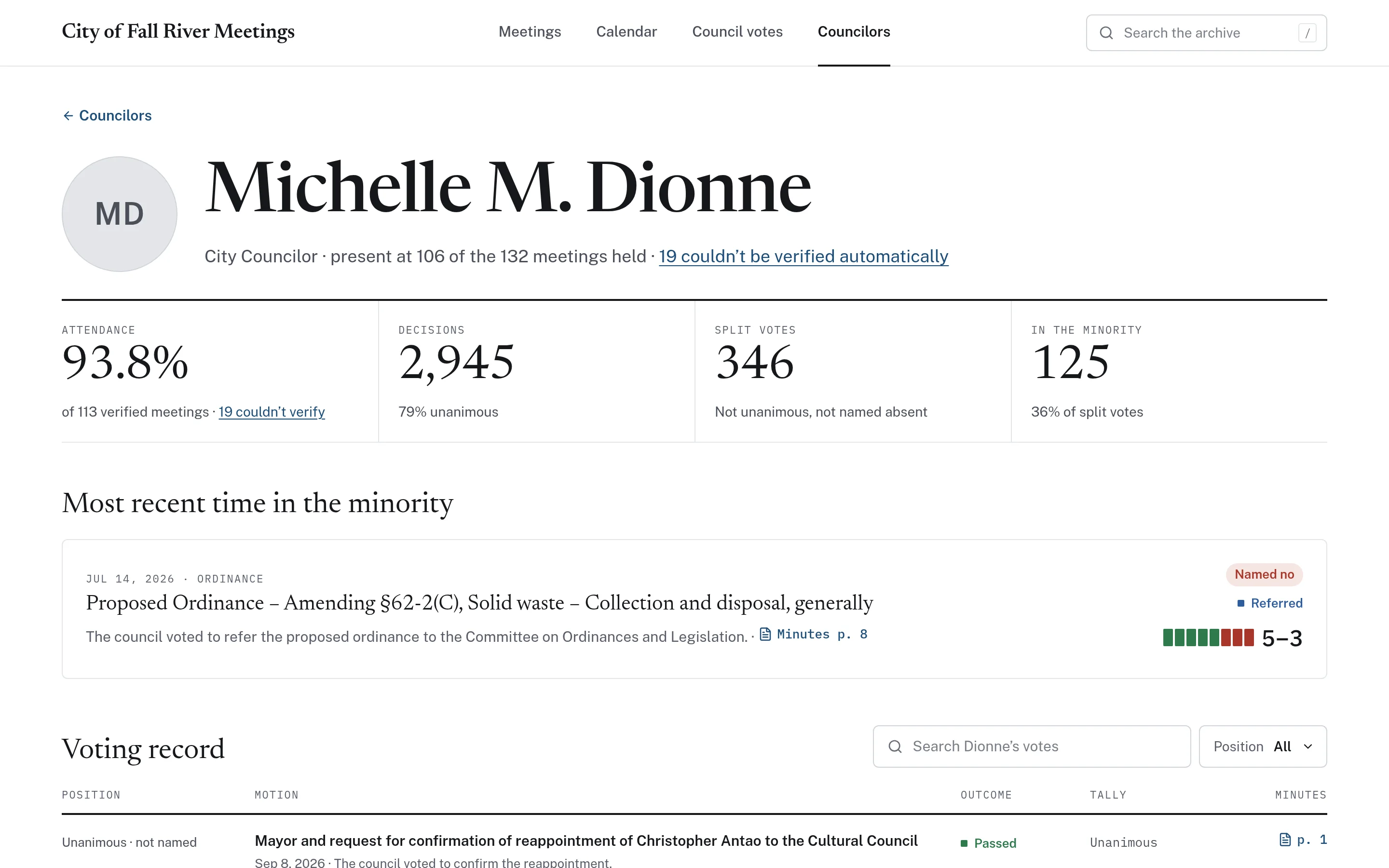
Each elected member has a page showing attendance, split votes, and how often they were in the minority, along with a searchable personal voting record. Attendance is calculated only from meetings that could be verified; meetings that could not be verified are shown separately and never counted as absences. Member pages are records only, with no biographies or contact details.
- Attendance based on verified meetings only
- Personal voting record filterable by position
- Methodology and coverage gaps published
Example: a resident asks how the council voted on a borrowing order
This is an illustrative workflow showing how a resident in a town might use voting records to answer their own question.
Voting records depend on what the official minutes contain. Where minutes are unavailable or unclear, CivicMeeting does not fill the gap with guesses.
A resident hears that the council approved a borrowing order for a building project and wants to know how members voted.
They search the votes page for the project name and filter by the Budget subject.
The matching decision shows the outcome, the tally, and the members named as voting no.
They read the quotation from the minutes and follow the page citation to confirm the wording.
Members the minutes did not name are shown as "not individually listed," so the resident does not assume how they voted.
Practical benefits for your municipality.
Self-service answers
Residents and reporters can look up decisions themselves, with citations to the minutes.
Accurate by design
Records come from the official minutes and never assume how unnamed members voted.
Faster reference for officials
Members and staff can find prior decisions on a subject in seconds.
Open methodology
A published methodology explains how votes and attendance are calculated, including gaps.
Keep exploring.
Features that work alongside voting records, in CivicMeeting and across the CivicTally portfolio.
Where do the voting records come from?
From your official published minutes. Each decision includes a quotation from the minutes and a citation to the page it came from, so anyone can check the source. Transcripts and AI summaries are not used to record votes.
What happens when the minutes do not name every member?
Minutes often name only the members in the minority. Anyone not named is shown as "not individually listed," never as an assumed yes or no. This rule is explained on the page and in the published methodology.
How is attendance calculated?
Attendance is calculated from meetings that could be verified. Meetings that could not be verified are shown separately and are never counted as absences, which avoids penalizing members for gaps in the record.
Do member pages include biographies or contact details?
No. Member pages show attendance and voting records only. They are designed as a factual record rather than a profile.
What if our minutes are not consistently published?
Voting records depend on accessible minutes. During implementation, CivicTally reviews which minutes are available and how far back they go, and the methodology describes coverage and gaps so readers understand what is and is not included.
See voting records with your own municipality in mind.
We’ll walk through CivicMeeting using your departments, categories, and goals — and answer the practical questions about setup.