Turn a long meeting into a navigable agenda.
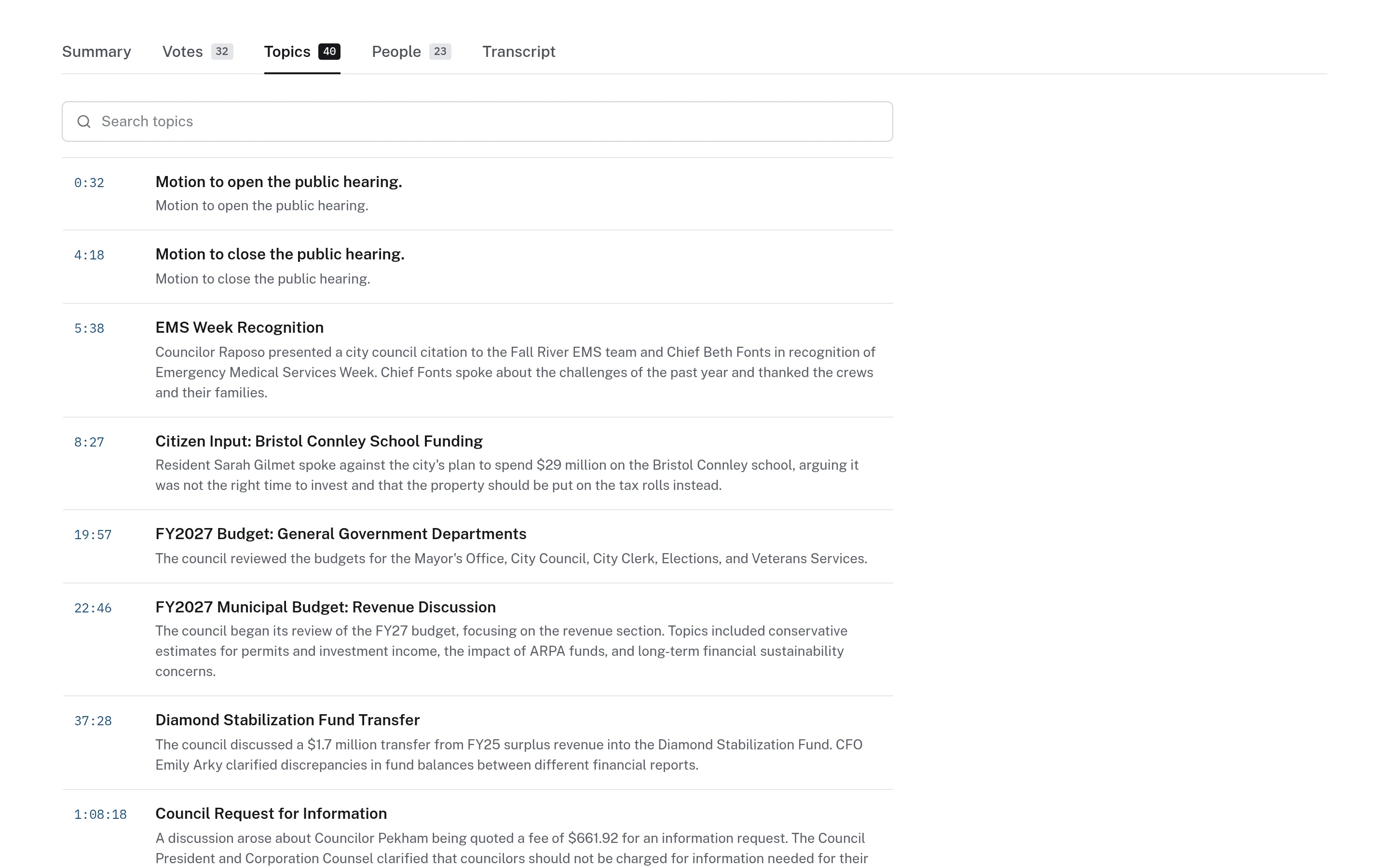
Each meeting is broken into timestamped topics with short descriptions. Click a topic to play the recording from that point, or read a clearly labelled summary for an overview.
Most people will never watch a full meeting.
Council and board meetings regularly run for hours, and the item a resident cares about may take ten minutes somewhere in the middle. Agendas show what was scheduled but not where it happened in the recording. Without a way in, most residents simply skip the meeting.
- Long recordings with no chapter markers
- Agendas do not show where items fall in the video
- No quick way to get the gist of a meeting
How topics and summaries work.
- Step 1
Topics are identified
The transcript is organized into topics, each with a title, a short description, and a start time.
- Step 2
Click to cue the video
Selecting a topic plays the recording from that timestamp. Topics can also be searched.
- Step 3
Read a labelled summary
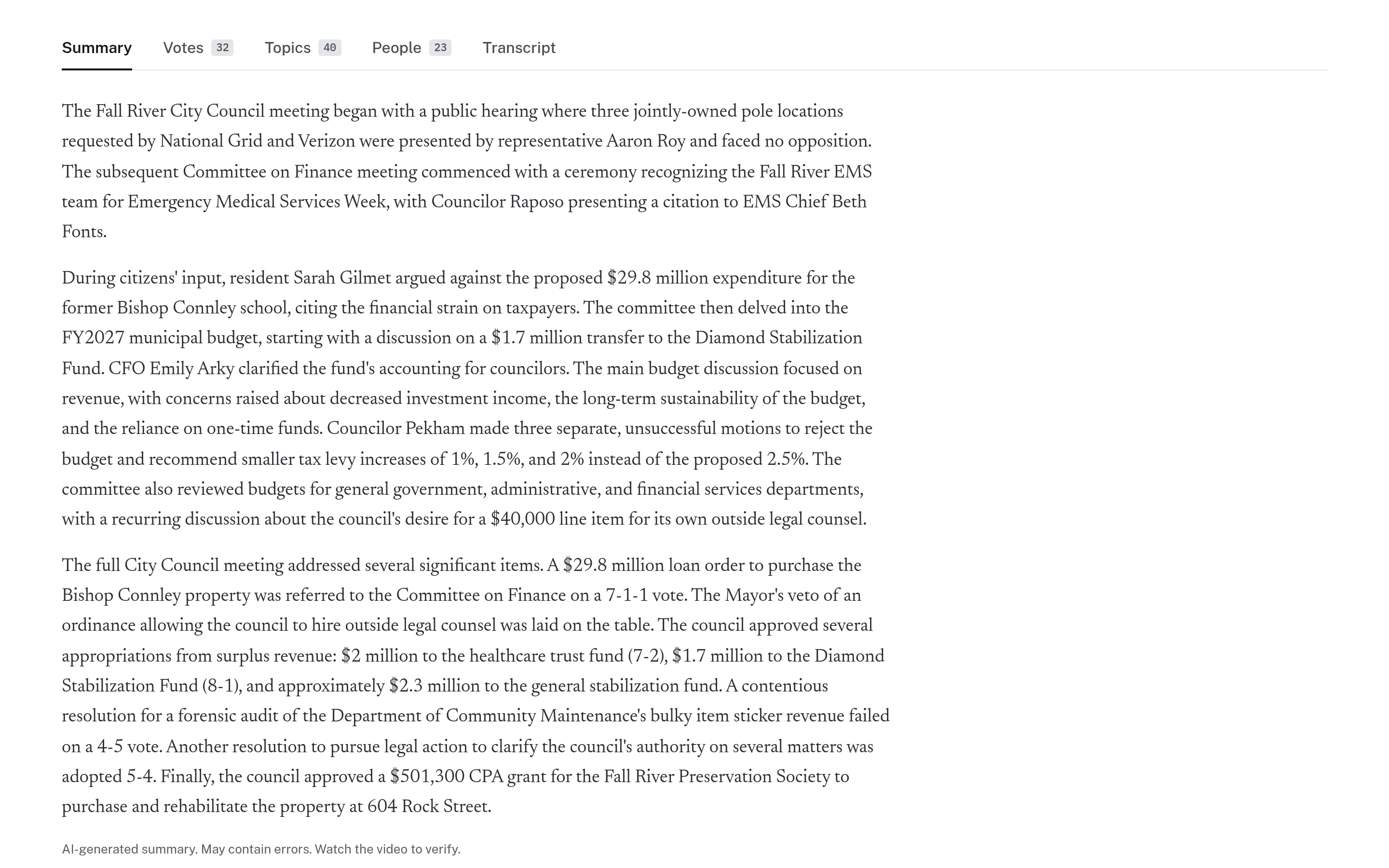
An optional summary gives a short overview, always labelled as AI-generated with a prompt to verify.
- Step 4
Share the moment
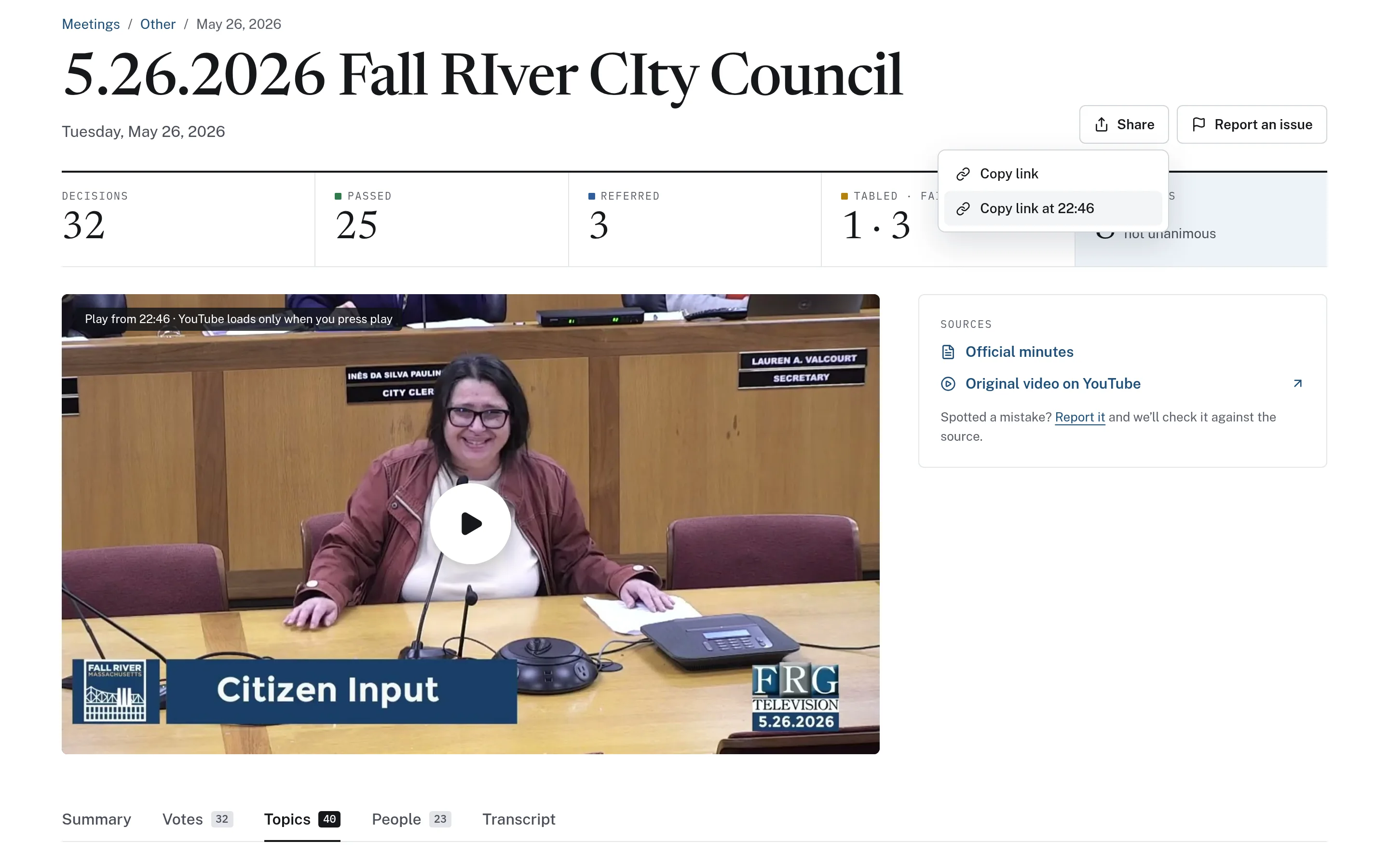
Copy a link that opens the meeting at the exact time a topic begins.
Meeting Topics in detail
A readable overview, clearly labelled.
Summaries give residents a few paragraphs on what a meeting covered. Every summary carries the label "AI-generated summary. May contain errors. Watch the video to verify." Summaries are navigation aids, not minutes, and the official minutes and original recording are linked from the same page.
- Label shown under every summary
- Never presented as official minutes
- Optional module that can be left off
Link to the minute a topic began.
Any moment in a meeting can be shared as a timestamped link. The share menu offers both a link to the meeting and a "Copy link at mm:ss" option, and the player shows where playback will start. CivicMeeting does not cut separate video clips, so every shared link opens the full original recording with its context intact.
- Copy a link to the meeting or to a specific time
- Player shows the start time before playback
- Always opens the original, complete recording
From the outline to the exact words.
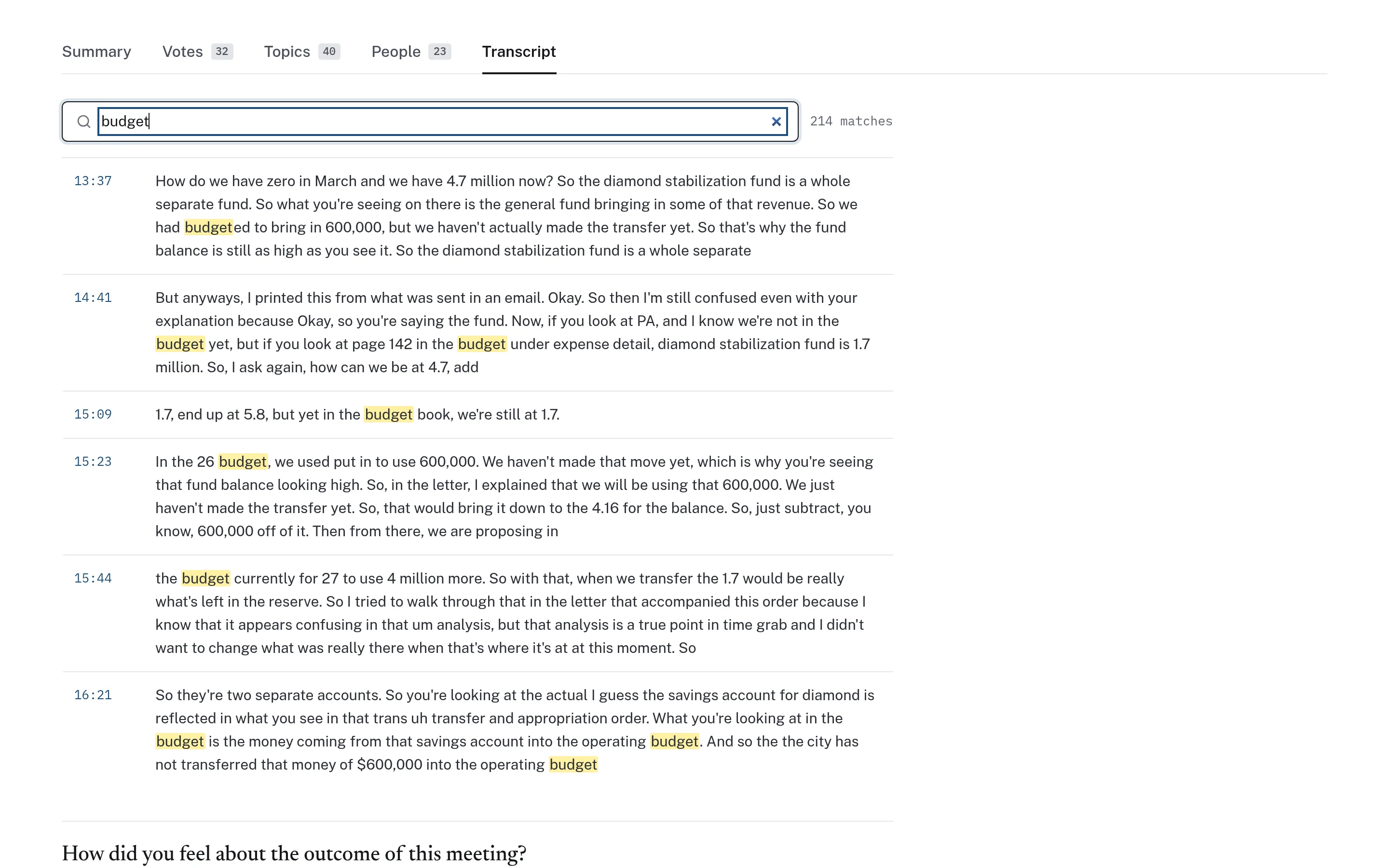
Topics give a quick outline, and the transcript fills in the detail. Readers can scan the topic list to find the right section, then search the transcript for specific words and read the surrounding discussion. Because topics are derived from automated transcripts, names can be misspelled, so the recording and minutes remain the reference.
- Searchable topic list with descriptions
- Transcript search with highlighted matches
- Both link back to the recording
Example: a board member catches up on a missed meeting
This is an illustrative workflow showing how an elected official in a town might use topics and summaries after missing a meeting.
Summaries and topics are generated automatically and may contain errors. They help readers find their way; they do not replace the approved minutes.
A select board member misses a meeting and wants to know what was discussed before the next one.
They read the labelled summary for a quick overview of the main items.
They scan the topic list and click the topic about a proposed bylaw change to play that discussion.
They search the transcript for a specific term to find a follow-up exchange later in the meeting.
Before quoting anything, they check the official minutes linked on the meeting page and share a timestamped link with a colleague.
Practical benefits for your municipality.
Meetings people can follow
Residents can find the part of a meeting they care about without watching it all.
Better links in communications
Staff can point residents to the exact moment a topic was discussed.
Clear about AI
Every summary is labelled, so readers know what was generated automatically.
Faster preparation
Officials and department heads can review prior discussions before a related agenda item.
Keep exploring.
Features that work alongside meeting topics, in CivicMeeting and across the CivicTally portfolio.
Are AI summaries official minutes?
No. Every summary is labelled "AI-generated summary. May contain errors. Watch the video to verify." Summaries are navigation aids, and your approved minutes remain the official record.
How are topics created?
Topics are generated from the meeting transcript and each one has a title, a short description, and a start time. Clicking a topic cues the recording to that point. Because they come from automated transcripts, names and terms can be misspelled.
Can we use topics without summaries?
Yes. CivicMeeting is modular. Some municipalities use timestamped topics for navigation and leave AI summaries off entirely.
Can residents share a specific part of a meeting?
Yes. The share menu can copy a link that opens the recording at a specific timestamp. CivicMeeting does not create separate video clips; shared links always open the full original recording at the chosen moment.
What happens if a summary or topic is wrong?
Readers can use "Report an issue" on the meeting page so the error can be checked against the recording and minutes. The summary label itself reminds readers to verify against the video.
See meeting topics with your own municipality in mind.
We’ll walk through CivicMeeting using your departments, categories, and goals — and answer the practical questions about setup.