Find the discussion, not just the meeting.
Meeting search looks through the words actually spoken in your recorded meetings, not just titles and agenda headings. Residents and staff go from a question to the right moment in the right recording in a few clicks.
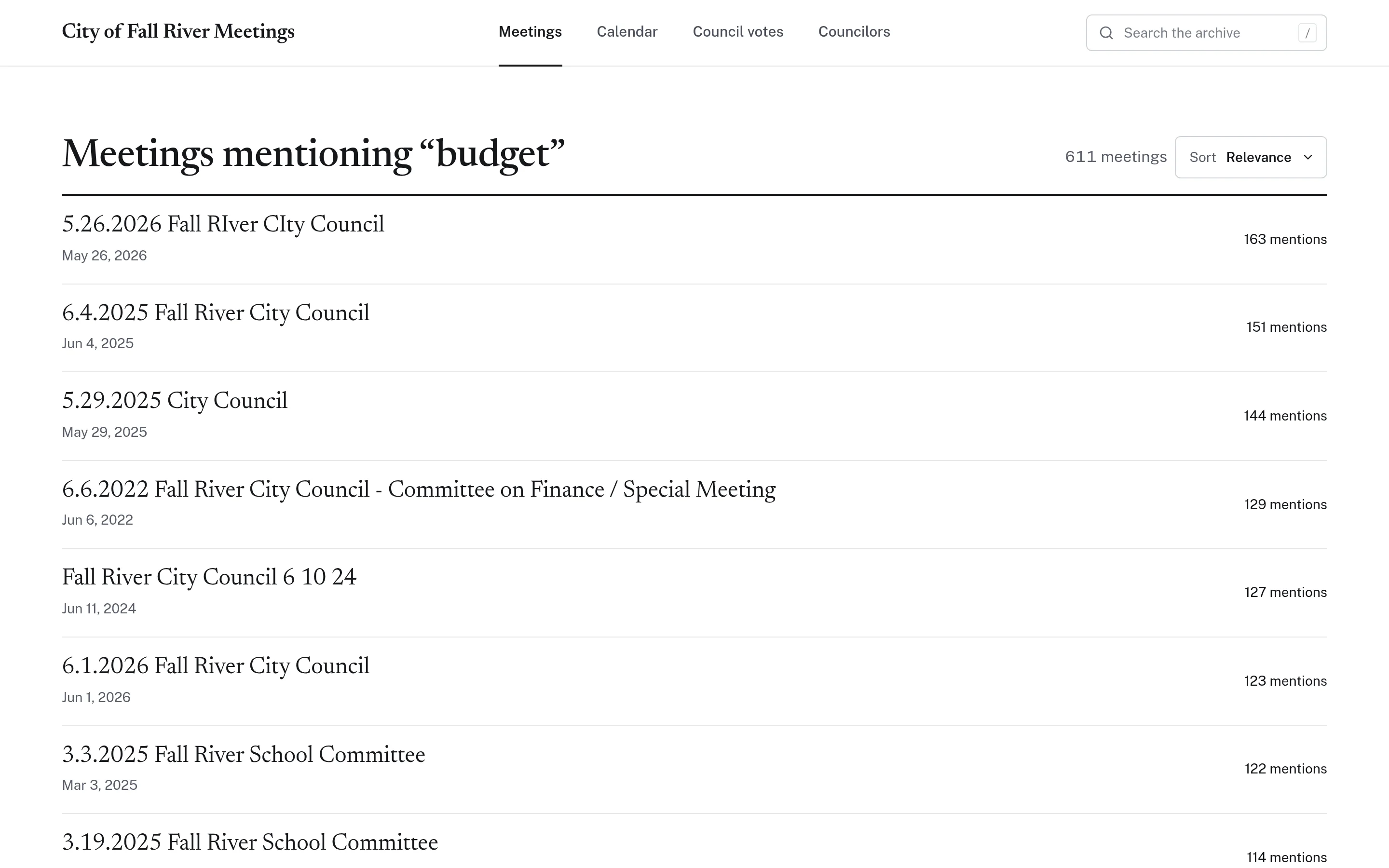
A recording archive is only useful if people can search it.
Most municipalities publish meeting video, but a video platform can only search titles and descriptions. If a resident wants to know when a board discussed a particular street, budget item, or development, the answer is somewhere inside hours of footage. Staff end up doing the searching for them, usually from memory.
- Video titles say which meeting it was, not what was discussed
- Agendas list items but not what was said about them
- Staff time goes to finding old discussions for residents
How meeting search works.
- Step 1
Meetings are transcribed
Each published recording is transcribed with timestamps, so its spoken content becomes searchable text.
- Step 2
Search the whole archive
A single search box covers every transcribed meeting. Results list the meetings that mention the term and how many times.
- Step 3
Narrow it down
Sort results by relevance, newest, or oldest, or browse the archive by public body and year.
- Step 4
Jump to the moment
Open a meeting, search within its transcript, and click any matching line to play the video from that point.
Meeting Search in detail
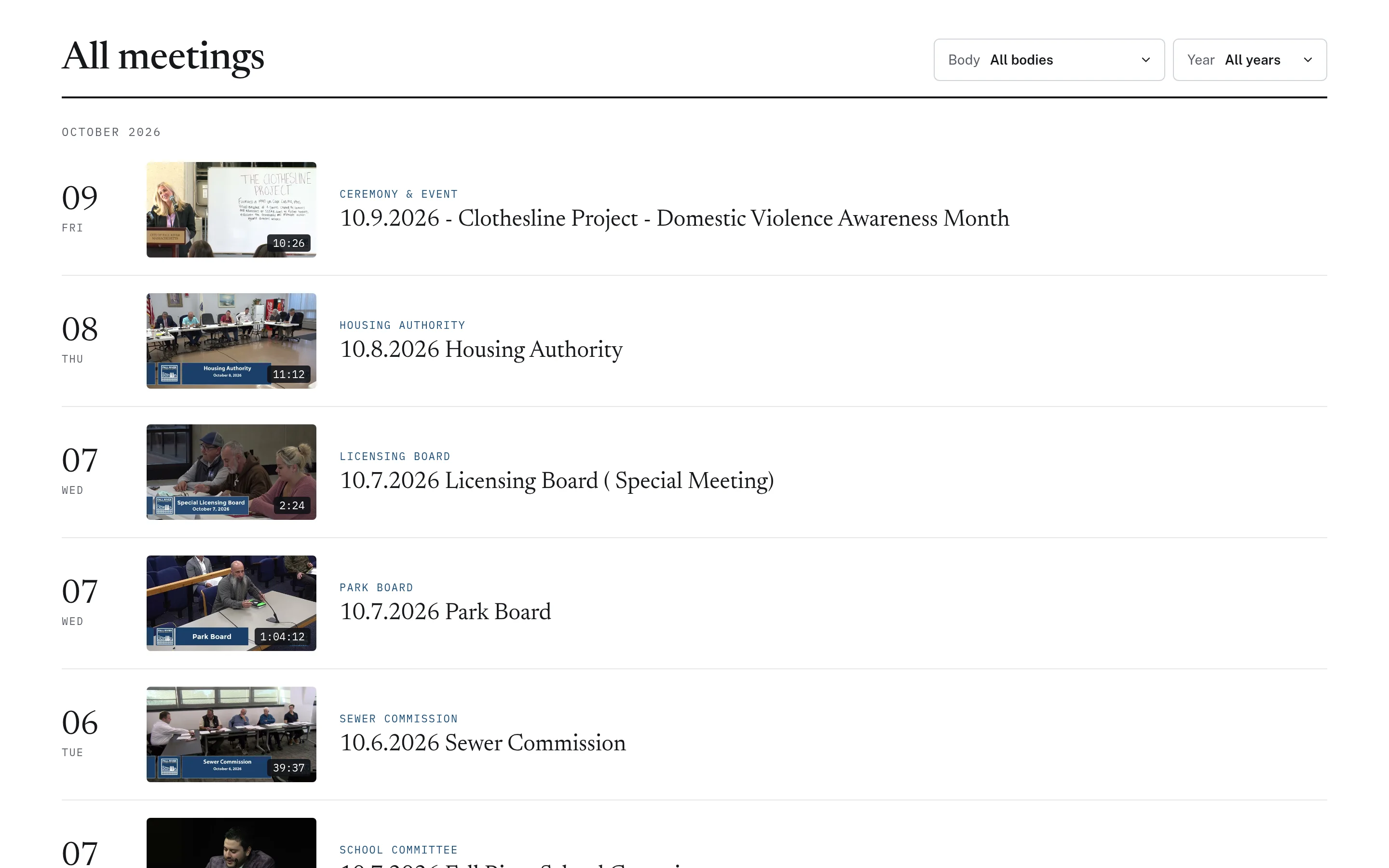
Every board and committee in one archive.
The archive brings recorded meetings from multiple public bodies into one list, grouped by month, with each recording's date, duration, and board. Filters for body and year make it practical to browse years of meetings from the city council, school committee, licensing board, or any other recorded body. Residents no longer need to know which channel or playlist a meeting was posted to.
- Filter by public body and by year
- Thumbnail, duration, and board label for each recording
- Covers any body whose meetings are recorded and published
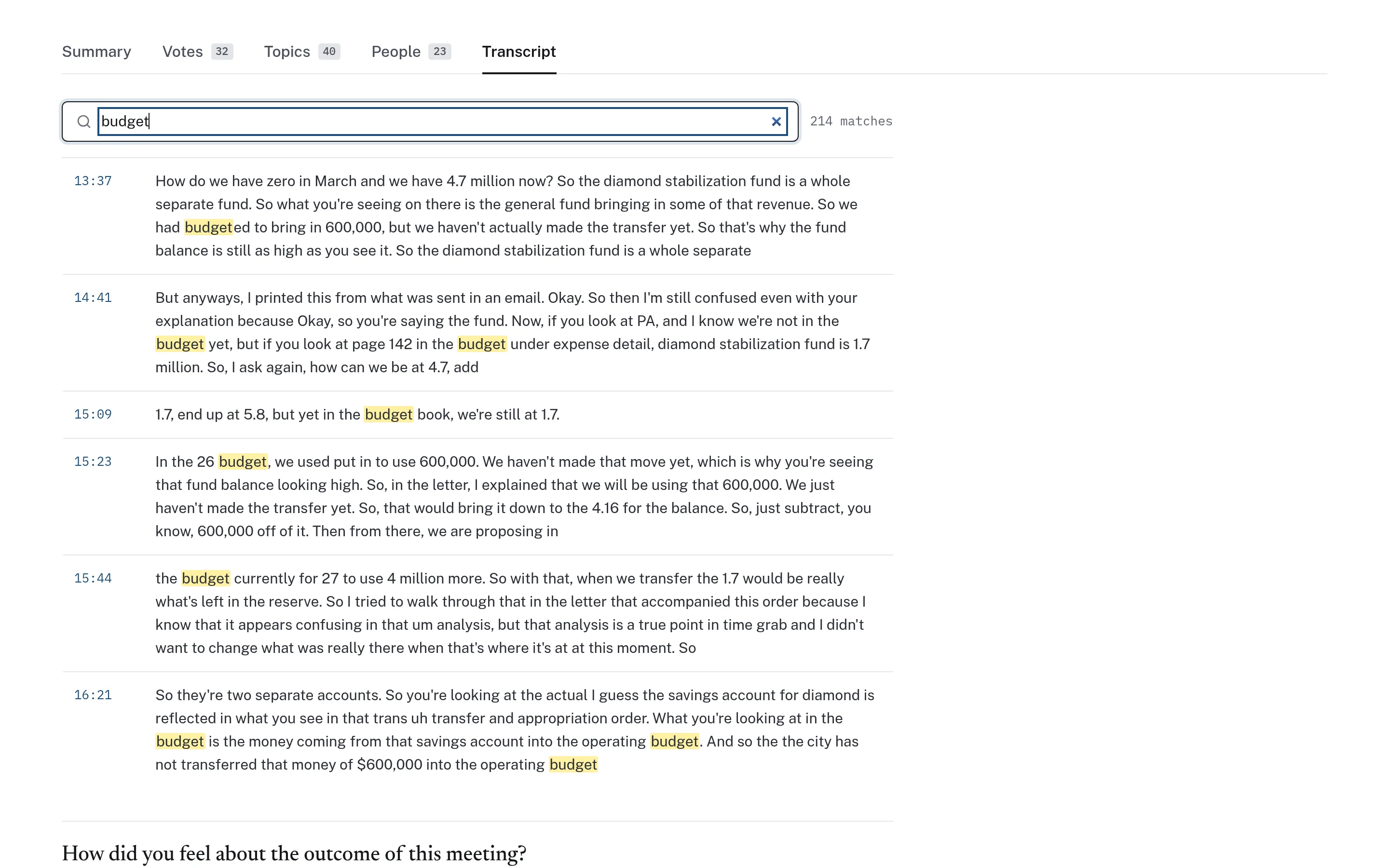
Every match highlighted, every line timestamped.
Once a resident opens a meeting, they can search its transcript directly. The page shows how many matches were found, highlights each occurrence, and places a timestamp beside every transcript segment. Clicking a segment cues the recording to that point, so the reader can hear the discussion in context.
- Match count for the search term within the meeting
- Highlighted matches in the transcript text
- Each segment links to its point in the video
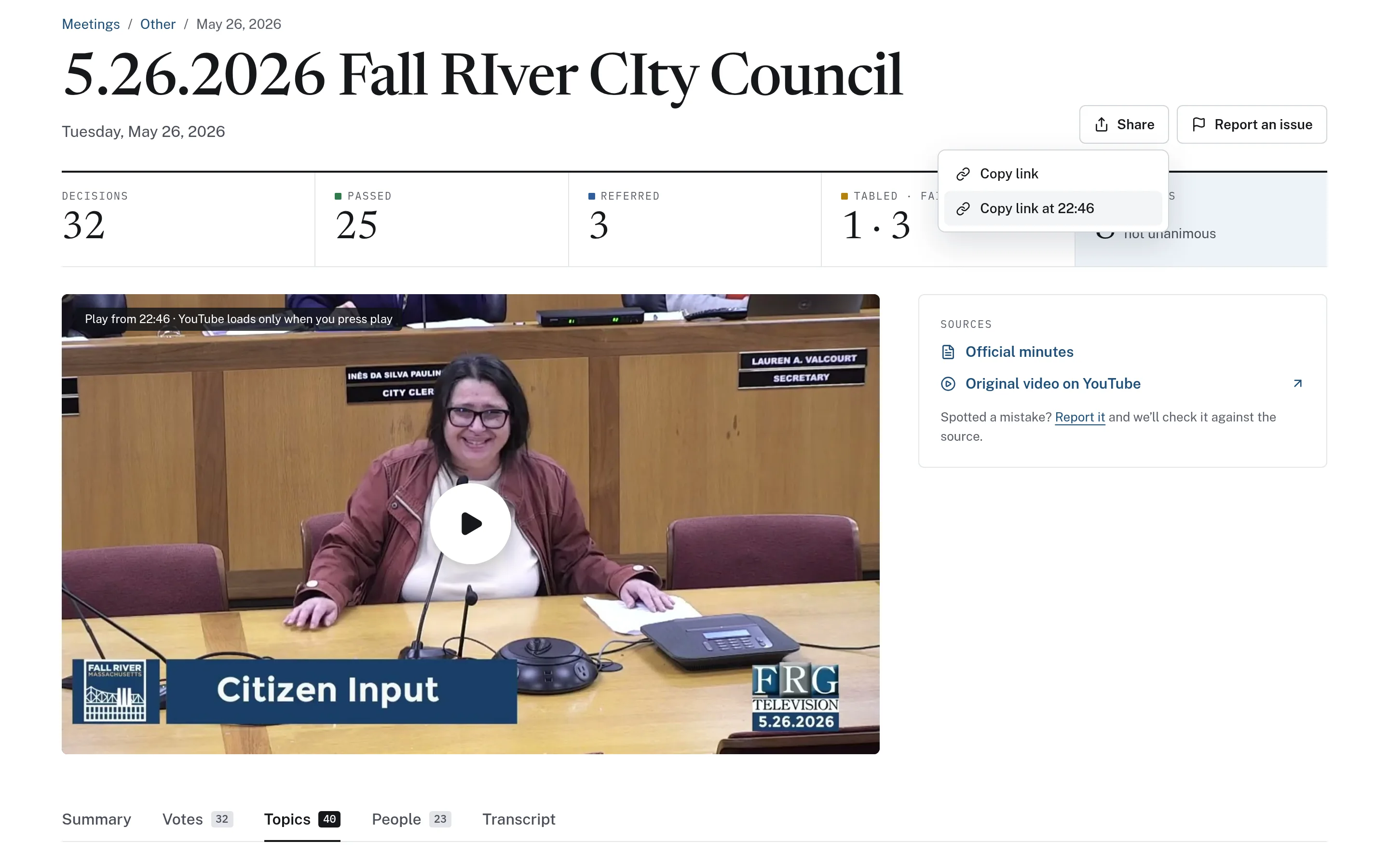
Share the exact point in the recording.
When someone finds the discussion they were looking for, they can copy a link that opens the meeting at that timestamp. The video player shows where playback will begin and loads only when the viewer presses play. Each meeting page also links to the official minutes and the original video, so a search result always leads back to the source.
- Copy a link to the meeting or to a specific moment
- Links to official minutes and the original recording
- Meeting pages work on phones as well as desktops
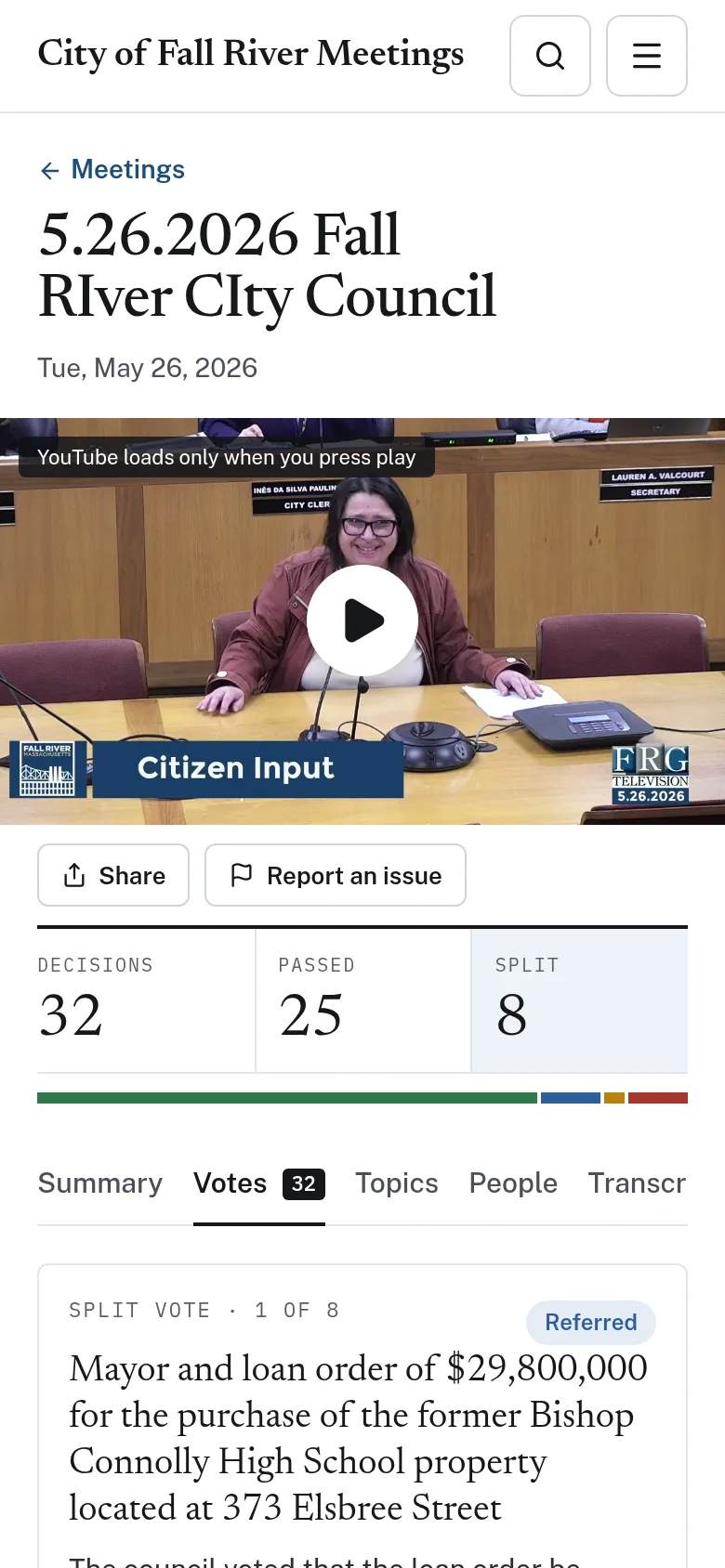
Example: a resident asks about a road project
This is an illustrative workflow showing how a town clerk might use meeting search to answer a common question.
Search results reflect automated transcripts. Names and unusual terms may be transcribed imperfectly, so trying a variant spelling can help.
A resident calls the clerk asking when the council last discussed repaving their street.
The clerk searches the street name across the meeting archive and sees which meetings mentioned it, ranked by how often it came up.
The clerk sorts by newest to find the most recent discussion and opens that meeting.
Inside the meeting, a transcript search highlights each mention, and clicking the first one cues the video to that point.
The clerk copies a timestamped link and sends it to the resident, along with the link to the official minutes.
Practical benefits for your municipality.
Faster answers for residents
Point residents to the moment a topic was discussed instead of a multi-hour recording.
Less research for staff
Clerks and department heads can find prior discussions without relying on memory or rewatching meetings.
Smaller boards become findable
Planning, licensing, and conservation meetings become as easy to search as council sessions.
Always tied to the source
Every result leads back to the recording and, where available, the official minutes.
Keep exploring.
Features that work alongside meeting search, in CivicMeeting and across the CivicTally portfolio.
What does meeting search actually search?
It searches the transcribed text of each recorded meeting, so it finds words that were spoken, not only words in titles or agendas. Results show which meetings mention the term and how many times, and can be sorted by relevance, newest, or oldest.
Can residents search within a single meeting?
Yes. Each meeting page has its own transcript search that shows the number of matches and highlights each one. Every transcript segment is timestamped and links to that point in the recording.
Which meetings can be included in the archive?
Any public body whose meetings are recorded and published can be included, such as a council, school committee, planning board, or licensing board. The archive can be filtered by body and by year, and how far back it goes depends on which past recordings are still publicly available.
Why might a search miss a name or term?
Transcripts are generated automatically, and automated transcription can misspell names, places, and unusual terms. Searching a variant spelling or a nearby word often helps, and residents can report errors from the meeting page.
Does meeting search create video clips?
No. Instead of cutting separate clips, CivicMeeting lets anyone copy a link that opens the original recording at a specific timestamp. That keeps every shared moment connected to the full meeting and its context.
See meeting search with your own municipality in mind.
We’ll walk through CivicMeeting using your departments, categories, and goals — and answer the practical questions about setup.