Bring meeting news to residents every week.
A short weekly email covers what recent meetings decided, with a public archive of every past issue. A meeting calendar shows what's coming up, with links to posted agendas.
Residents hear about decisions after the fact.
Most residents don't follow meeting schedules, and they often learn about a decision only after it is made. Communications staff want to share meeting news regularly but rarely have time to write a weekly roundup from scratch. Agendas are posted, but not where most residents look.
- Few residents track meeting schedules
- Writing a weekly roundup takes staff time
- Agendas are posted but hard to find
How resident updates work.
- Step 1
Residents subscribe
Residents sign up for the weekly email themselves and can unsubscribe anytime.
- Step 2
Recent meetings are summarized
Each issue gathers top stories and other items from recent meetings, each attributed to a specific meeting.
- Step 3
Issues are archived publicly
Every past issue stays available on a public archive page, whether or not someone subscribed.
- Step 4
Upcoming meetings are listed
A calendar shows scheduled meetings in list or month view, with agenda links once they are posted.
Resident Updates in detail
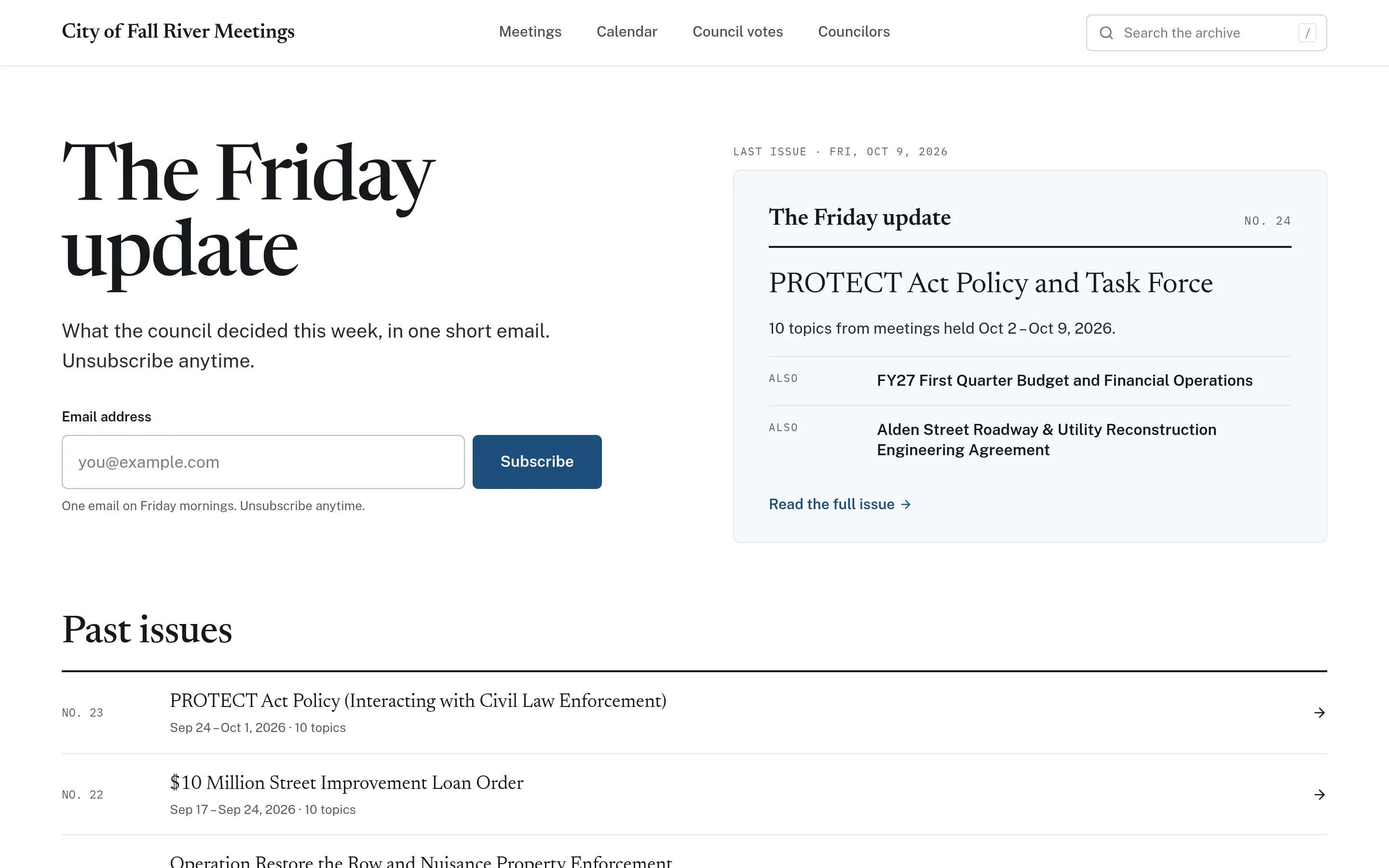
A sign-up where residents already look.
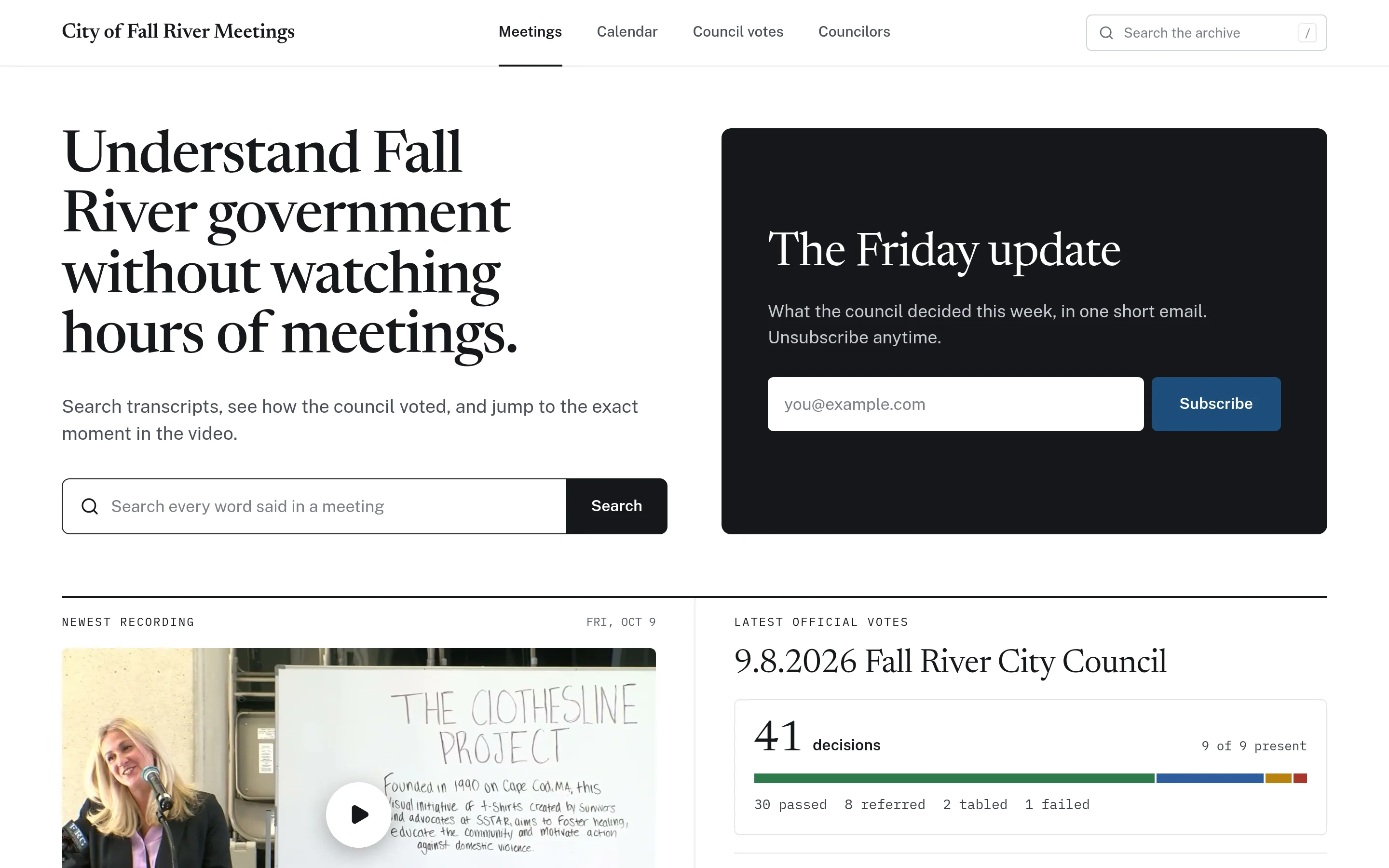
The weekly update sign-up sits on the CivicMeeting home page next to the newest recording and the latest decisions. Each issue leads with top stories, follows with other items from the week, and attributes every item to the meeting it came from. When the content is curated by AI, the issue says so and reminds readers to watch the meeting for accuracy.
- Top stories plus other items from recent meetings
- Each item attributed to a specific meeting
- Labelled when AI-curated; never presented as minutes
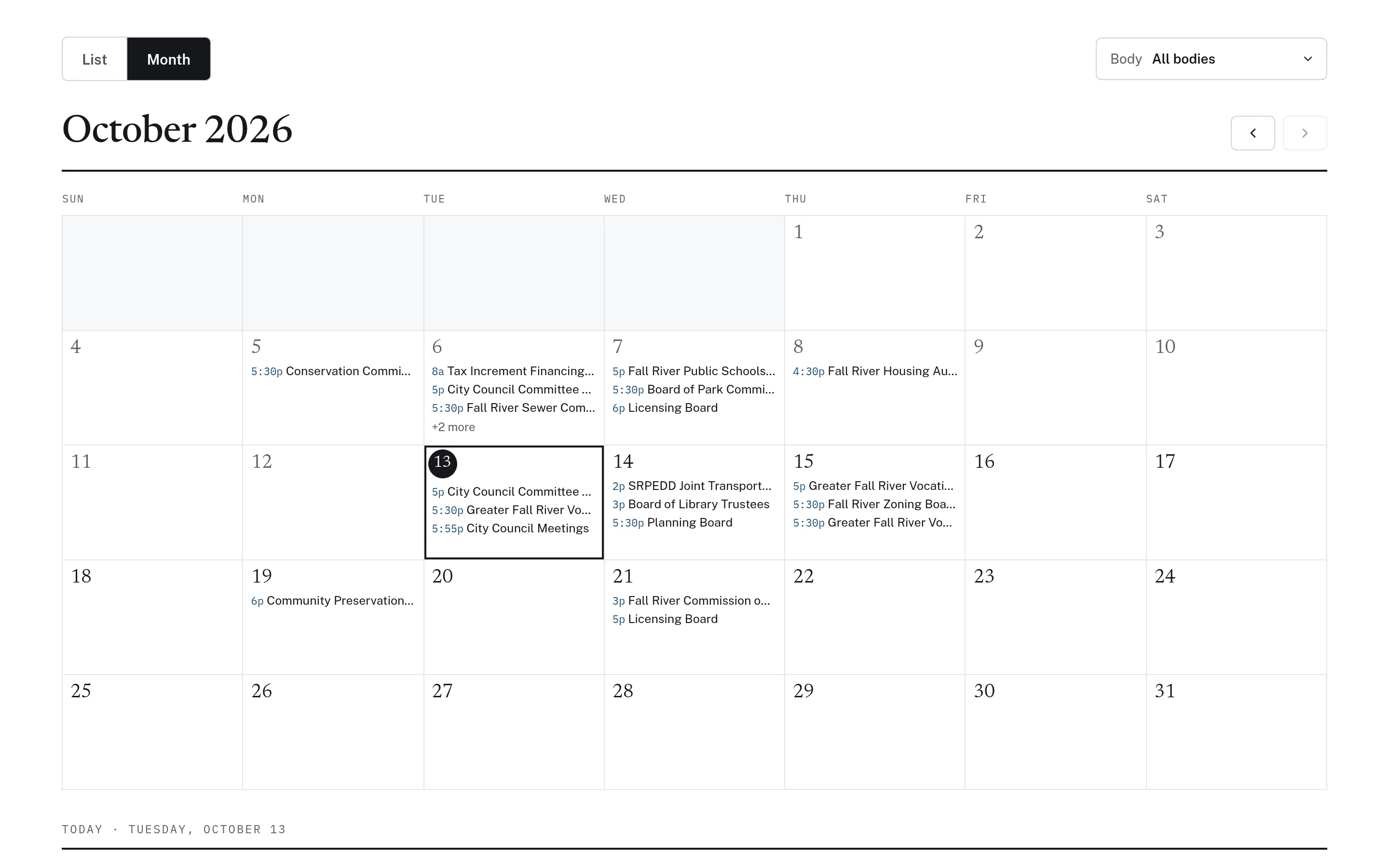
Upcoming meetings, with agendas attached.
The calendar lists upcoming public meetings in a list or month view and can be filtered by public body. Each entry shows the time and location, and links to the agenda once it is posted, including revised agendas alongside the original. Upcoming meetings can also appear on the home page so residents see what is next.
- List and month views with a body filter
- Times, locations, and agenda links
- Revised and original agendas both linked
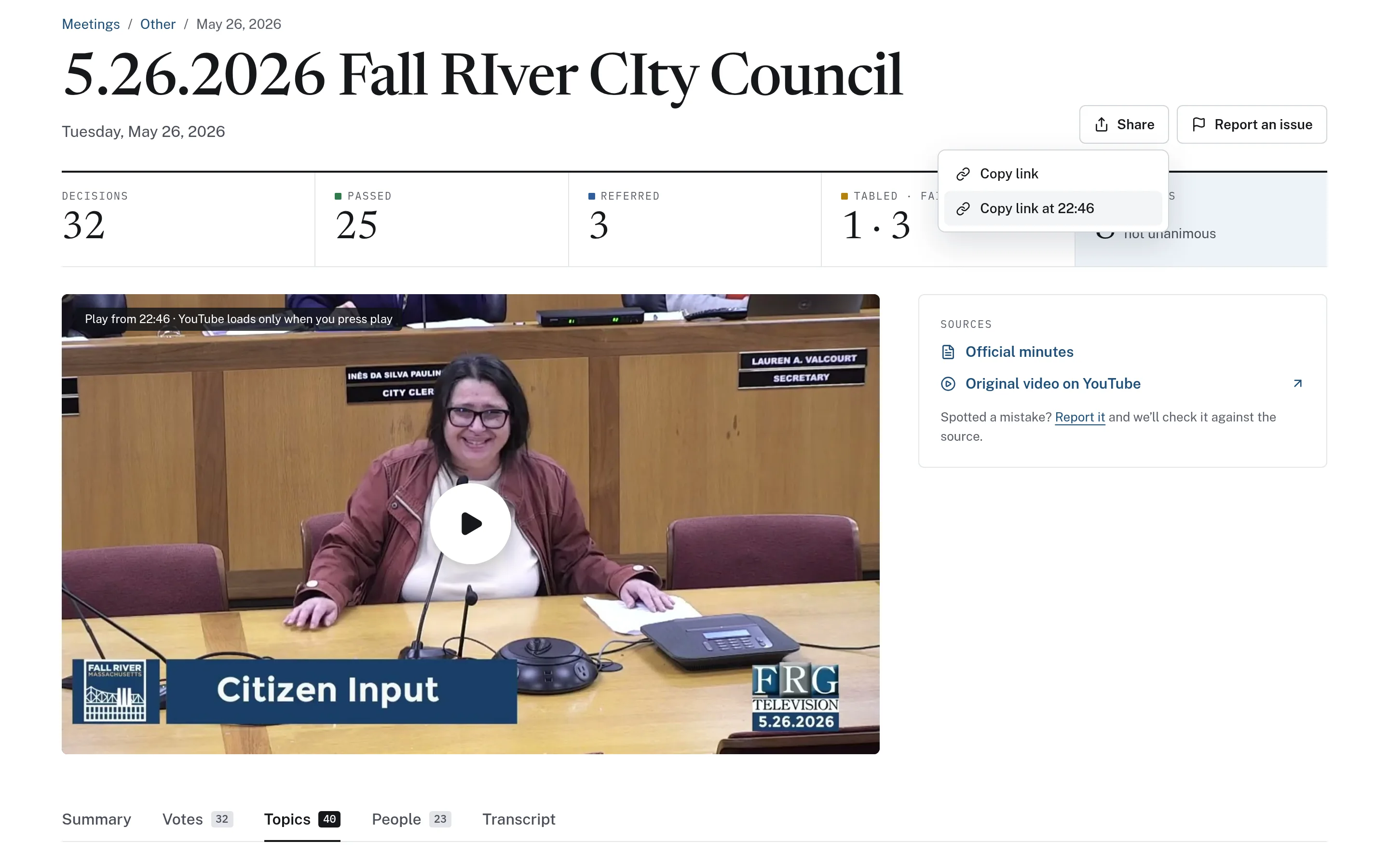
Every update leads back to the source.
Updates point residents to the meetings behind each item, where they can read the transcript, play the recording from a specific moment, and check the official minutes. That keeps the weekly email short while making the full context one click away.
- Meeting pages link to minutes and original video
- Timestamped links to specific discussions
- "Report an issue" if something looks wrong
Example: one week of meetings, one short update
This is an illustrative workflow showing how residents of a town might stay informed through the weekly update and calendar.
The weekly update is a resident information tool, not an official notice or the official minutes.
During the week, the council, planning board, and school committee each hold a meeting.
The weekly update gathers the main decisions as top stories and lists smaller items below, each tied to its meeting.
A subscribed resident reads the issue and opens the meeting page for a zoning item they care about.
They play the recording from the relevant moment and check the official minutes once they are posted.
They check the calendar for the board's next meeting and open the agenda when it is posted.
Practical benefits for your municipality.
Consistent communication
Residents receive a regular update on recent meetings without staff writing it from scratch.
A public archive
Every past issue stays available, so anyone can catch up on earlier weeks.
No surprises on the agenda
A clear calendar with agendas helps residents know when items they care about are coming up.
Transparent about AI
AI-curated content is labelled, and every item points back to its source meeting.
Keep exploring.
Features that work alongside resident updates, in CivicMeeting and across the CivicTally portfolio.
Is the weekly update an official newsletter or the minutes?
No. The weekly update is a resident information tool that summarizes recent meetings. When it is curated by AI, it is labelled that way and reminds readers to watch the meeting for accuracy. Approved minutes remain the official record.
How do residents subscribe?
Residents sign up with their email address on the newsletter page or home page and can unsubscribe anytime. Every past issue is also published in a public archive, so no subscription is needed to read them.
What is in each issue?
Each issue leads with top stories from recent meetings and follows with other items from the week. Every item is attributed to the meeting it came from, so readers can go to the full record.
Where does the meeting calendar come from?
The calendar reflects meetings your municipality already posts, with agendas linked once they are published. It offers list and month views and can be filtered by public body.
Can we use the calendar without the newsletter?
Yes. CivicMeeting is modular, so the calendar and the weekly update can be adopted independently or alongside archives, transcripts, and voting records.
See resident updates with your own municipality in mind.
We’ll walk through CivicMeeting using your departments, categories, and goals — and answer the practical questions about setup.