Three quick steps, from any phone.
Residents choose what they’re reporting, place a pin where it is, and add a short note or photo if they want to. There’s no account to create and no app to download.
If reporting is hard, residents call, post, or give up.
When the only way to report a pothole is a phone call during business hours or an email to the right person, many residents don’t bother, and those who do often post in a community group instead. The reports that do arrive are hard to act on because they lack a precise location.
- Account sign-ups and app downloads discourage one-time reporters
- Descriptions like “near the school” leave staff guessing
- Social media posts never reach the department that can fix the problem
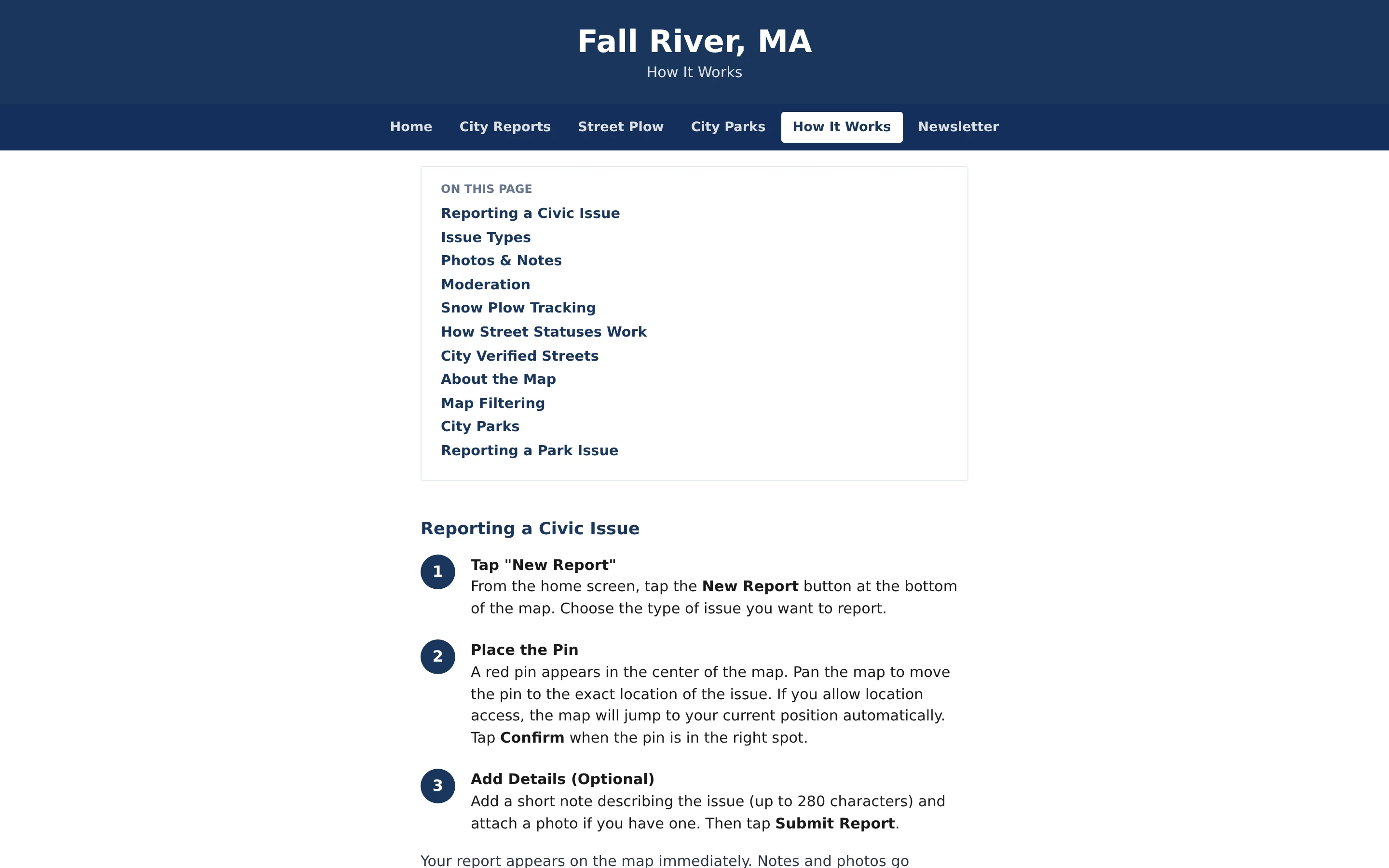
How residents submit a report.
- Step 1
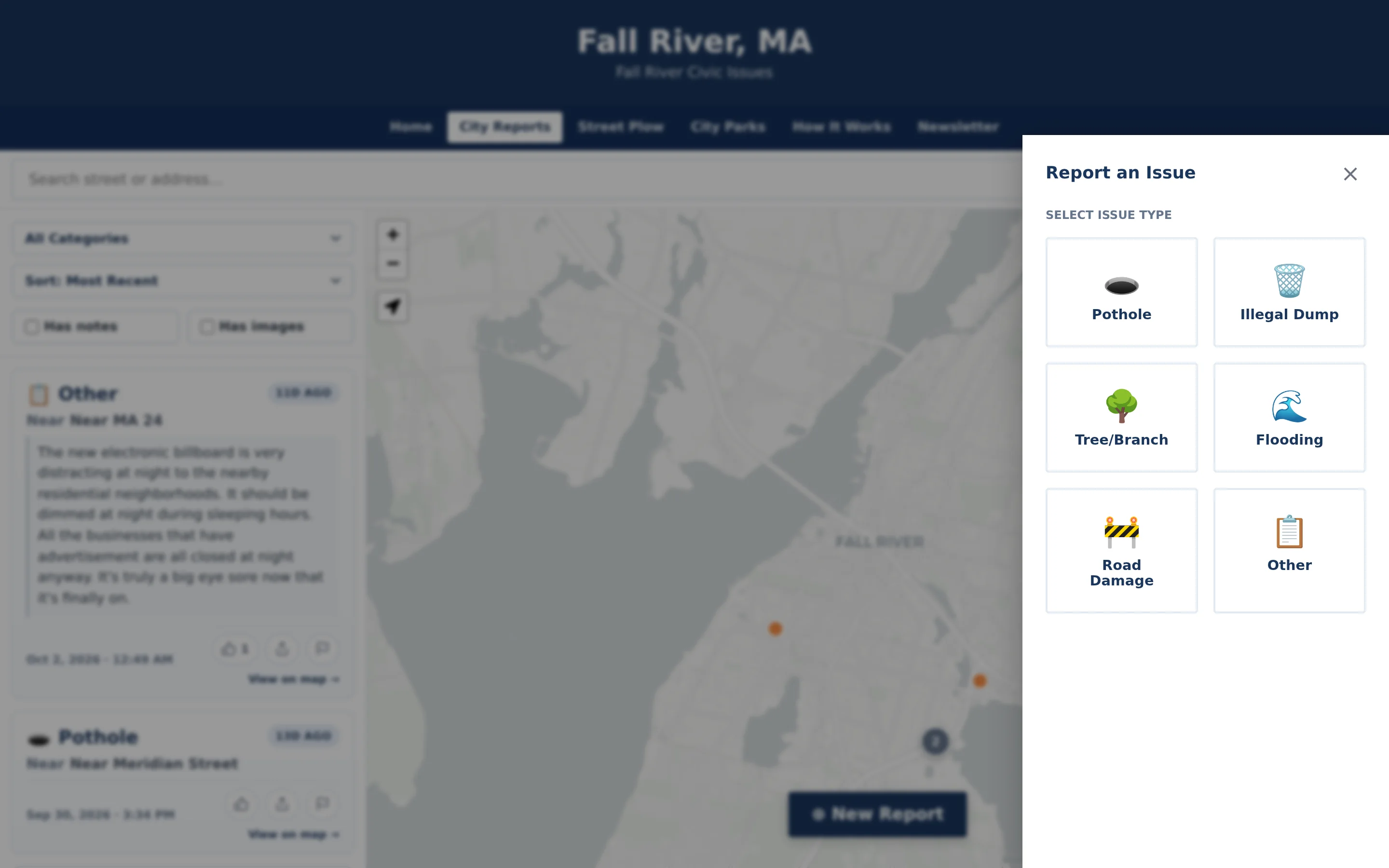
Tap New Report and pick a category
Large, clearly labeled buttons cover the categories your municipality accepts, such as pothole, illegal dump, tree or branch, flooding, road damage, and other.
- Step 2
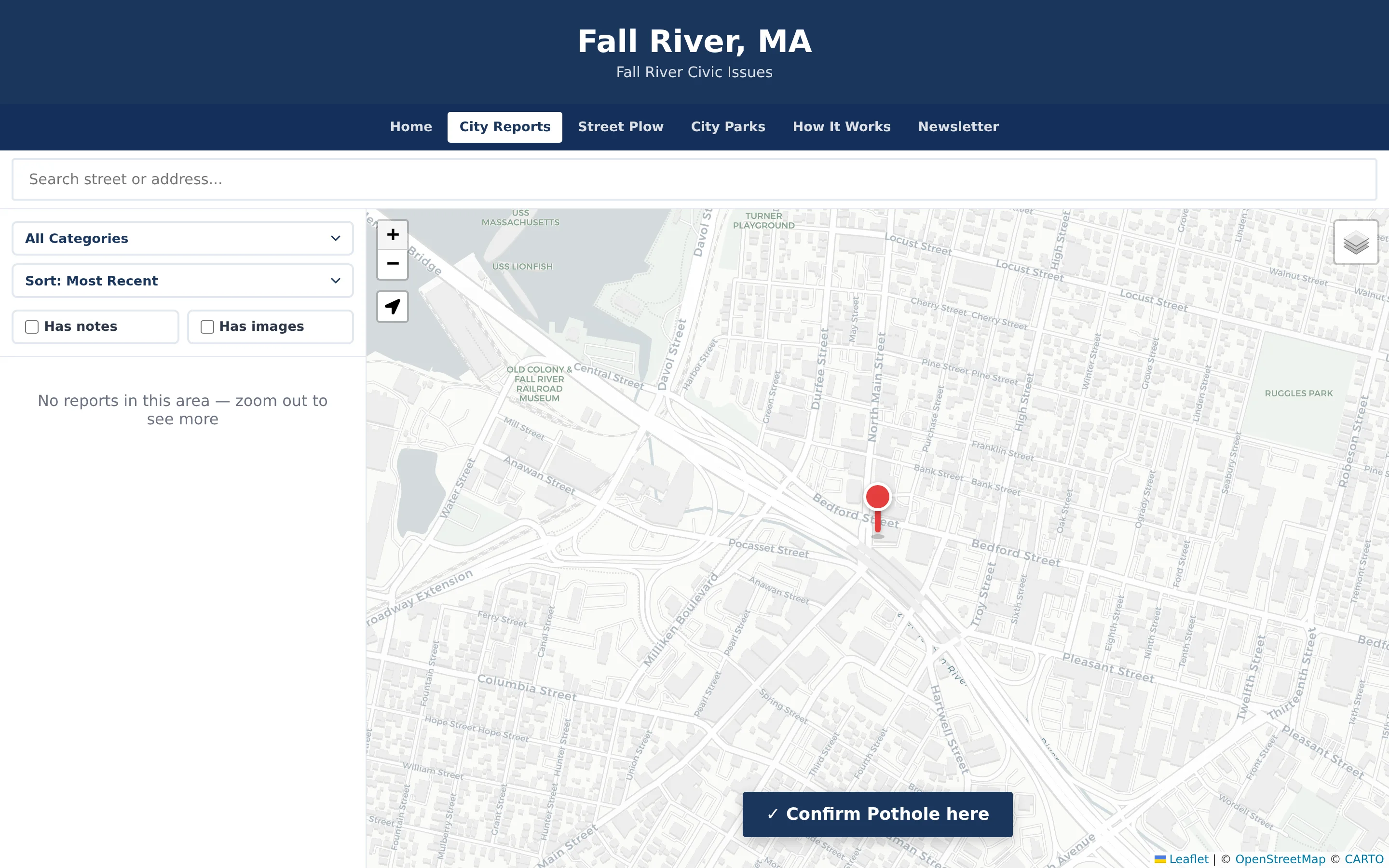
Place the pin
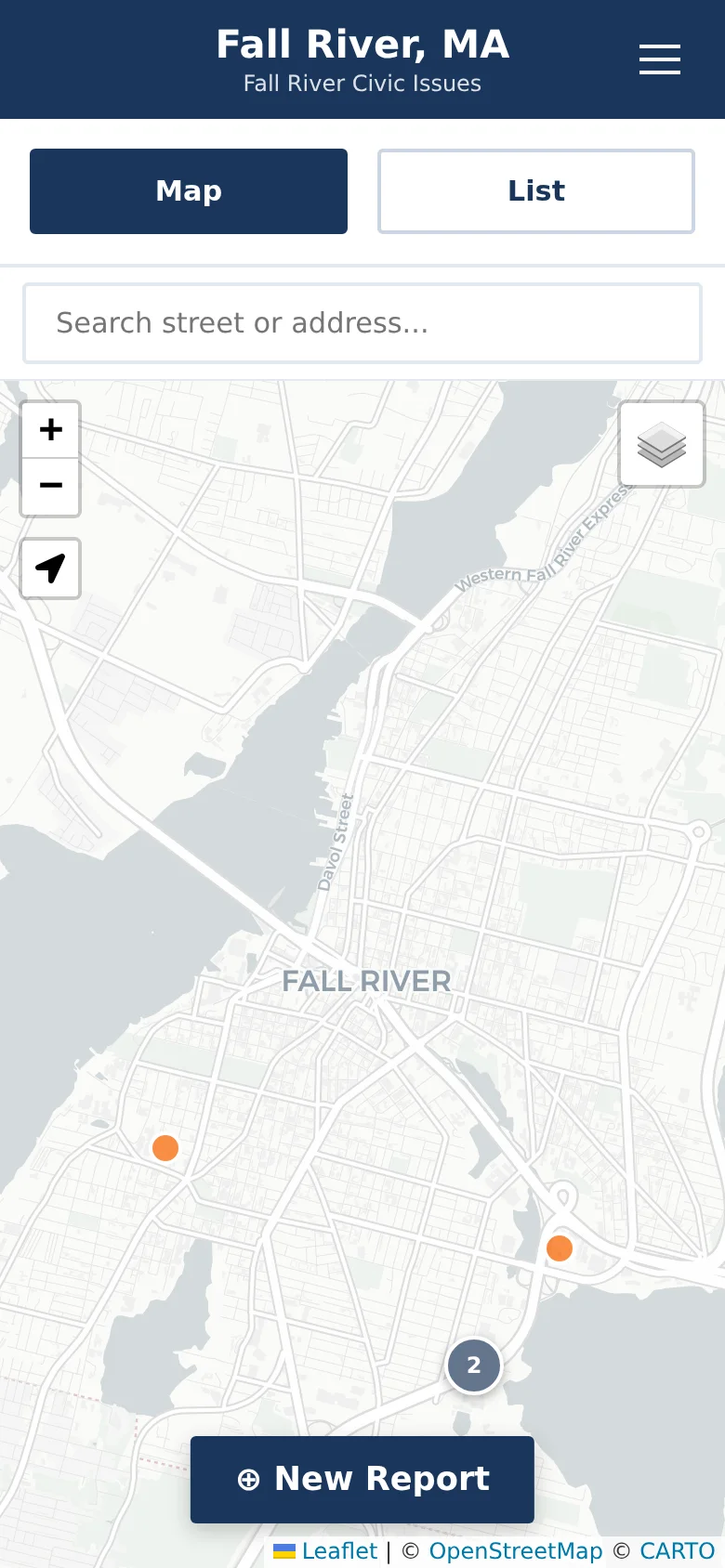
A pin appears at the center of the map. Residents pan the map to position it, search for an address, or jump to their current location.
- Step 3
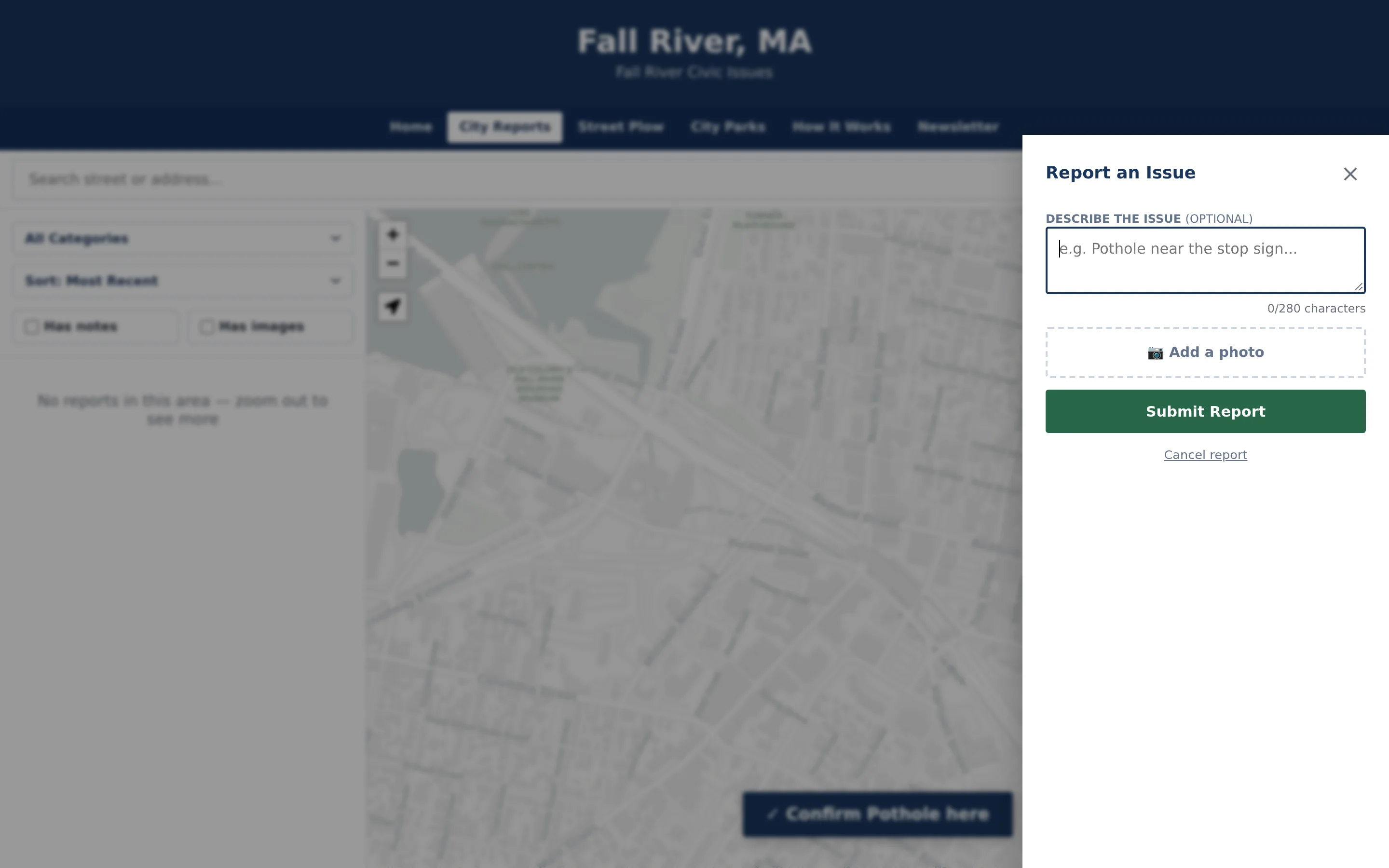
Add details if they want to
An optional note of up to 280 characters and an optional photo from the camera or photo library. Photos are resized automatically before upload.
- Step 4
Submit
The pin and category appear on the public map right away. Notes and photos are screened automatically before they are shown publicly.
Resident Reporting in detail
A pin on the map instead of a vague description.
The reporting flow is built around location. Residents move the map under a fixed pin until it sits on the problem, which works whether they’re standing in front of it or reporting from home later. Address search and a “use my location” option get them close quickly, and the public map later shows the report as near the closest street rather than at a full street address.
- Pan-to-place pin that works on small screens
- Address search and current-location shortcut
- Public listing shows an approximate “near” street location
Short notes and photos that help staff, without slowing residents down.
A note and a photo are both optional, so a resident in a hurry can submit with just a category and a pin. The 280-character limit keeps notes focused on what staff need to know, such as which lane or how deep. Photos can be taken on the spot or chosen from the phone’s library and are resized automatically, so large images don’t stall the upload on a weak connection.
- Notes up to 280 characters with a visible counter
- Photo from camera or library, resized before upload
- Submit with or without either
No name, no email address, no account.
Residents aren’t asked for any identifying information to submit a report. That lowers the barrier for people who would never create an account just to report a pothole. To keep anonymous reporting usable, notes and photos are screened automatically before public display, and the public How It Works page explains in plain language what can be reported and how moderation works.
- No sign-up or personal details required
- Automatic screening of notes and photos before they appear publicly
- Plain-language guidance residents can read before reporting
Example: a fallen branch after a windstorm
An illustrative example of how a resident might use CivicReport in a town that has configured a Tree / Branch category.
CivicReport is for non-emergency issues. A downed power line or a tree on a house is an emergency, and residents are directed to call 911.
On the morning after a windstorm, a resident walking a dog sees a large branch blocking part of a side street.
They open the town’s reporting site in their phone browser, tap New Report, and choose Tree / Branch.
They tap the location shortcut, nudge the map so the pin sits on the branch, and confirm the spot.
They add a short note that the branch covers half the travel lane and take a quick photo.
The pin appears on the public map right away, the note and photo follow once screened, and the report reaches the department responsible for that category.
A neighbor who sees the same branch later finds the existing report on the map and confirms it instead of filing a duplicate.
Practical benefits for your municipality.
More residents report
Removing sign-ups and app downloads makes it practical for anyone with a phone to report a problem once.
Locations staff can use
Every report arrives with a map pin, so staff spend less time working out where an issue is.
Fewer duplicate reports
Residents can see existing reports on the map and confirm them rather than submitting the same issue again.
One clear place to report
Communications staff can point residents to a single address instead of a list of phone numbers and email inboxes.
Keep exploring.
Features that work alongside resident reporting, in CivicReport and across the CivicTally portfolio.
Do residents need an account, an app, or an email address?
No. Residents report from a regular web browser on a phone, tablet, or computer. They don’t need to create an account, download an app, or give their name or email address to submit a report.
What if a resident doesn’t know the address?
They don’t need one. Residents place the pin by moving the map, and they can jump to their current location if their device allows it. Address search is there for people who do know where the issue is but aren’t standing next to it.
Are notes and photos posted publicly right away?
The category and pin appear on the public map immediately. Notes and photos are screened automatically first and appear once they pass review. Staff can also approve, hide, or remove content from the administration dashboard.
Which categories can residents choose from?
A typical setup includes Pothole, Illegal Dump, Tree / Branch, Flooding, Road Damage, and Other. Categories are configured with each municipality during implementation, so residents only see the issue types your departments handle.
Can residents report problems in parks?
Where a parks module is set up, residents can report park issues such as safety hazards, maintenance problems, vandalism, or accessibility barriers. Park reports go directly to staff for review and are not shown on the public map.
Can residents use CivicReport for emergencies?
No. CivicReport is for non-emergency issues only, and the public site tells residents to call 911 for emergencies. Reports are reviewed by staff during normal operations and are not monitored like an emergency line.
See resident reporting with your own municipality in mind.
We’ll walk through CivicReport using your departments, categories, and goals — and answer the practical questions about setup.