The right report reaches the right desk.
Each report category is matched to the department responsible for it. When a resident submits a report, designated staff in that department receive an email, and the report is waiting in the dashboard.
Someone ends up forwarding everything by hand.
In many smaller municipalities, one person, often in the administrator’s office or at the front desk, receives every complaint and decides where it goes. That works until they’re out sick, overloaded during a storm, or unsure whether dumping belongs to public works or the board of health.
- One inbox becomes a bottleneck
- Reports sit unseen when the forwarder is away
- Departments hear about issues secondhand
How routing works.
- Step 1
Map categories to departments
During implementation, each category is assigned to the department responsible for it.
- Step 2
Designate who is notified
Each department names the staff contacts who should receive email notifications for its categories.
- Step 3
Residents report as usual
The resident picks a category on the map. They don’t need to know which department handles it.
- Step 4
The department is notified
Designated staff receive an email and open the report in the dashboard to see the pin, note, and photo.
Department Routing in detail
Routing that reflects your org chart, not a template.
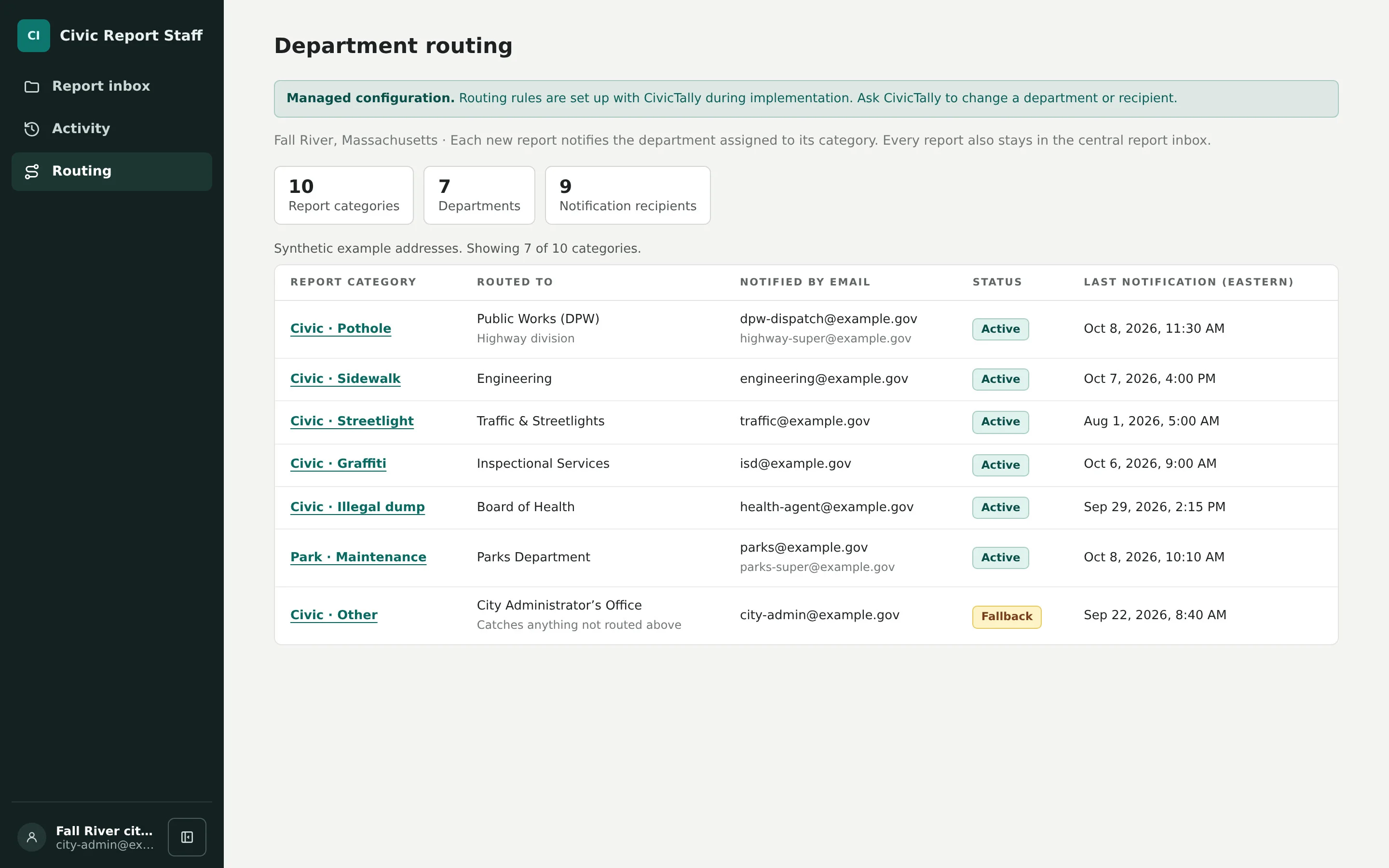
Who handles illegal dumping, fallen trees, or drainage differs from one municipality to the next. CivicTally works with your staff during implementation to match each category to the department that actually owns it and to choose who receives notifications. If responsibilities shift later, routing can be revisited with CivicTally rather than rebuilt.
- Category-to-department rules set during implementation
- Designated notification recipients for each department
- Adjustable as responsibilities change
Residents pick what they see. Routing handles where it goes.
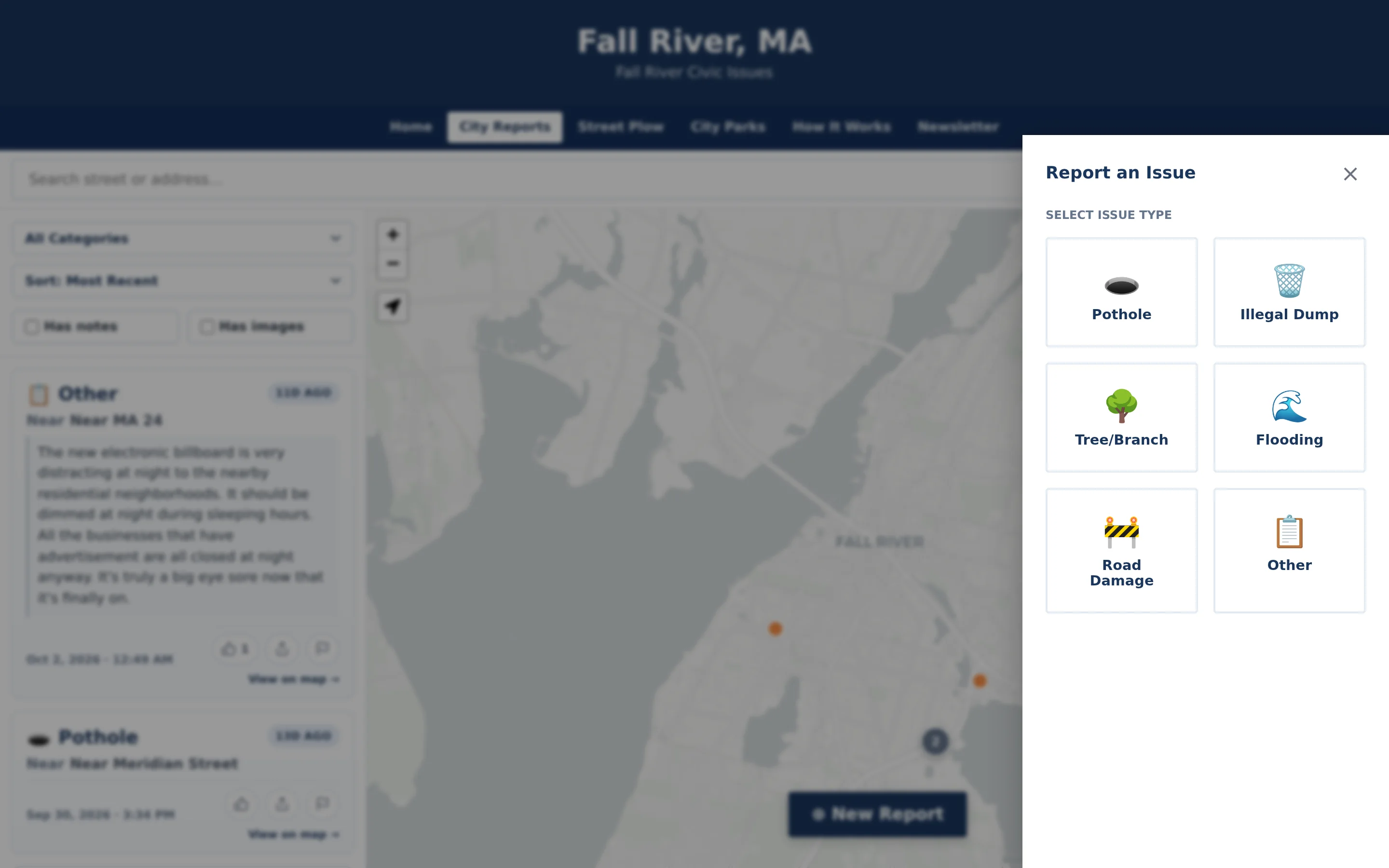
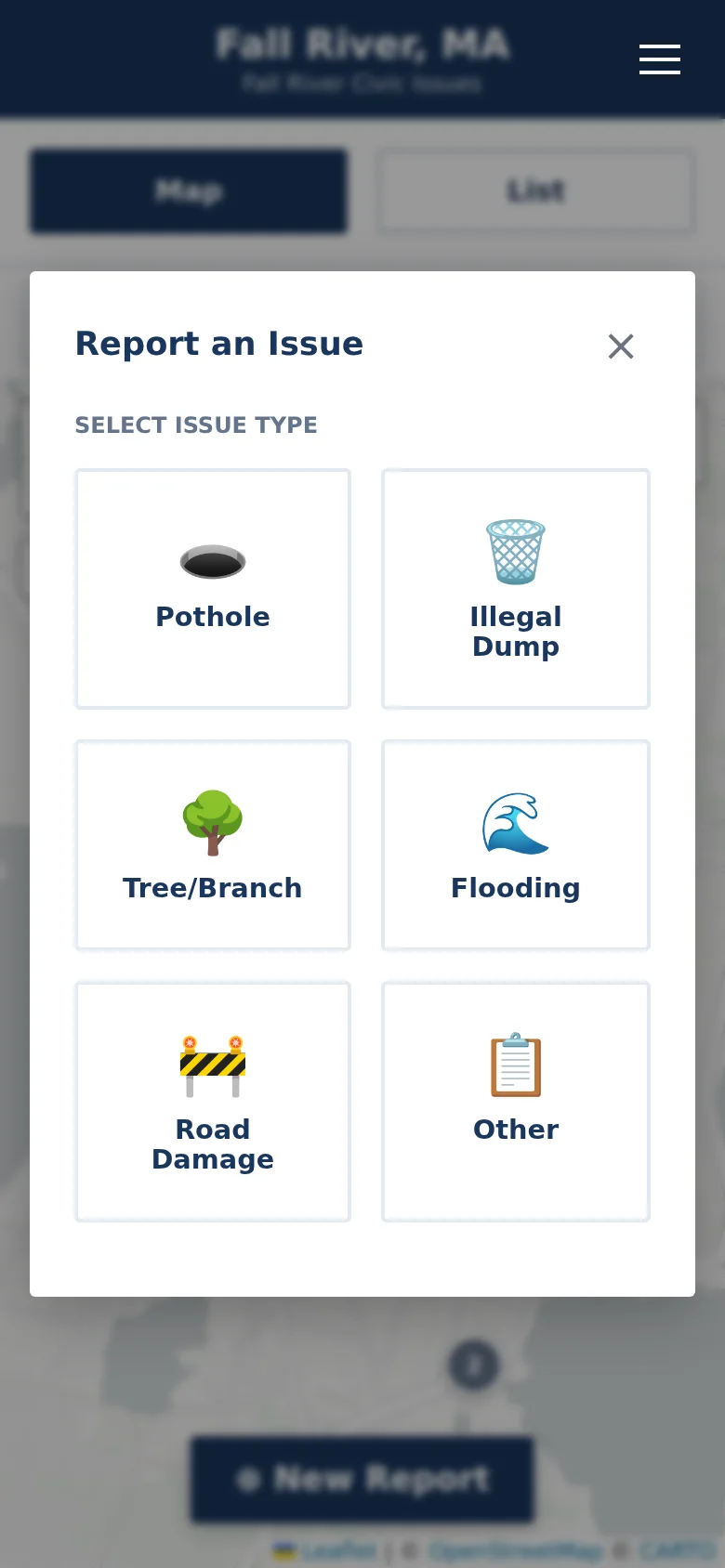
Residents choose from plain categories like Pothole or Flooding, not department names. They don’t have to know that drainage belongs to the highway department or that dumping goes to the board of health. Because the category drives routing, clear category names and short descriptions do double duty: they help residents choose and they get the report to the right desk.
- Plain-language categories instead of department names
- Category choice determines the receiving department
- Guidance text helps residents choose correctly
Departments see their reports. Administration sees everything.
Routing decides who is notified, not where the report lives. Every report stays in the same central dashboard and on the same public map, so administrators can see activity across departments, and a report doesn’t disappear into one department’s inbox. Departments can act on what belongs to them without sorting through everything else.
- Email notifications by department
- Central record for every report
- Cross-department view for administrators
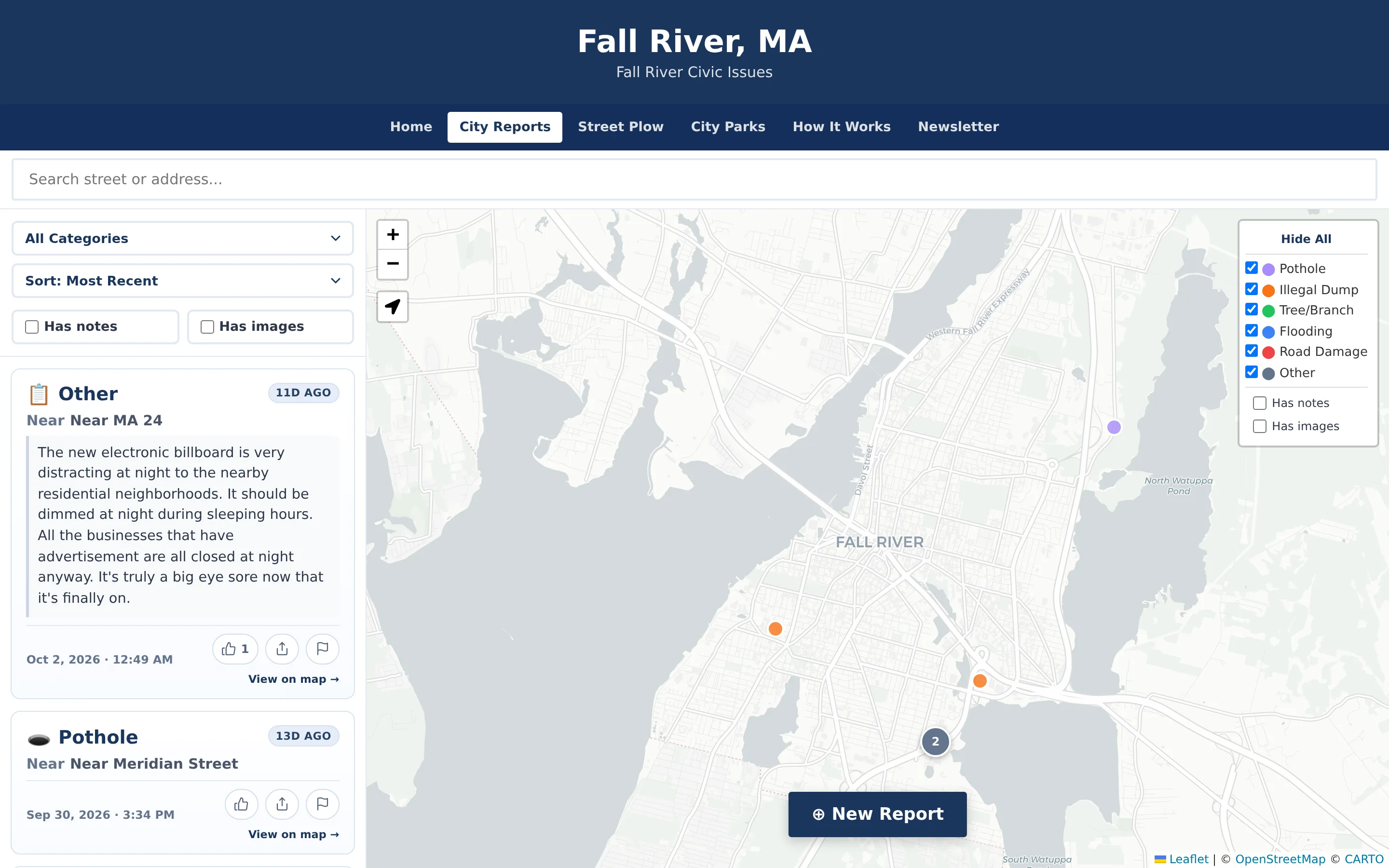
Example: illegal dumping on a rural road
An illustrative example of routing in a town where illegal dumping is handled by the board of health and road damage by the highway department.
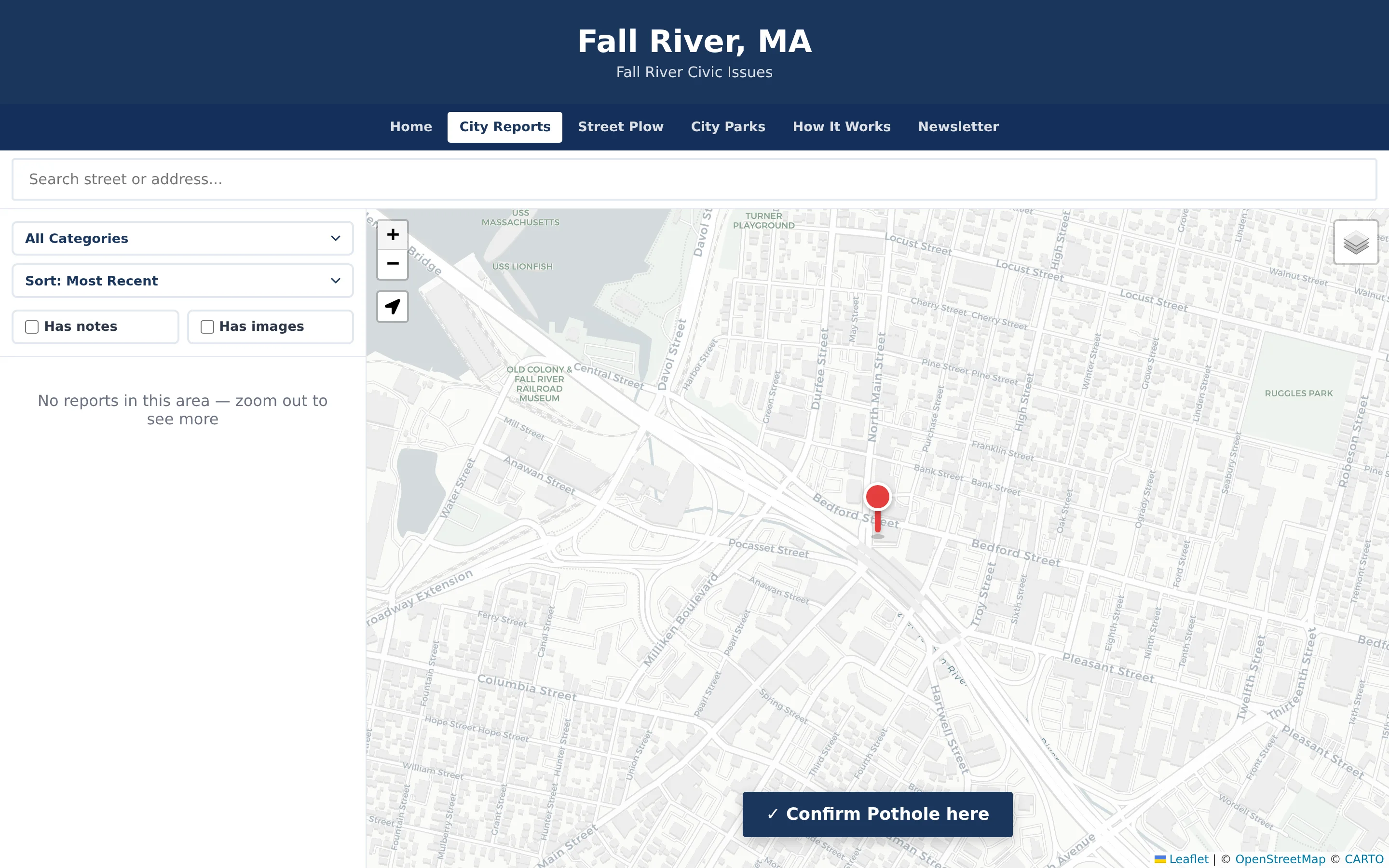
A resident reports a pile of tires and furniture dumped at a pull-off and chooses the Illegal Dump category.
Because Illegal Dump is routed to the board of health, the health agent designated during setup receives an email notification.
The health agent signs in to the dashboard and reviews the pin location, the note, and the photo.
Later that week, a different resident reports a washed-out shoulder on the same road under Road Damage, and that report goes to the highway department instead.
The town administrator can see both reports in the central dashboard without either department forwarding anything.
Practical benefits for your municipality.
No single bottleneck
Reports reach departments directly instead of waiting for one person to read and forward them.
Clear ownership
Each category has an agreed owner, which reduces confusion about who should respond.
Less noise for departments
Staff are notified about the categories they handle, not every report the municipality receives.
Visibility for administration
Routing doesn’t fragment the record. Leaders still see all activity in one dashboard.
Keep exploring.
Features that work alongside department routing, in CivicReport and across the CivicTally portfolio.
How is routing set up?
CivicTally configures routing with your staff during implementation. Together you decide which department handles each category and which staff members should receive email notifications for it.
How are departments notified?
Designated staff receive an email notification when a new report arrives in a category routed to their department. They then open the administration dashboard to review the report’s location, note, and photo.
What if a resident chooses the wrong category?
Every report still lands in the central dashboard, so it is never lost. Clear category names and short descriptions reduce mistakes, and if a pattern emerges, category wording or routing can be adjusted with CivicTally.
Do residents get notified too?
No. Residents report anonymously and are not asked for an email address, so routing notifications go to staff only. How much status information appears publicly is a configuration decision made with each municipality.
Does routing connect to our work order system?
Routing notifies designated department staff by email, and every report stays in the CivicReport dashboard. If your departments track work in a separate system, talk with CivicTally during implementation about how CivicReport should fit alongside your current process.
See department routing with your own municipality in mind.
We’ll walk through CivicReport using your departments, categories, and goals — and answer the practical questions about setup.