See CivicTally in action.
All four products run publicly today in Fall River, Massachusetts — CivicTally’s home community. Explore them live, or browse the screenshots below.
About these examples
These are working CivicTally applications, but they are not official City of Fall River deployments. Each site states its own status, which we quote below. They demonstrate the software; they do not imply municipal endorsement or a customer relationship.
CivicReport · Resident Reporting & Issue Management
Fall River community reporting
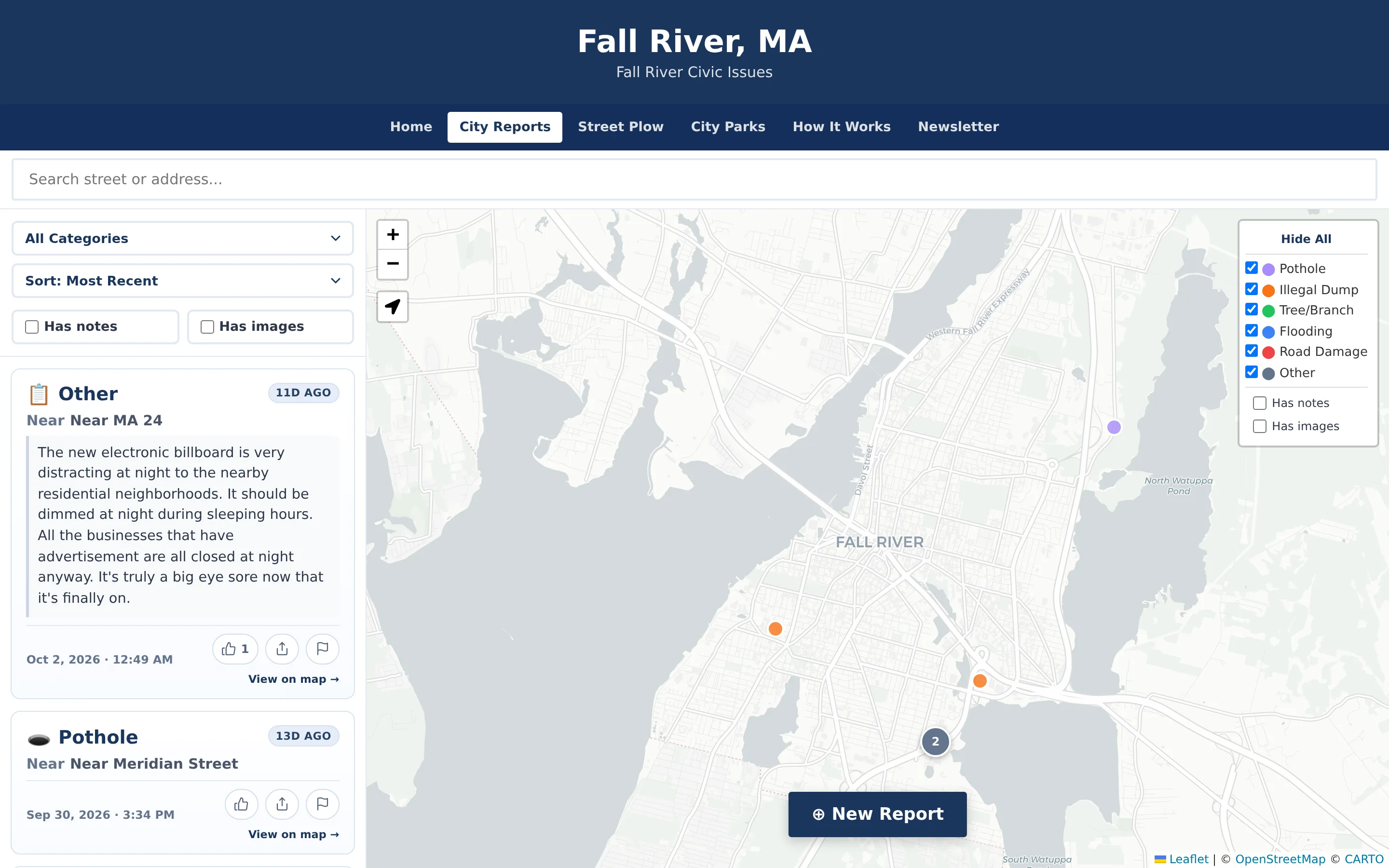
Residents report potholes, illegal dumping, fallen branches, flooding, and road damage on a public map, without an account. The site also includes street-status tracking during snowstorms, a parks directory with staff-reviewed park issue reports, and timelapse playback.
- Six issue categories with optional notes and photos
- Automatic screening of notes and photos
- Storm street-status mode with verified badges
- Timelapse playback of past storms
Independent, community-driven application. The site states that it is not an official City of Fall River application and is not affiliated with, endorsed by, or operated by the City.
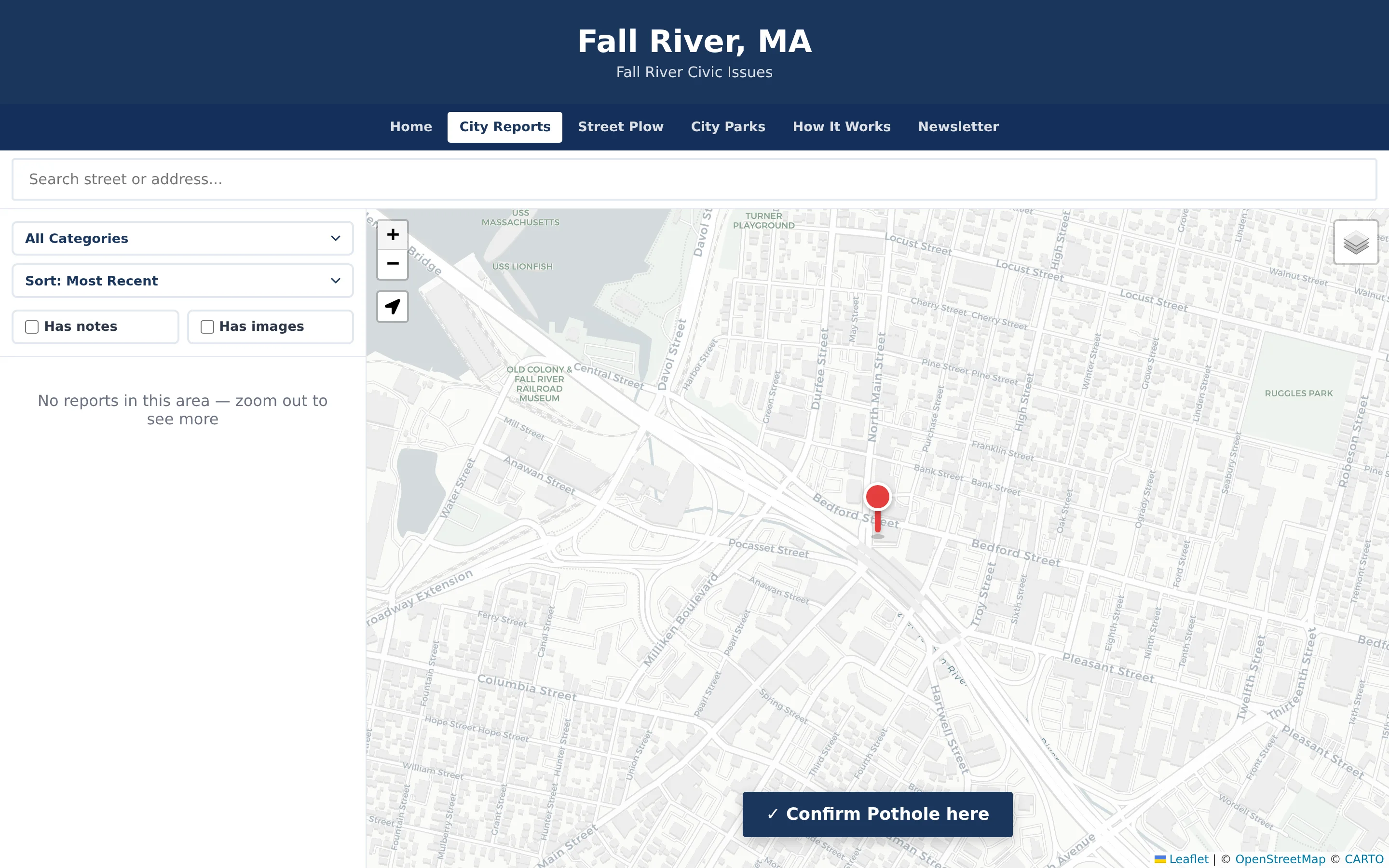
Step 2 — the resident pans the map to place the pin precisely. 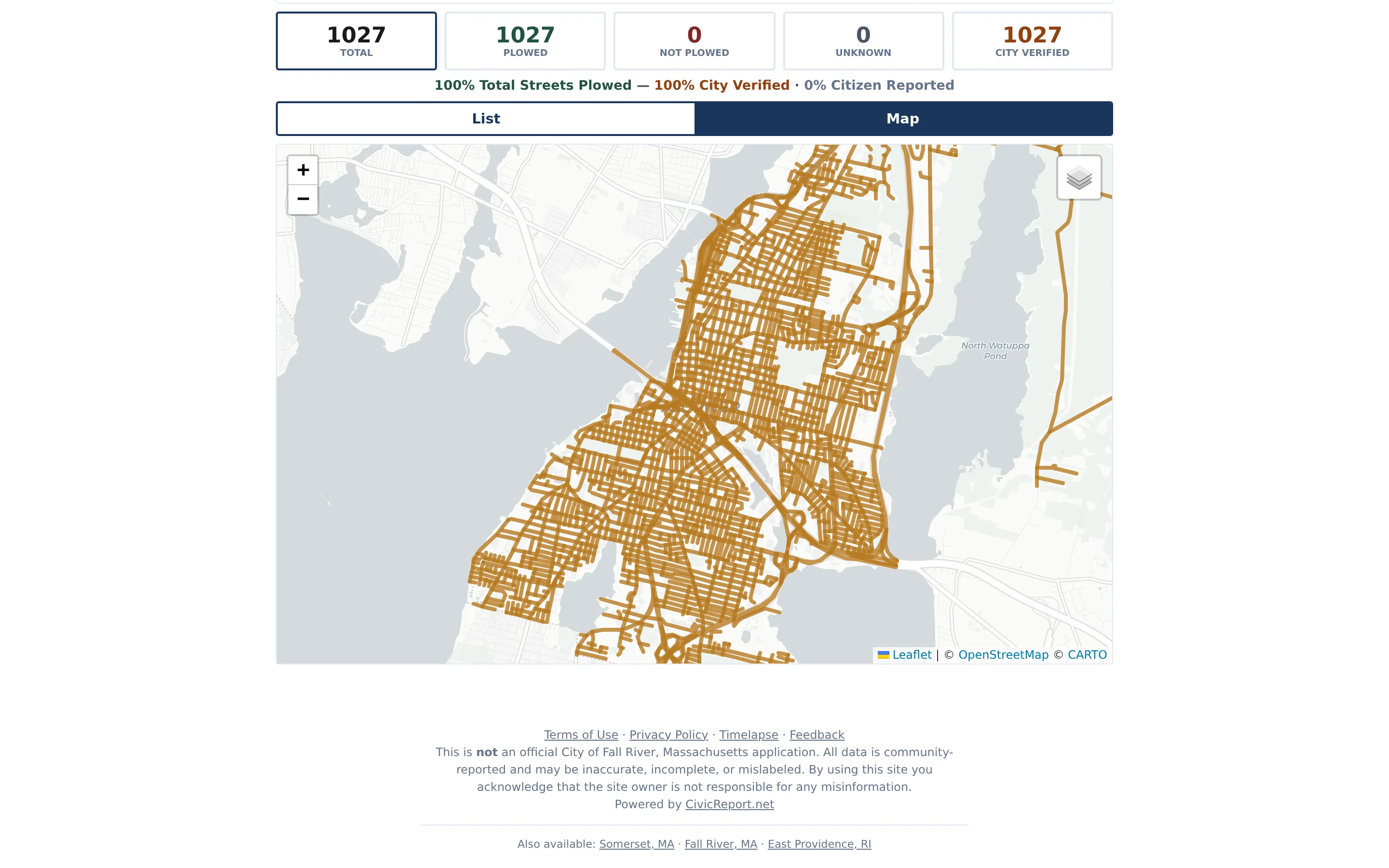
Street-status mode: gold streets carry the “City Verified” badge set by authorized staff. (Off-season data from February 2026.) 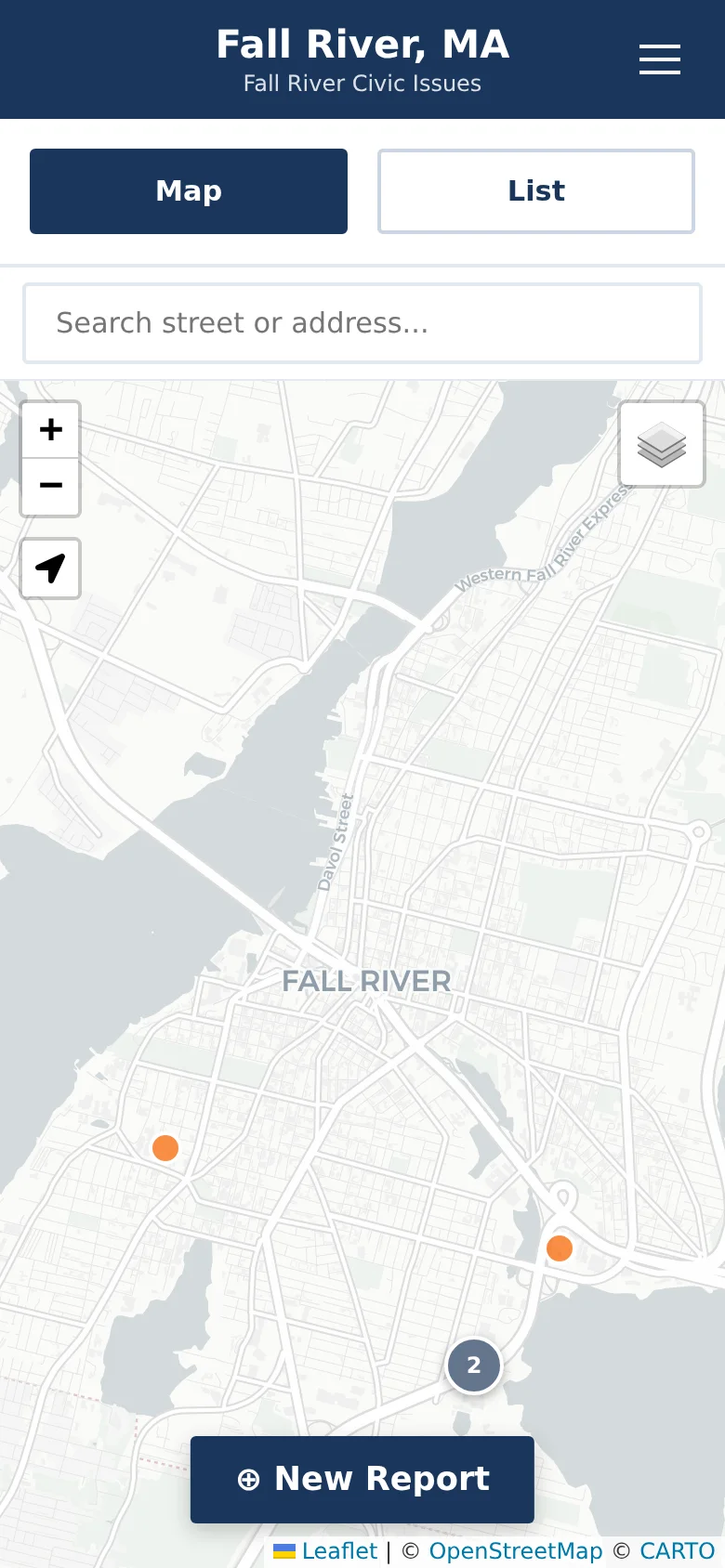
Mobile-first: no app download and no account required.
CivicMeeting · Public Meeting Transparency
Fall River public meetings
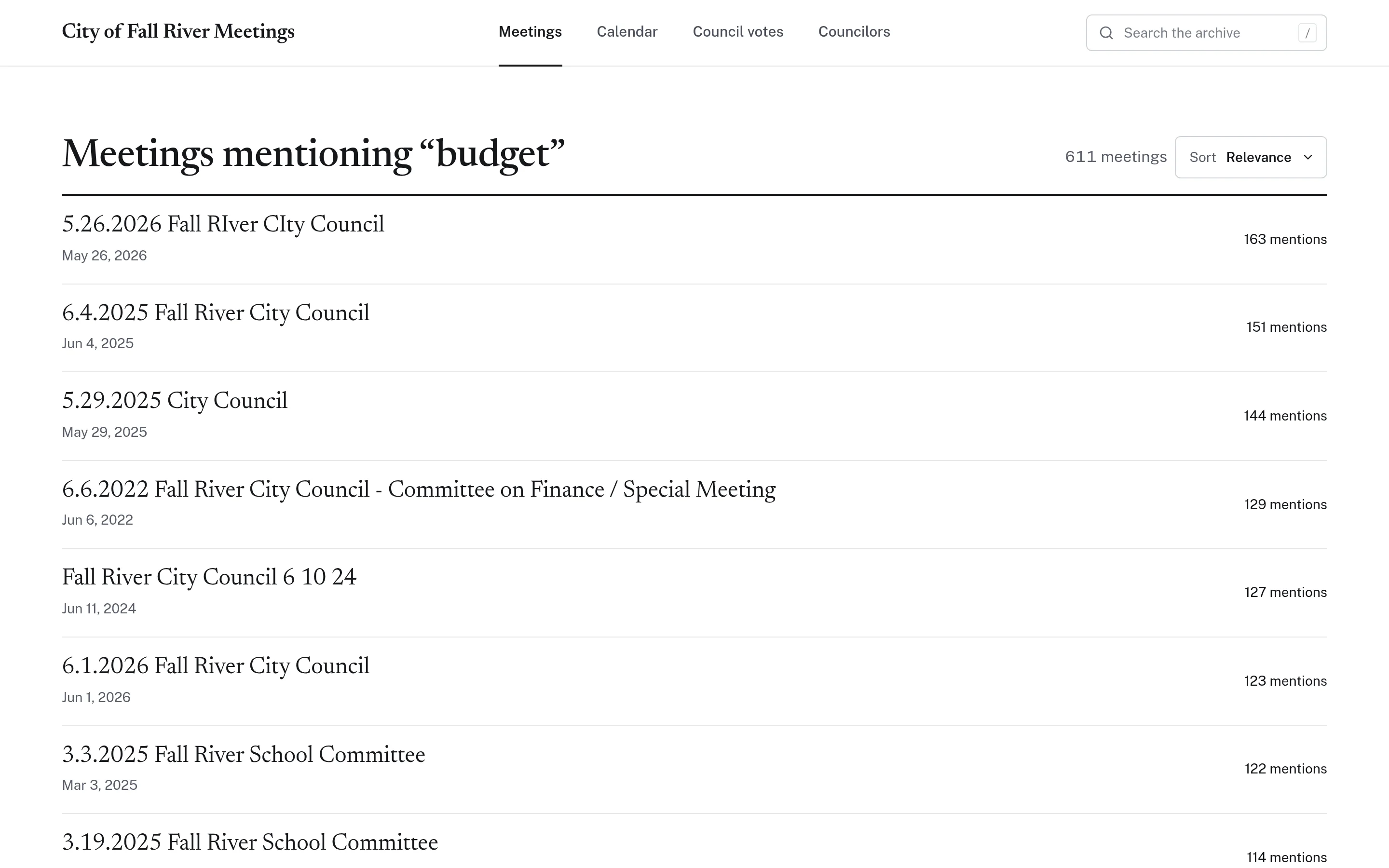
Years of recorded public meetings — city council, school committee, boards, and commissions — with searchable transcripts, timestamped topics, labelled AI summaries, council vote records drawn from the official minutes, a meeting calendar, and a weekly resident update.
- Archive filterable by board and year
- Transcript search with timestamped results
- Vote records citing the official minutes
- Weekly “Friday update” newsletter
Independent community application. The site states that it is not an official City of Fall River website; transcripts are sourced from public meetings and AI-generated content is labelled.
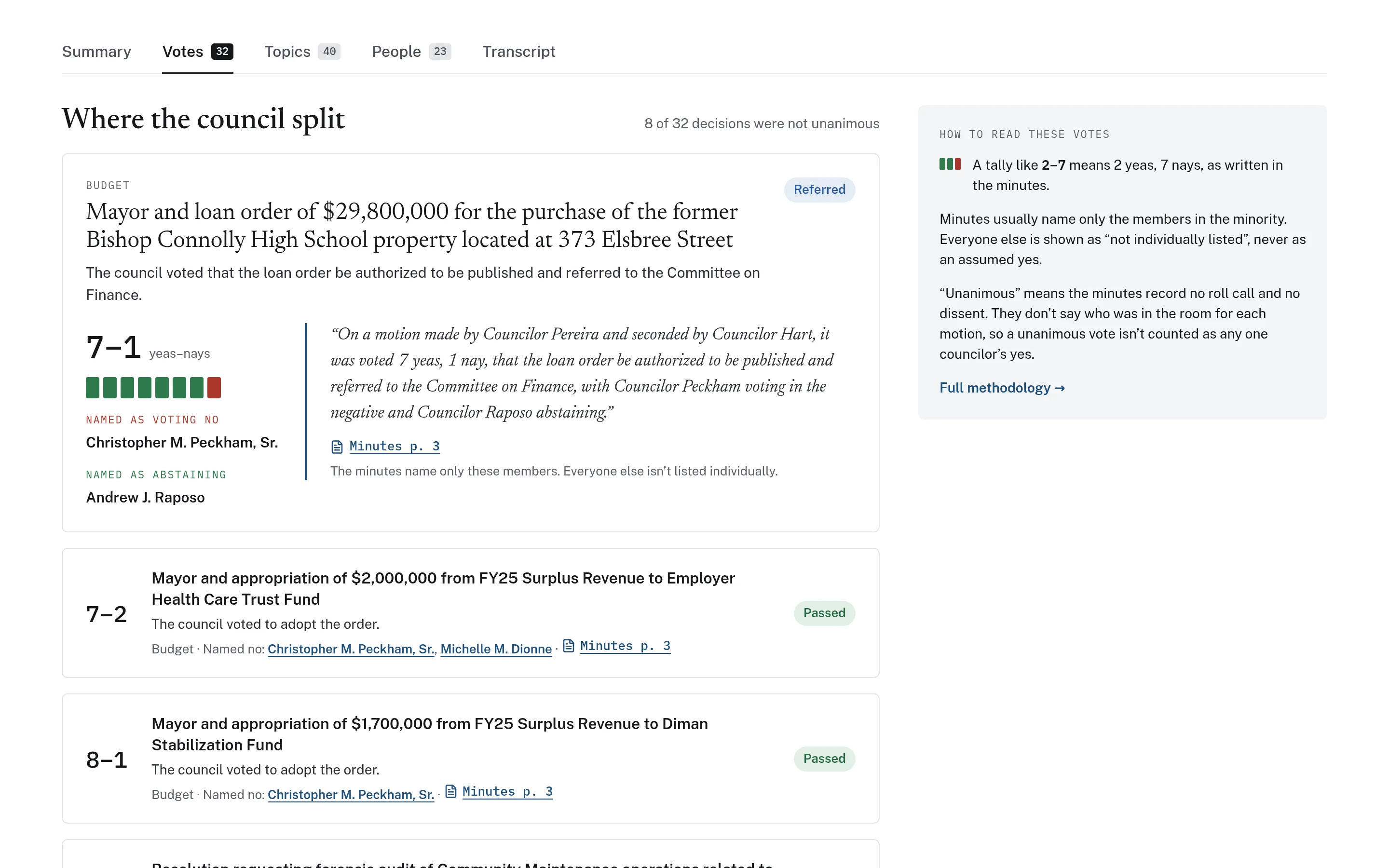
Votes are drawn from the official minutes, with a quotation and page citation for each decision. 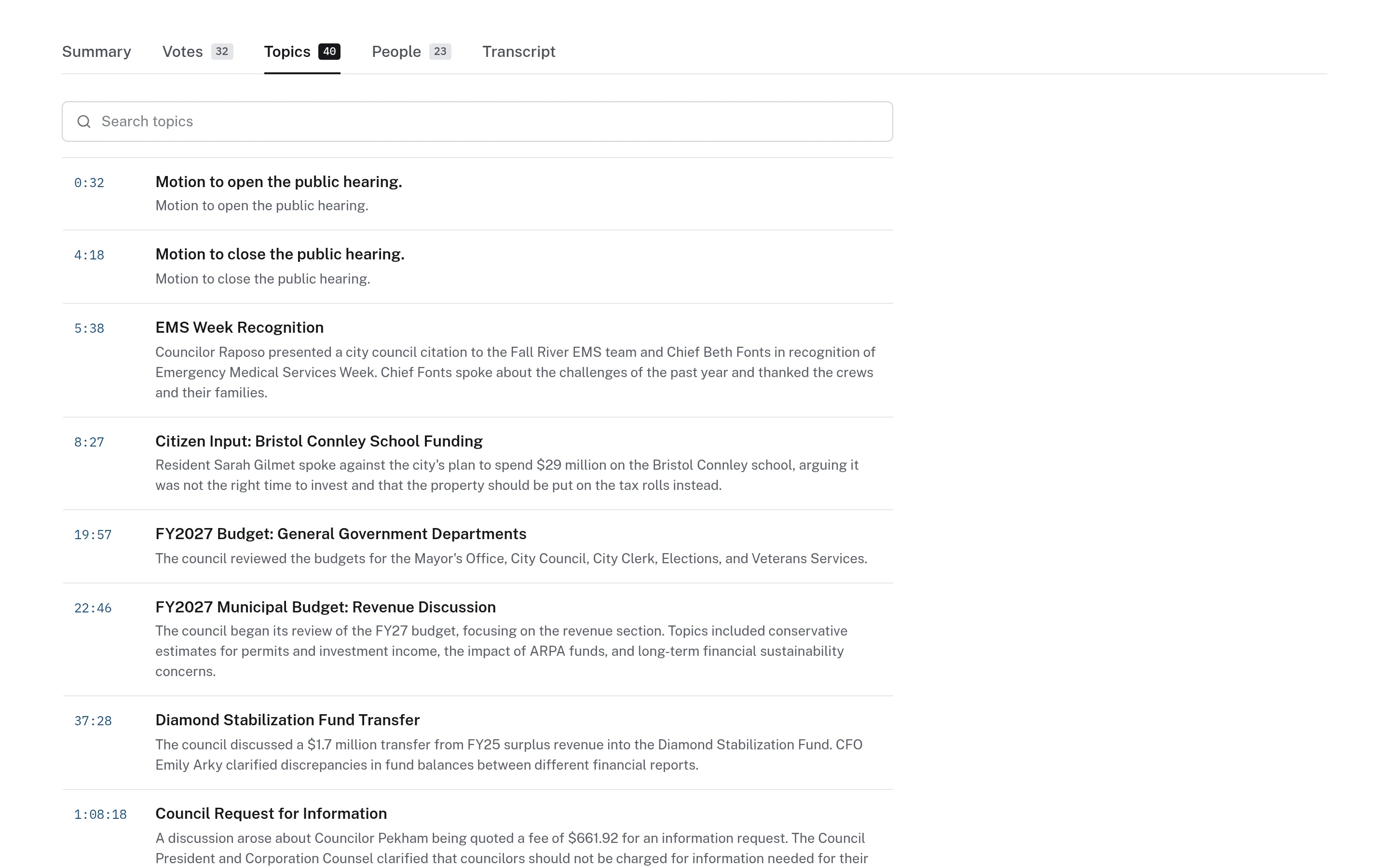
Timestamped topics turn a three-hour recording into a navigable agenda. 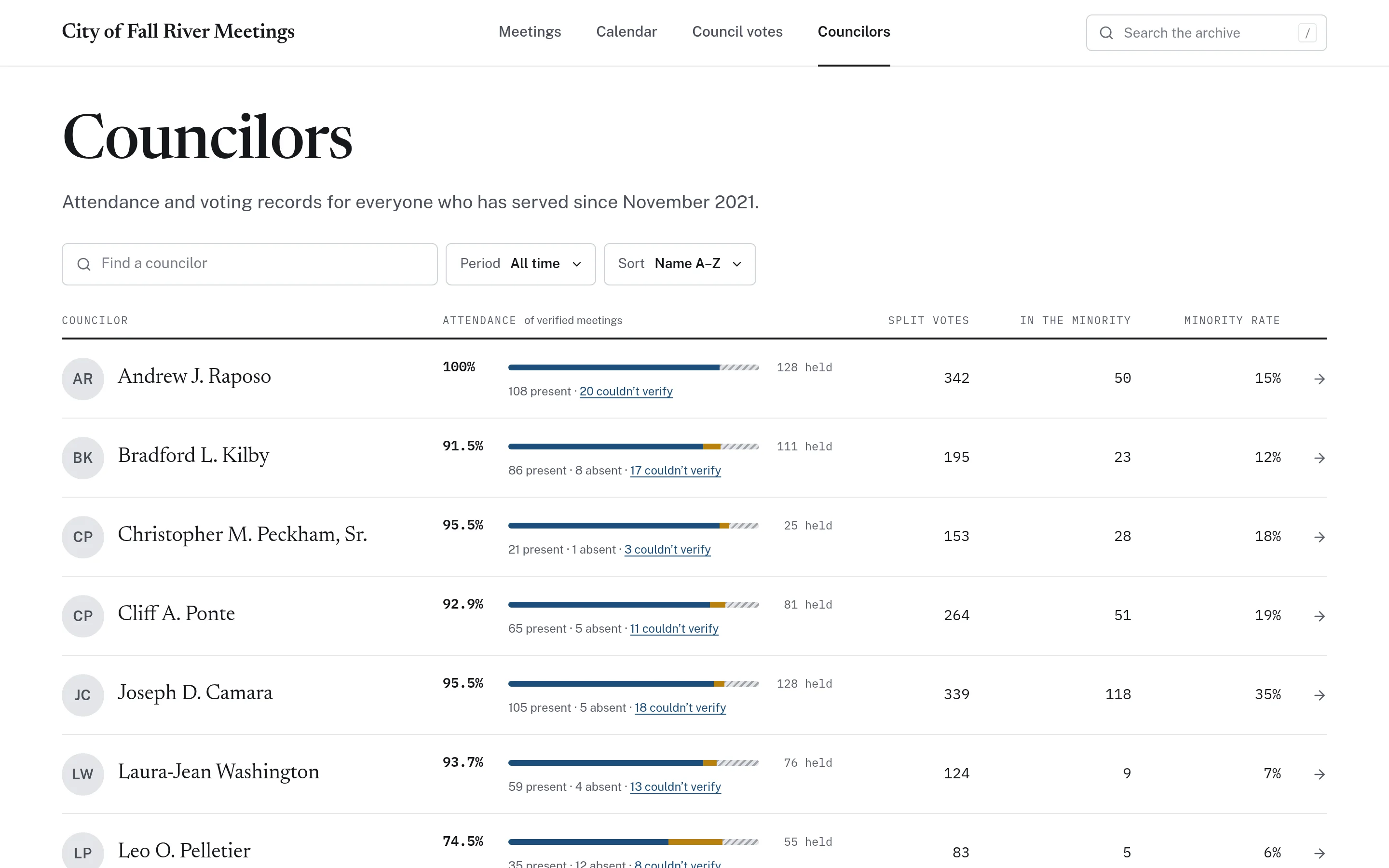
Councilor records: verified attendance and voting patterns, with methodology published.
CivicBudget · Municipal Budget Transparency
Fall River budget explorer
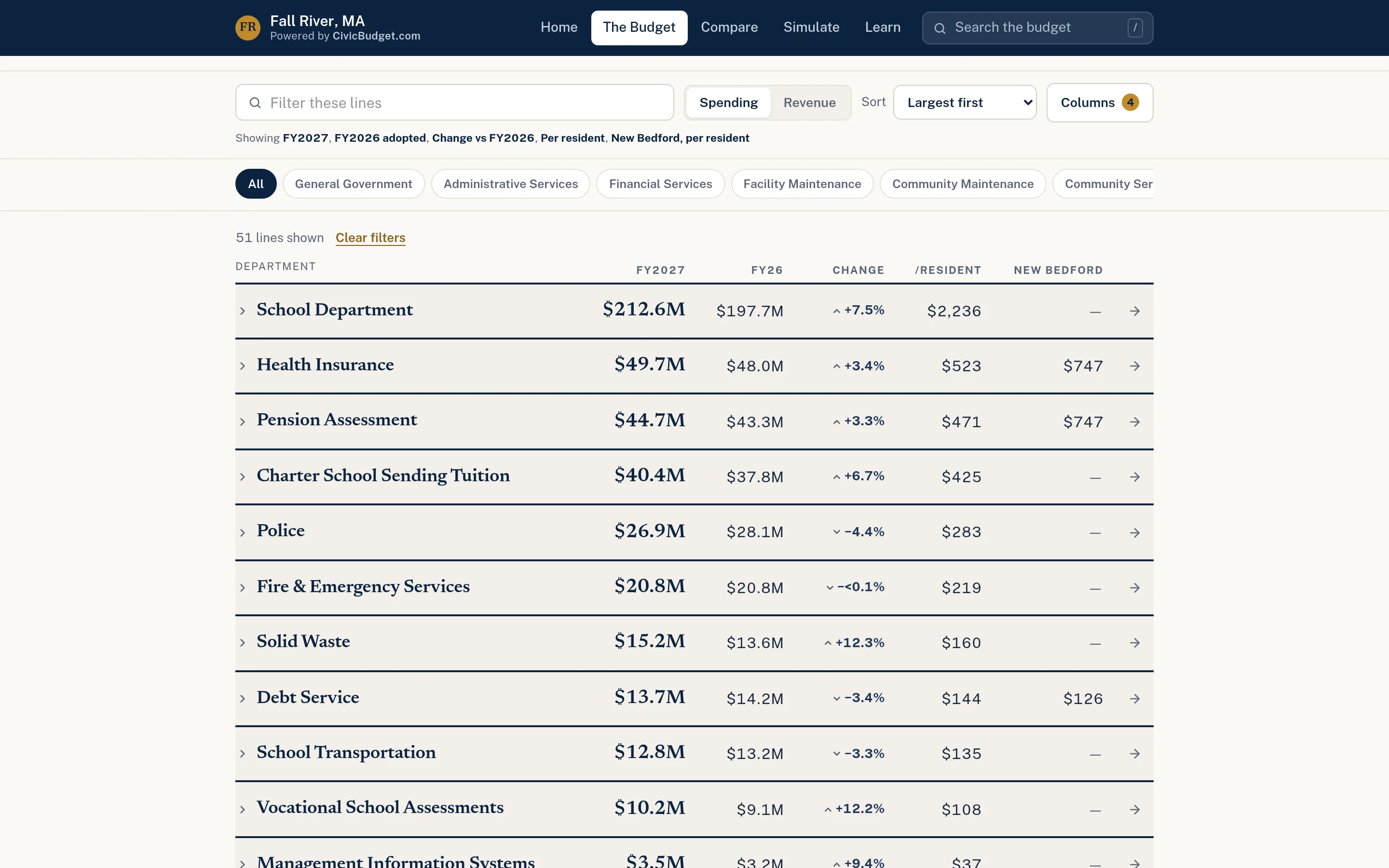
An interactive explorer for the FY2027 proposed municipal budget: instant search, a sortable line-by-line ledger, department and category pages, comparisons with nearby cities, and a list of every official source used.
- Searchable ledger with comparison columns
- Department pages with per-resident figures
- Peer comparisons with three nearby cities
- Every figure cites its official source
Independent civic project powered by CivicBudget. The site states that it is not an official City of Fall River website and is not affiliated with, endorsed by, or maintained by the City.
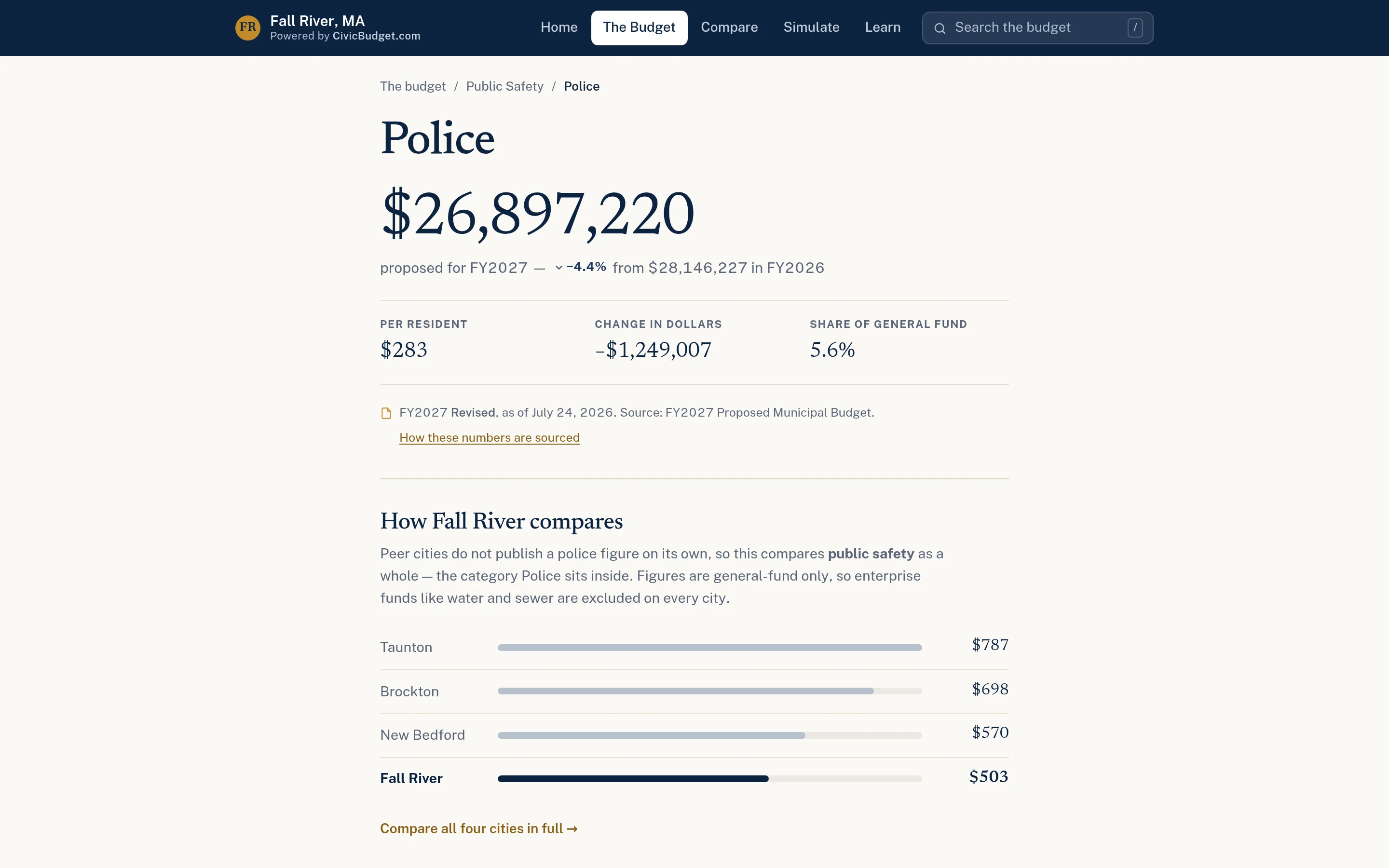
Every department gets a page with its amount, change, per-resident cost, and context. 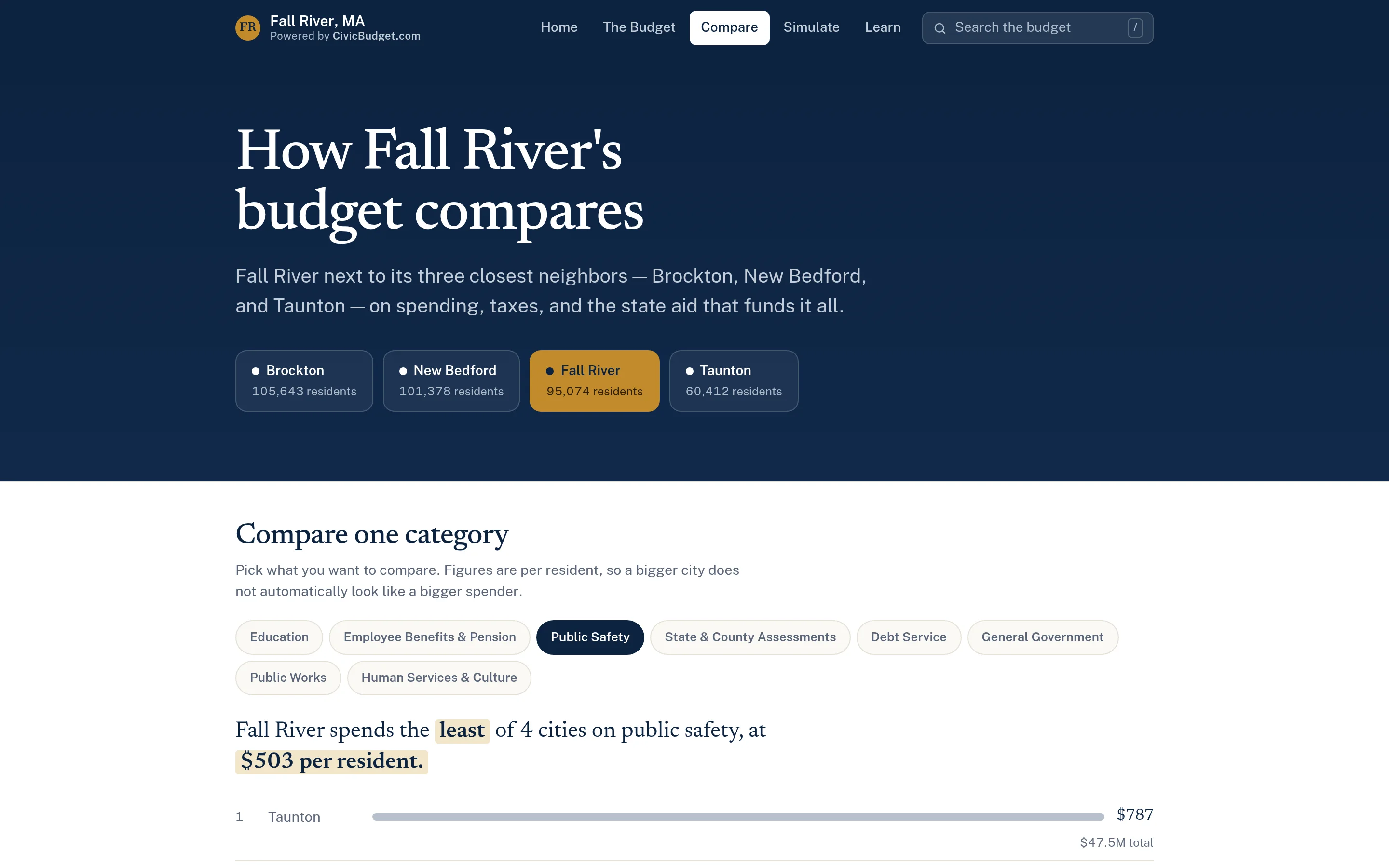
Peer comparisons with nearby communities, built from each city’s published budget. 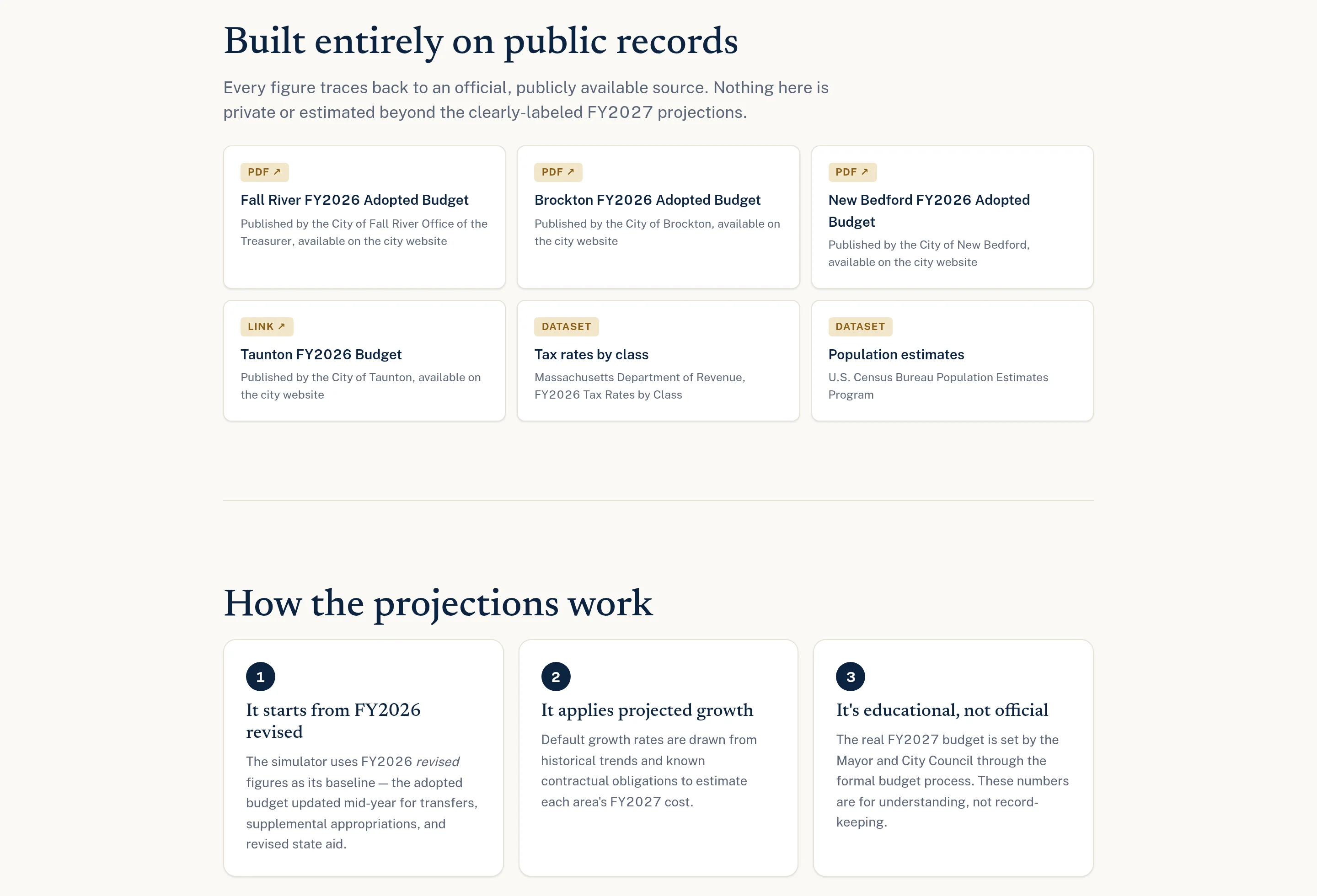
Every figure traces back to a published, official source.
CivicMaps · Emergency & Municipal Planning
Fall River planning map
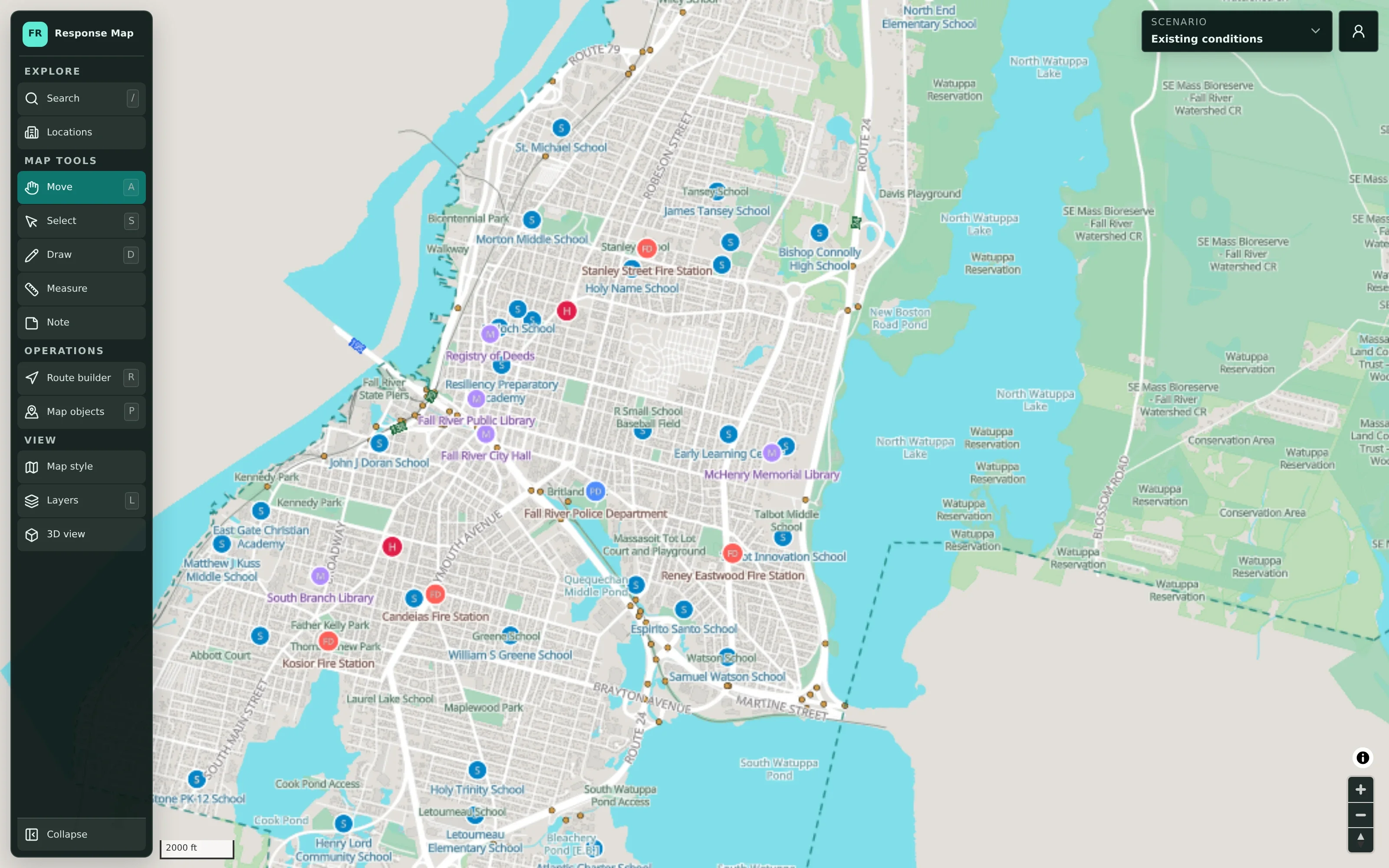
A detailed planning map of the city with public facilities, standard, aerial, flood-risk, and terrain views, map tools, layers, and a 3D view. Signed-out visitors can explore reference data and the scenario manager, but not plans.
- Public facilities with sources and limitations
- Aerial imagery and FEMA flood-risk overlays
- Scenario manager and map tools
- Offline map download
Public guest view of a planning map. Visitors see public reference data only — planning scenarios require an authorized sign-in and are not public. Deployment status is not stated on the site.
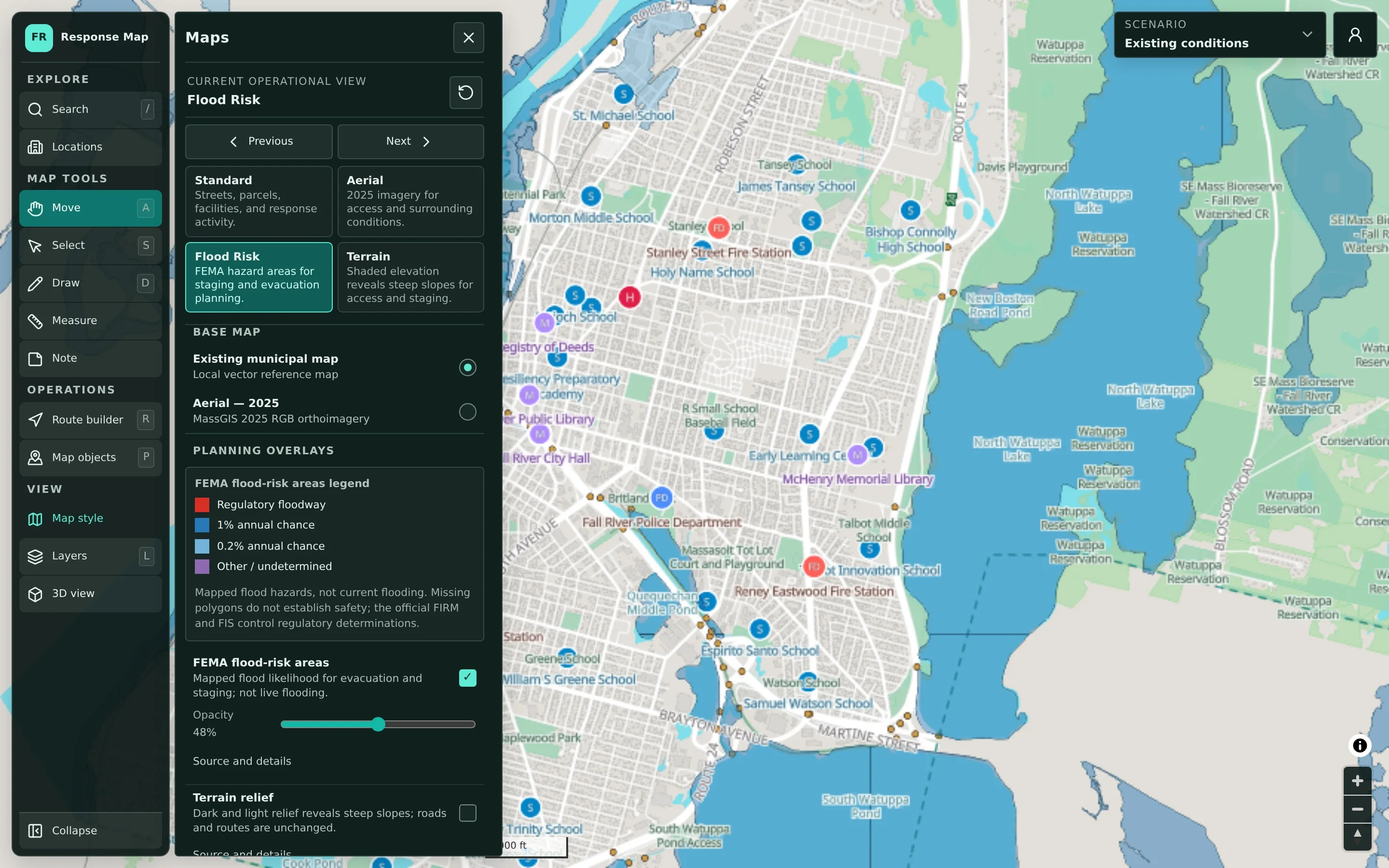
Switch between standard, aerial, flood-risk, and terrain views for different planning questions. 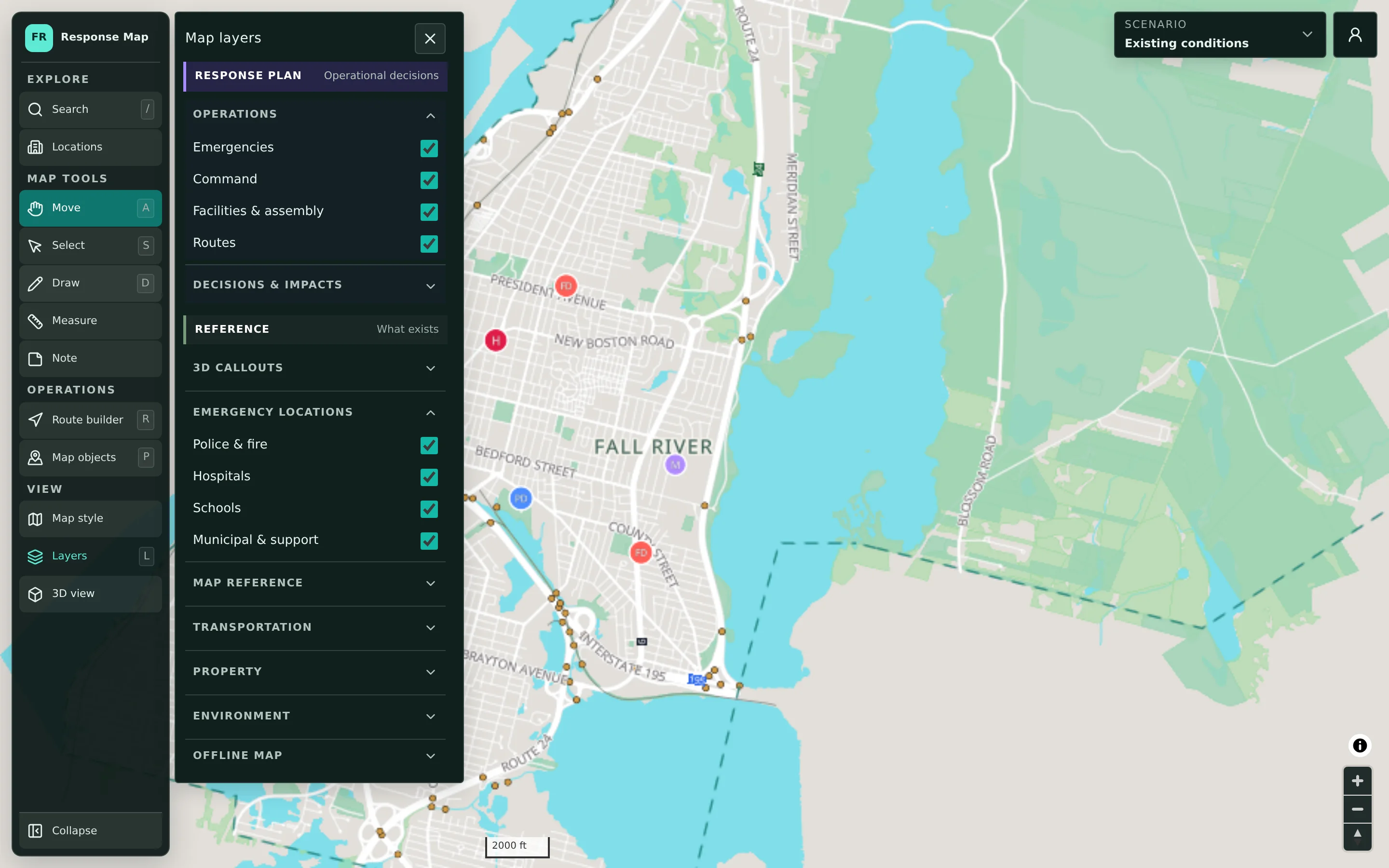
Plan layers are kept separate from reference layers, so decisions never blur into base data. 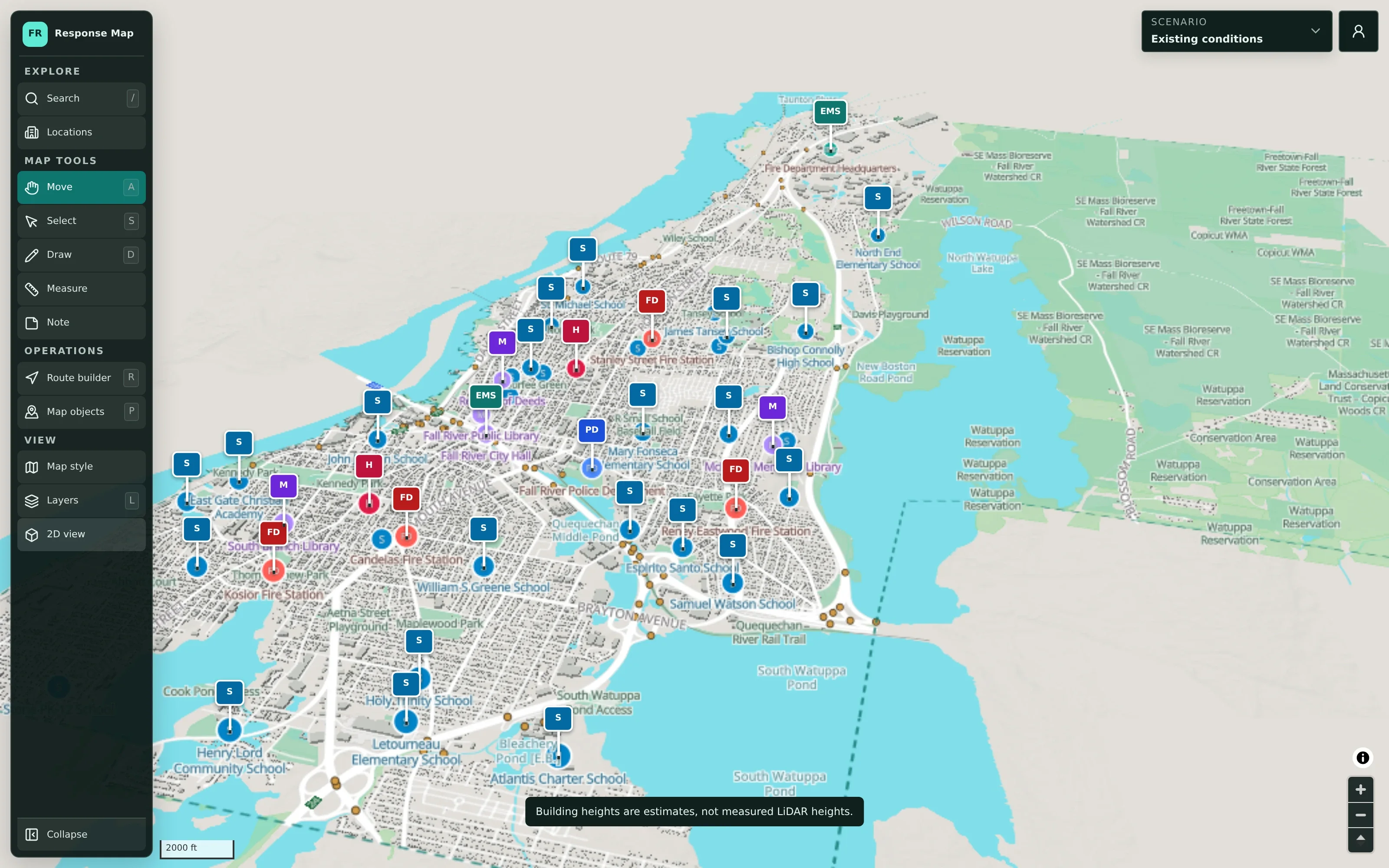
A 3D view helps stakeholders orient themselves. Building heights are labelled as estimates.
Imagine it with your community’s information.
We’re happy to walk through any of these examples and talk about what a version for your municipality would involve.