A readable record of every recorded meeting.
CivicMeeting transcribes each published meeting recording and aligns the text with timestamps. Readers can scan, search, and verify what was said without watching the whole meeting.
Video alone is hard to read, search, or reference.
Recordings capture everything said at a meeting, but they can't be skimmed, searched, or quoted easily. Approved minutes are the official record, but they are a summary of actions and are often published weeks later. Residents, reporters, and staff need a way to see what was said in between.
- Recordings cannot be skimmed or searched
- Minutes record actions, not the full discussion
- Quoting a meeting means rewatching it
How transcription works.
- Step 1
Recording is collected
Meeting recordings are gathered from where your municipality already publishes them, such as a video platform or local access channel.
- Step 2
Speech becomes text
The recording is transcribed automatically and broken into timestamped segments.
- Step 3
Text is linked to video
Each segment links to its point in the recording, so readers can always hear the original.
- Step 4
Errors can be reported
A "Report an issue" path lets readers flag mistakes so they can be checked against the source.
Transcriptions in detail
Every transcript sits beside the original record.
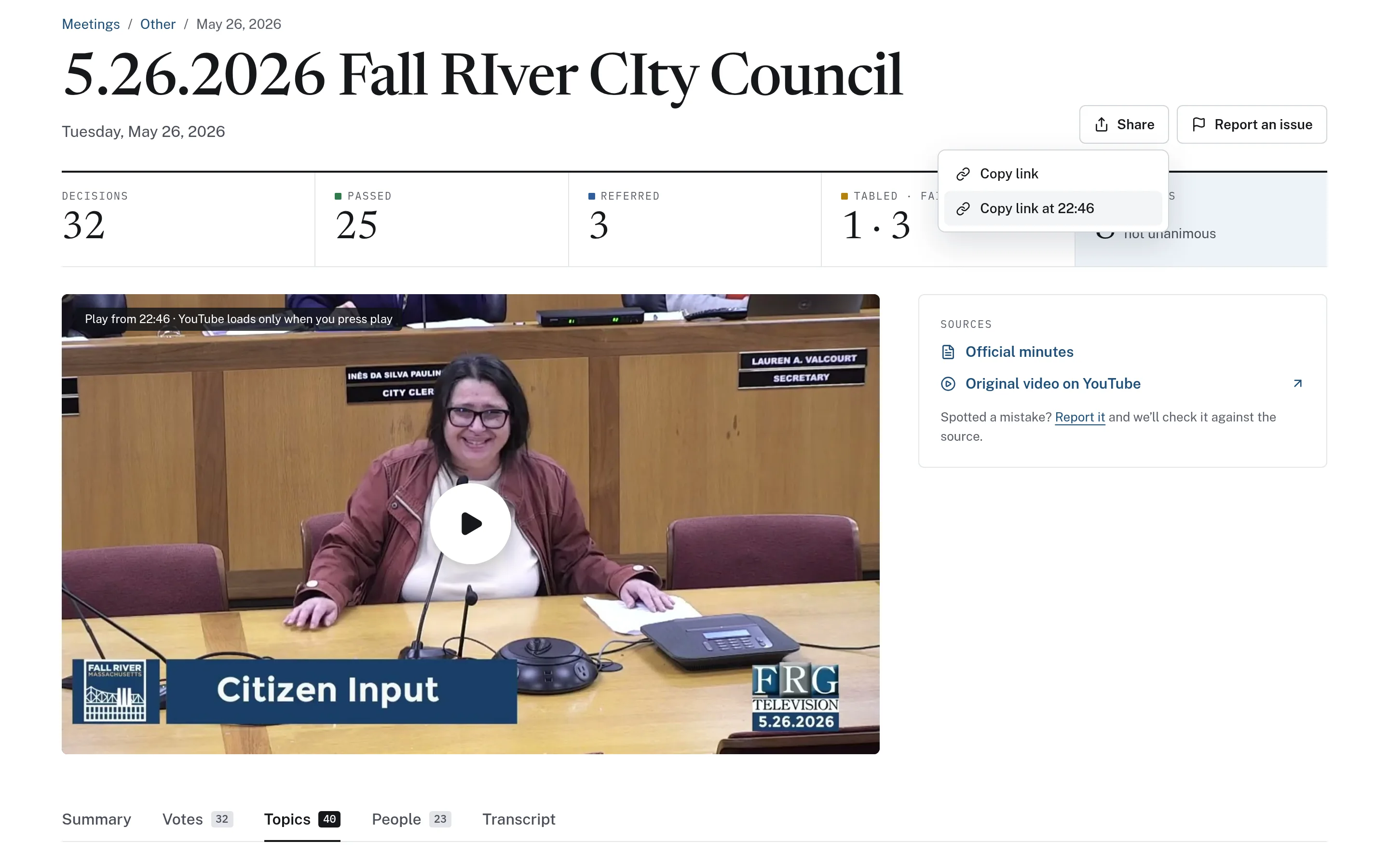
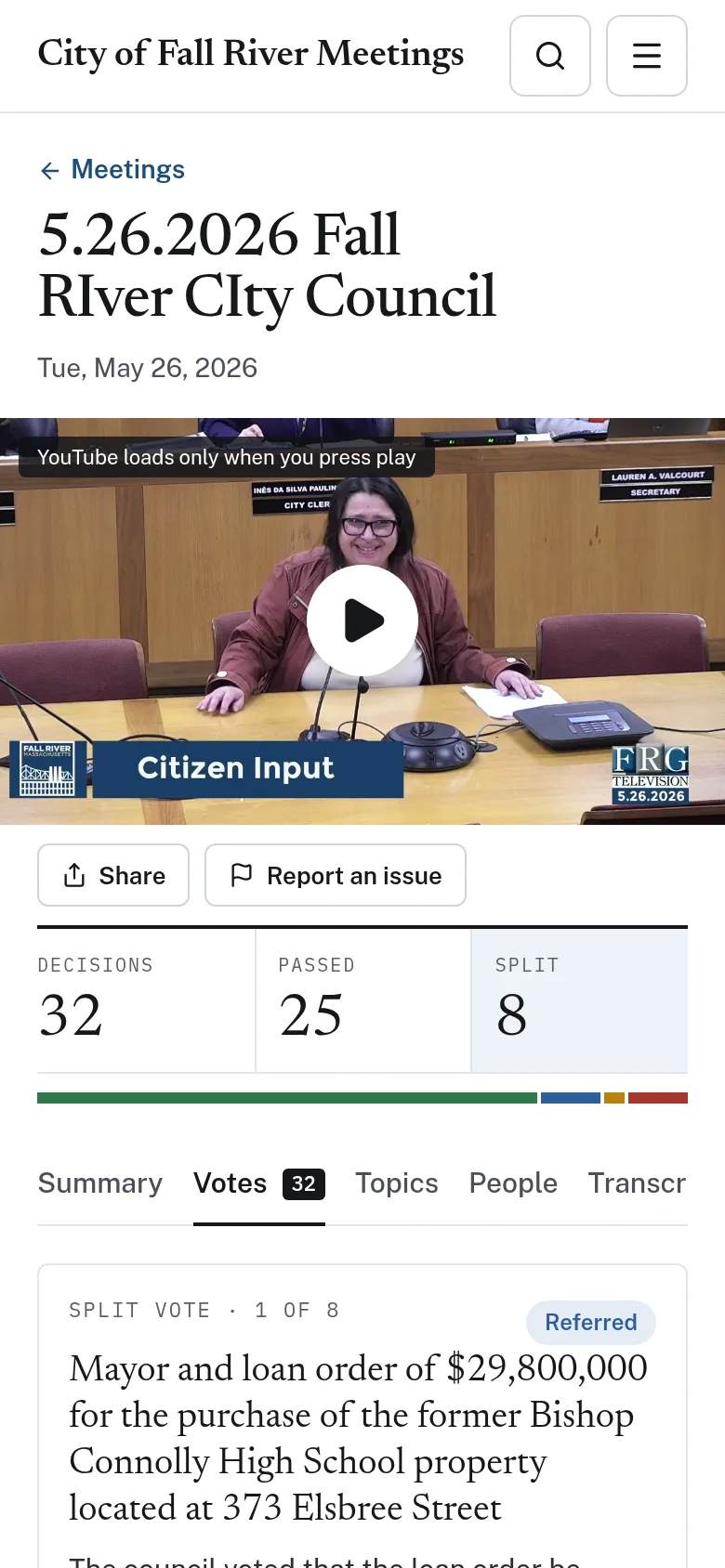
Meeting pages pair the transcript with links to the official minutes and the original video. The embedded player loads only when the viewer presses play, and a shared link can start playback at a chosen timestamp. If a reader spots a mistake, they can report it from the same page so it can be checked against the source.
- Links to official minutes and the original recording
- "Report an issue" on every meeting page
- Readable on phones as well as desktops
Transcripts make the whole archive searchable.
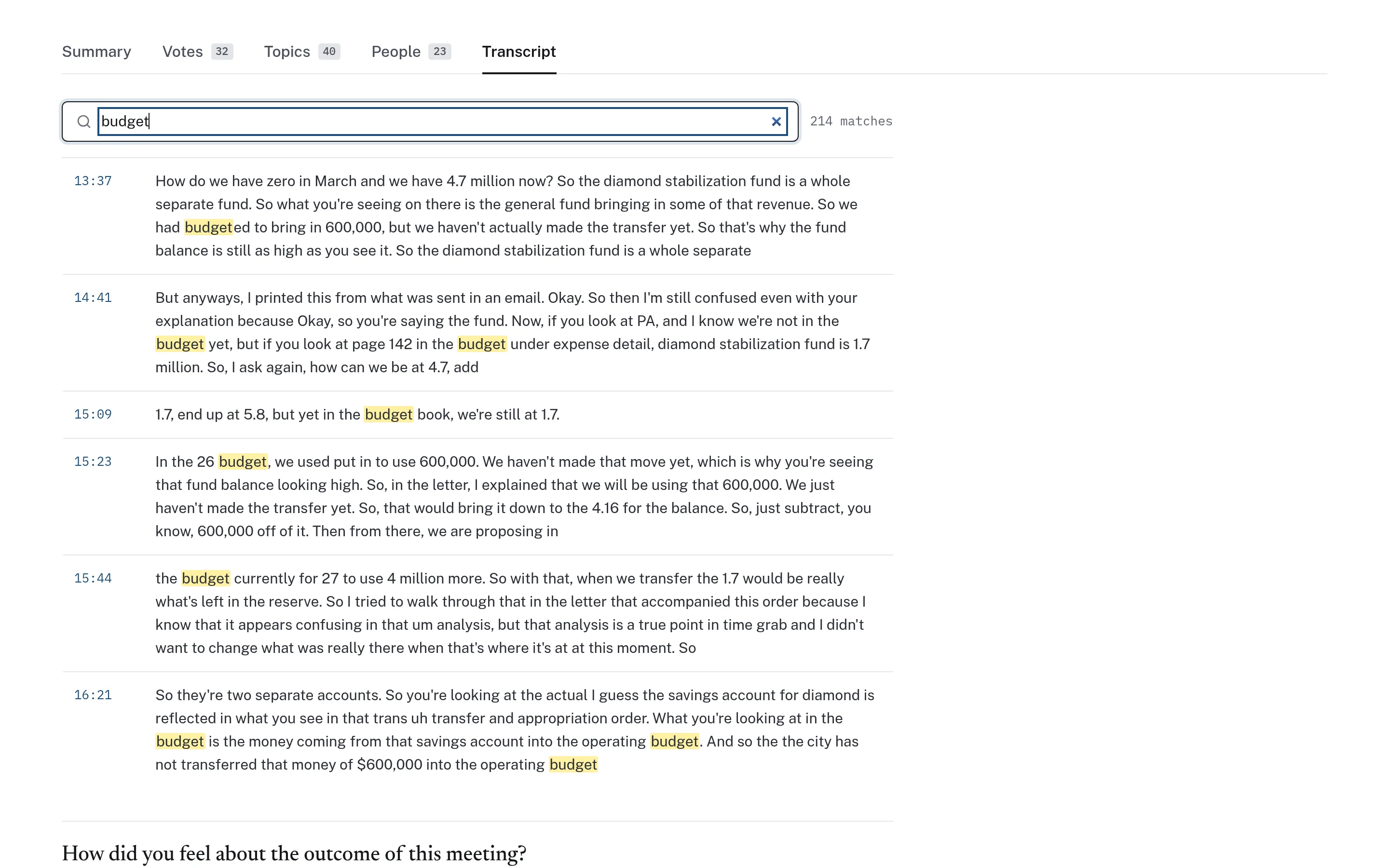
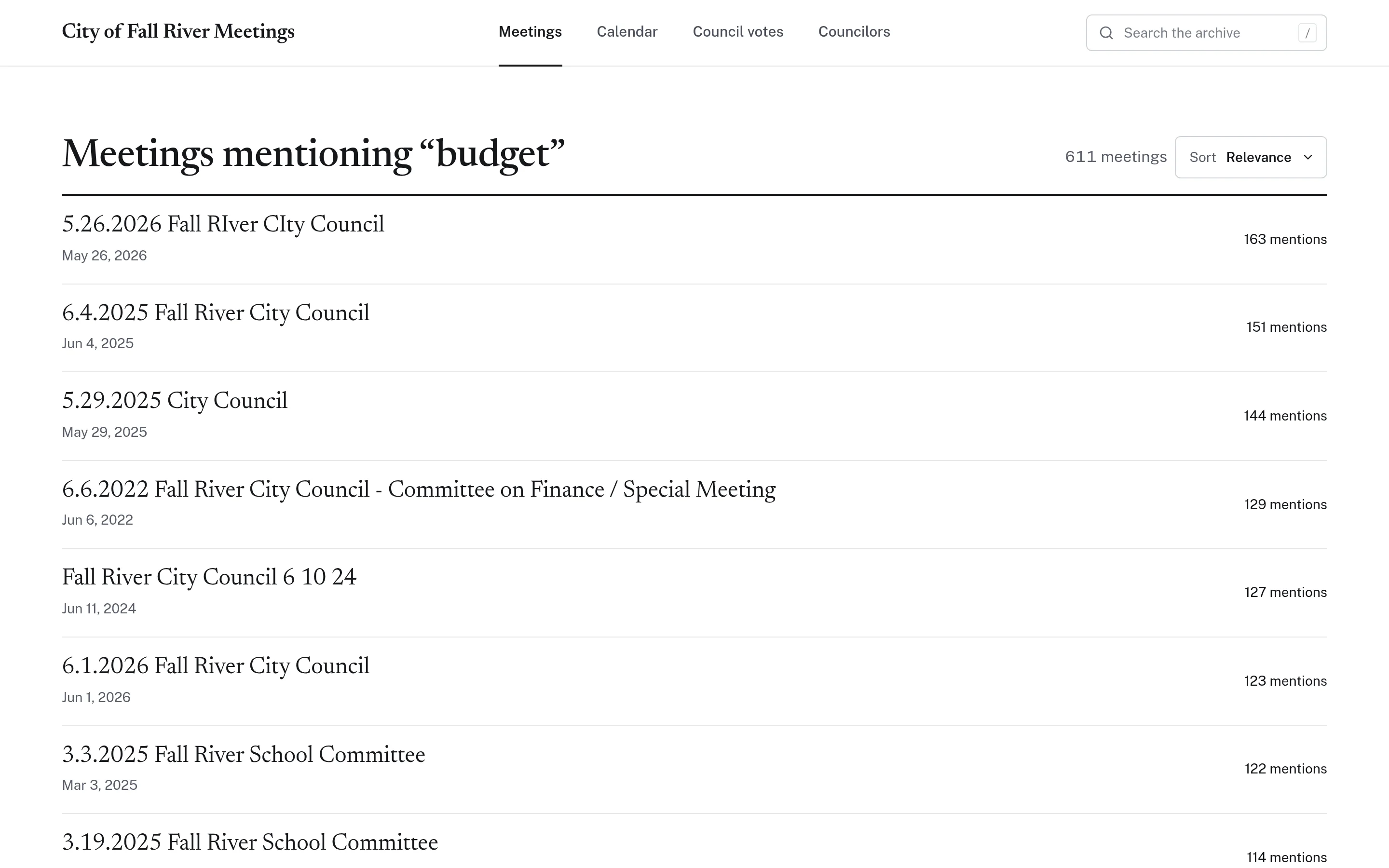
Because every meeting has a transcript, a single search can look across the entire archive at once. Results show which meetings mention a term and how often, so readers can go straight to the meetings where a topic was discussed most. The same text powers search within a single meeting.
- Search across all transcribed meetings
- Results ranked by number of mentions
- Sort by relevance, newest, or oldest
The basis for topics and summaries.
Transcripts are the starting point for CivicMeeting's other navigation aids. Timestamped topics and optional AI-generated summaries are built from the transcript, which is why they carry the same caution about automated text. When in doubt, readers can always go back to the transcript line and the recording itself.
- Topics are derived from the transcript text
- Summaries are labelled as AI-generated
- Neither replaces the approved minutes
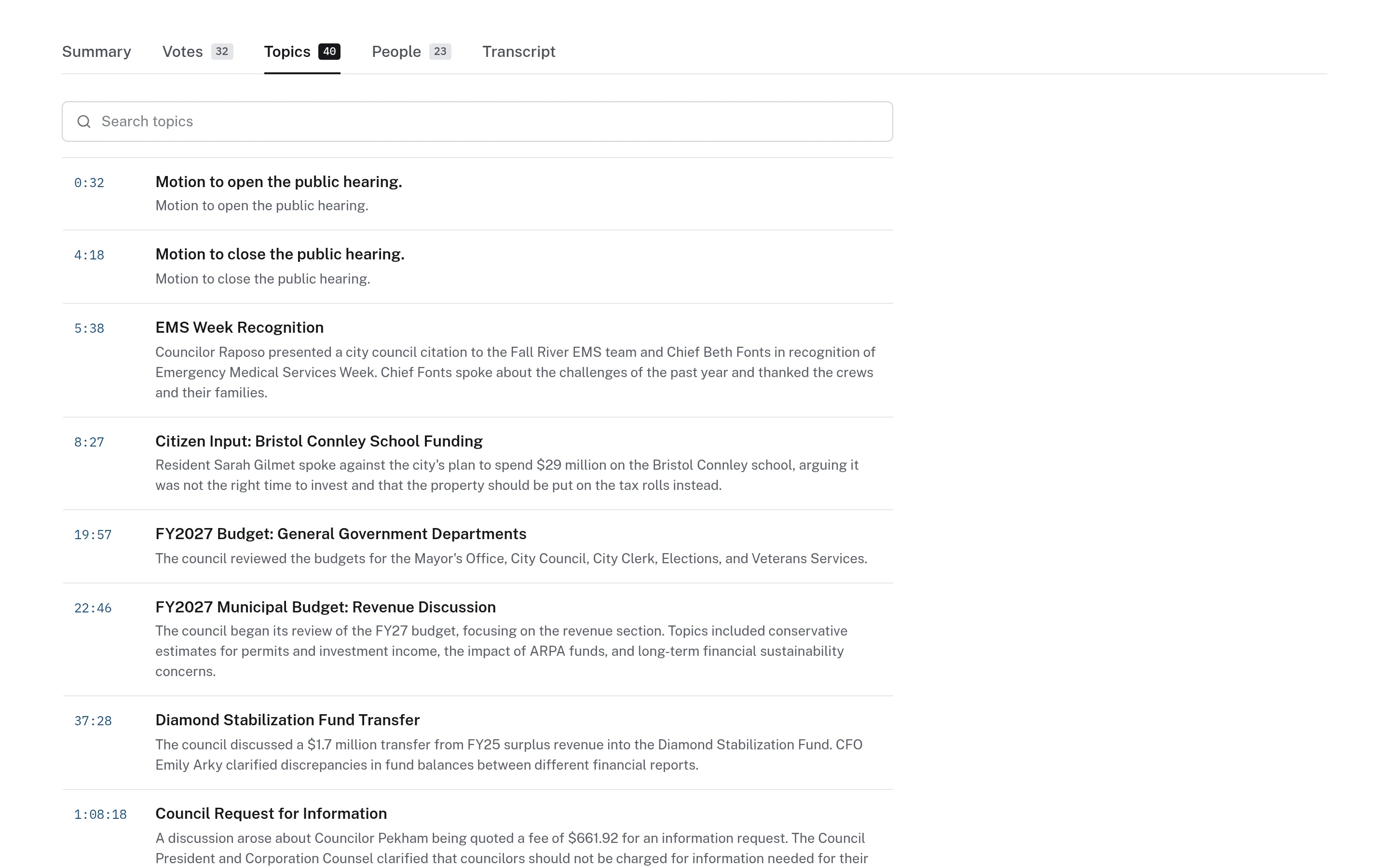
Example: confirming what was said before publishing it
This is an illustrative workflow showing how a town's communications staff might use a transcript to reference a meeting accurately.
Transcripts are navigation and research aids. The approved minutes remain the official record of the meeting.
A communications coordinator is drafting a post about a board discussion on a new park.
They open the meeting and search its transcript for the word "park" to find each relevant passage.
They click the most relevant line to play the recording from that point and listen to the full exchange.
Because a speaker's name looks misspelled in the transcript, they confirm it against the official minutes linked on the page.
They report the misspelling through "Report an issue" and include a timestamped link to the discussion in their post.
Practical benefits for your municipality.
Quicker reference
Staff and officials can find and re-read past discussions without rewatching hours of video.
Easier to verify
Every transcript line links to the recording, so anyone can hear exactly what was said.
More accessible meetings
Text gives residents another way to follow meetings, alongside the recording.
A clear correction path
Readers can flag errors from the meeting page so they can be checked and fixed.
Keep exploring.
Features that work alongside transcriptions, in CivicMeeting and across the CivicTally portfolio.
How accurate are the transcripts?
Transcripts are generated automatically, and they can contain errors, especially with names, places, and crosstalk. That is why every segment links to its moment in the recording and each meeting page links to the official minutes. Readers can report mistakes from the meeting page.
Do transcripts identify who is speaking?
No. Transcripts are divided into timestamped segments but do not label speakers. Readers can click any segment to hear the speaker in the recording.
Are transcripts an official record?
No. Transcripts are a research and navigation aid. Your municipality's approved minutes remain the official record, and meeting pages link to them where they are available.
Where do the recordings come from?
From the places your municipality already publishes them, such as a video platform or local access channel. CivicMeeting works from those existing public recordings rather than requiring new recording equipment.
Can older meetings be transcribed?
Often, yes. If past recordings are still publicly available, they can be transcribed and added to the archive. How far back to go is decided together, based on what is available and useful.
See transcriptions with your own municipality in mind.
We’ll walk through CivicMeeting using your departments, categories, and goals — and answer the practical questions about setup.