Put the whole exercise on one shared map.
CivicMaps gives facilitators a scenario they can prepare in advance and participants a common map to reason over, so discussion focuses on decisions rather than on finding the right street.
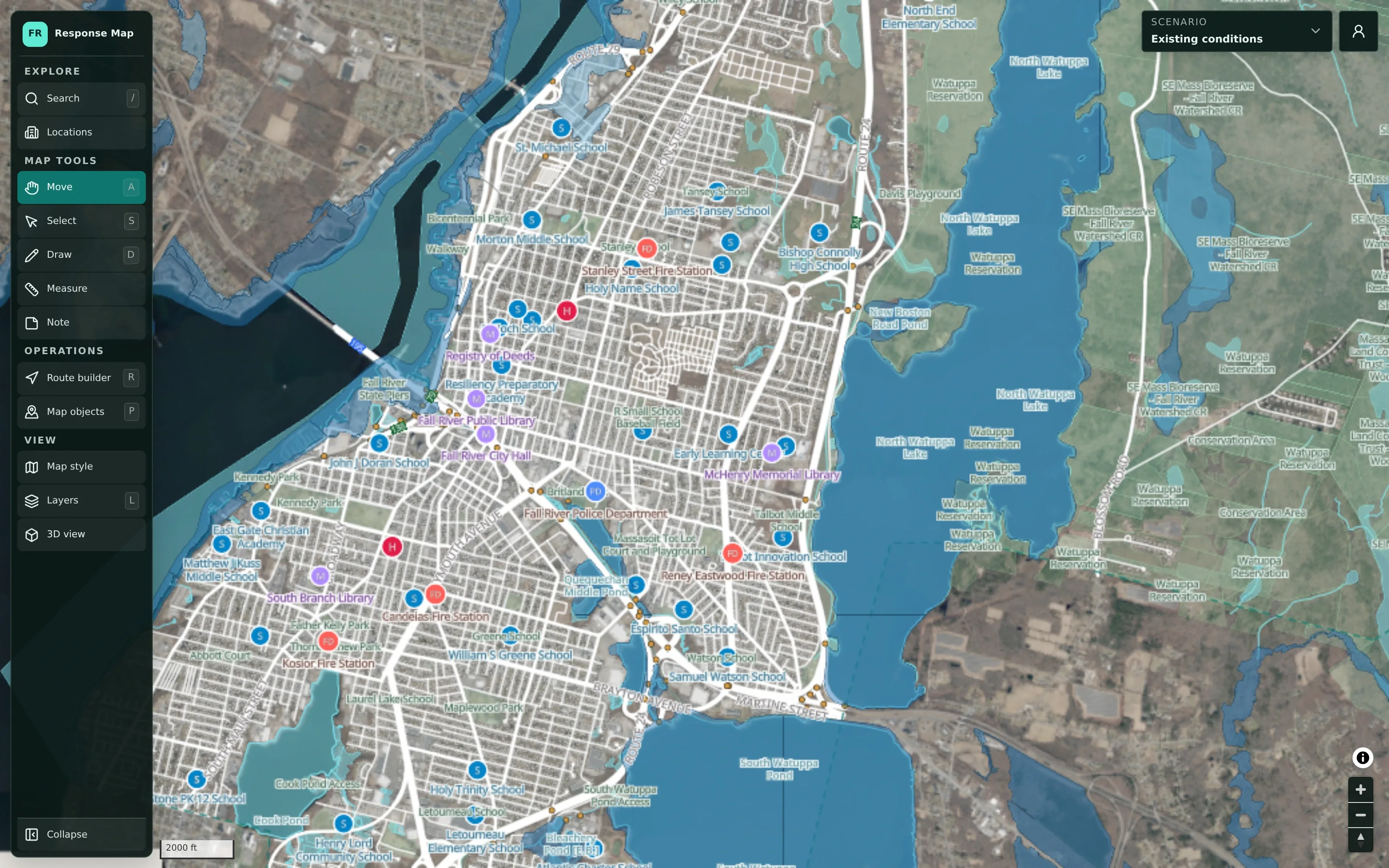
Tabletop exercises lose time to the map itself.
A tabletop exercise depends on everyone picturing the same place. With printed maps and slides, participants spend time orienting themselves, decisions get sketched on paper that no one keeps, and the after-action review relies on notes taken under pressure.
- Participants work from different maps or none at all
- Decisions made in the room aren’t captured visually
- After-action reviews start from memory
How an exercise runs in CivicMaps.
- Step 1
Prepare the scenario
The facilitator creates an exercise scenario, or duplicates an existing plan, and sets up the starting situation on the map.
- Step 2
Orient the room
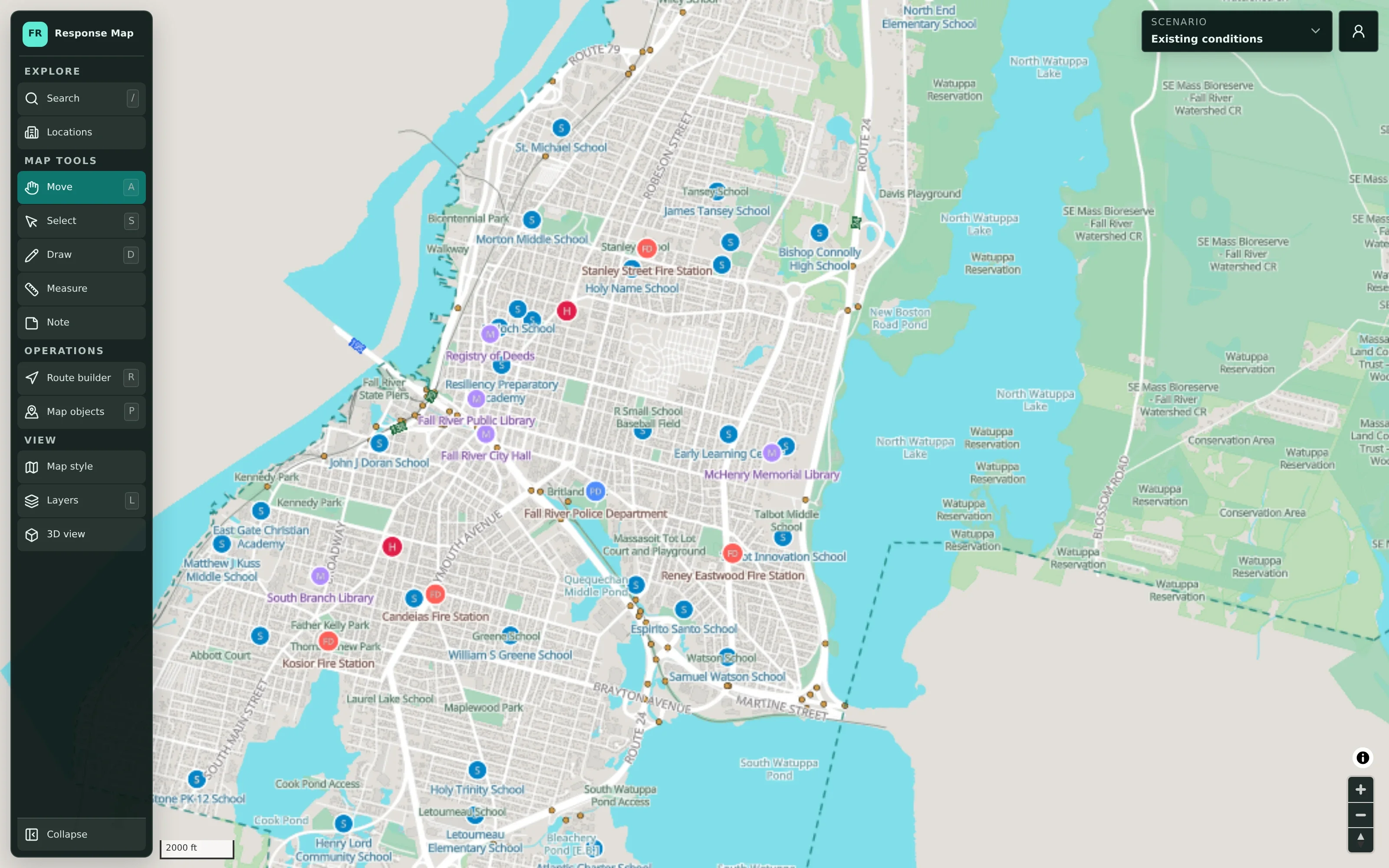
Use the aerial, flood-risk, or 3D view so participants recognize the area before discussion starts.
- Step 3
Work through decisions
As participants respond, mark closures, place resources, draw routes, and add notes on the scenario.
- Step 4
Keep it for review
The scenario stays available after the session and can be exported for the after-action report.
Tabletop Exercises in detail
Build the exercise scenario ahead of time.
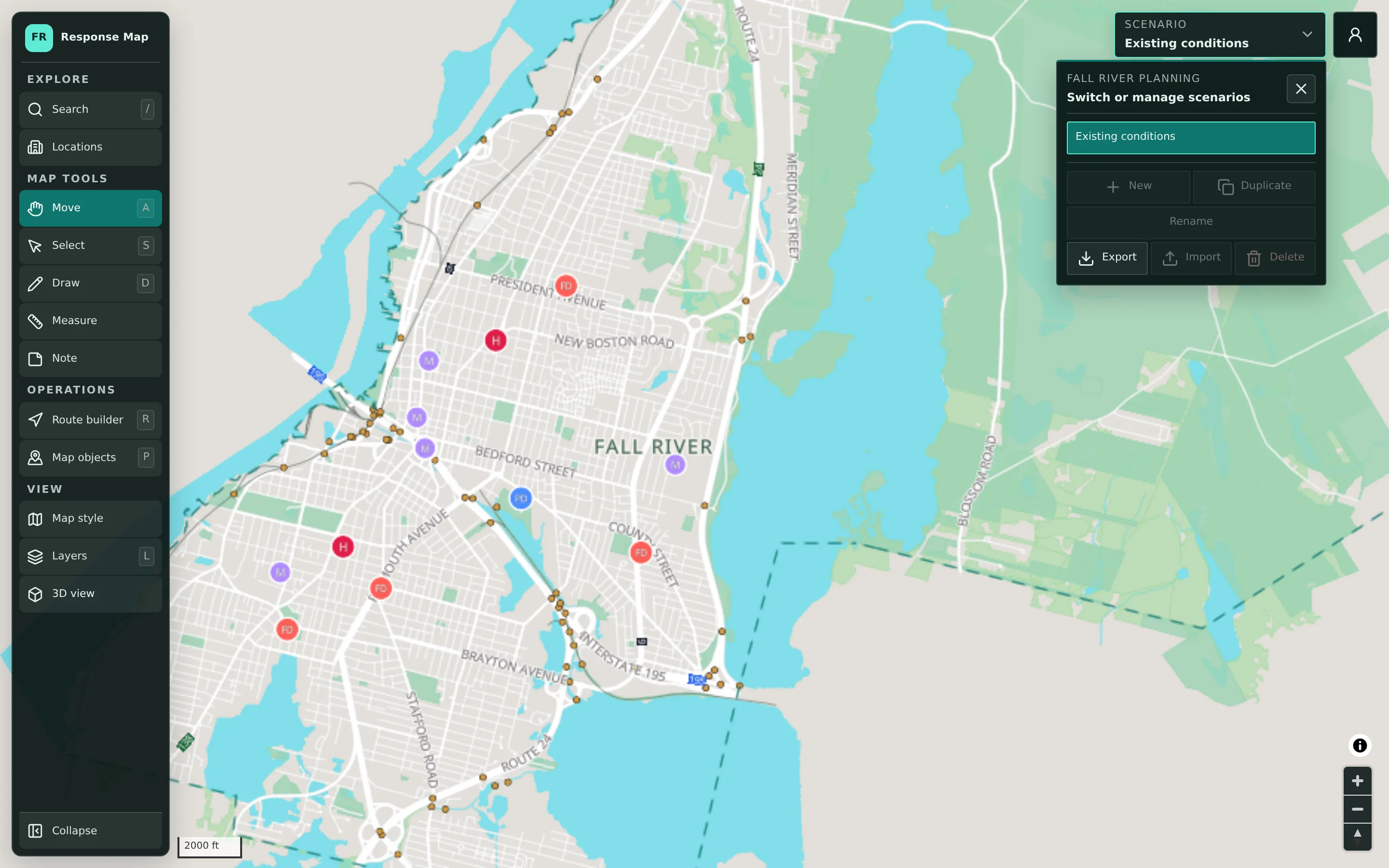
Each exercise gets its own scenario, separate from working plans, so practice decisions never mix with an adopted plan. Facilitators can duplicate an existing plan to test it, or start a new scenario and lay out the initial situation, such as a flooded area or a closed bridge. Scenarios can be renamed, exported, and imported, which makes it practical to reuse an exercise design in later years.
- A dedicated scenario for each exercise
- Duplicate an existing plan to test it under pressure
- Export and import to reuse exercise designs
Capture decisions as they’re made.
Map tools are grouped for quick use during discussion: Draw for areas, Measure for distances, Note for context, the route builder for detours and evacuation routes, and map objects for resources and locations. Map objects carry statuses such as Planned, Assigned, En route, On scene, and Out of service, so a facilitator can show how the simulated situation changes as participants make decisions. Undo and redo keep corrections quick.
- Draw, Measure, Note, and route builder tools
- Map objects with statuses to reflect exercise decisions
- Edit history with undo and redo
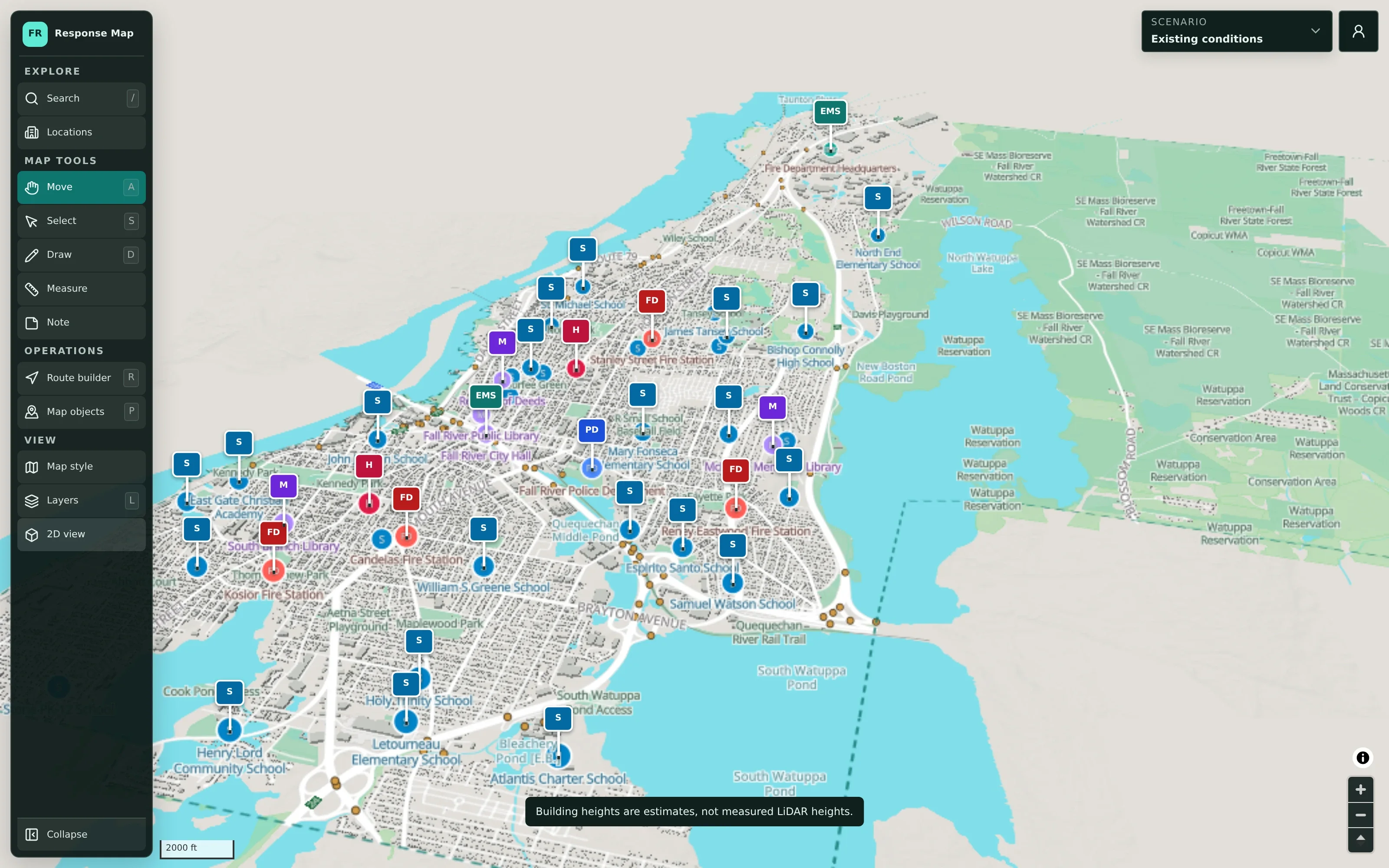
Help everyone picture the same place.
Not every participant reads a planning map easily. A tilted 3D view with building outlines and raised facility markers helps elected officials, school administrators, and partner agencies orient themselves quickly. Building heights in 3D are labeled as estimates, so the view supports orientation without being mistaken for survey data.
- 3D view with raised facility markers
- Aerial imagery for recognizable landmarks
- Estimated building heights clearly labeled
Example: a school-day flooding exercise
An illustrative example of a tabletop exercise a town might run with emergency management, public works, police, fire, and the school department.
Before the session, the emergency management director creates an exercise scenario and marks a flooded road and a closed bridge near an elementary school.
At the start, the facilitator switches to the Flood Risk view so participants can see the mapped hazard areas around the school.
Public works proposes a detour, and the facilitator draws it with the route builder while police note where traffic control would be needed.
The school department places a possible reunification site as a map object with a Planned status, and the group discusses access to it.
The facilitator adds notes on open questions, such as bus routing and parent communication, directly on the map.
After the session, the scenario is exported and used to draft the after-action report and improvement plan.
Practical benefits for your municipality.
More time on decisions
A shared, recognizable map means less time orienting the room and more time on the questions the exercise is meant to test.
Decisions captured visually
Routes, closures, and resource placements are recorded on the scenario instead of on whiteboards.
Reusable exercise designs
Exercise scenarios can be duplicated, exported, and adapted for future years or other partners.
Stronger after-action reviews
The scenario is a concrete record to review, rather than notes reconstructed after the fact.
Keep exploring.
Features that work alongside tabletop exercises, in CivicMaps and across the CivicTally portfolio.
Do exercise scenarios affect our working plans?
No. Each scenario is self-contained, so an exercise scenario can be created, edited, and deleted without changing your adopted plans. Many teams duplicate a working plan into a new exercise scenario to test it.
Does CivicMaps generate exercise injects or evaluation forms?
No. CivicMaps provides the shared map and scenario. Facilitators still design the exercise, its objectives, and its injects, and use their own evaluation materials. The map helps them present the situation and capture decisions.
Can participants follow along on their own devices?
Authorized staff can sign in from their own accounts to view and contribute to a shared scenario. In many exercises, the facilitator simply displays the map on a screen while participants discuss.
Is CivicMaps used to run the real response after an exercise?
No. CivicMaps is a planning and coordination tool. It is not real-time, dispatch, CAD, or incident command software. Exercises and plans prepared in CivicMaps inform how your teams respond through their established systems.
How do we use the scenario after the exercise?
The scenario remains available after the session, so the team can review what was decided and where. It can also be exported for your records and the after-action report, and duplicated as a starting point for the next exercise.
See tabletop exercises with your own municipality in mind.
We’ll walk through CivicMaps using your departments, categories, and goals — and answer the practical questions about setup.