See your budget beside communities like yours.
Where suitable public data exists, CivicBudget places your budget next to peer municipalities, category by category. Residents see the comparison in total dollars or per resident, with an explanation of why communities differ.
"Is that a lot?" is the hardest budget question.
Residents often want to know whether their community spends more or less than its neighbors. Answering that requires gathering other municipalities' budgets, adjusting for population, and making sure the categories line up. Few finance offices have time to do it, and informal comparisons can mislead.
- Peer budgets are published in different formats
- Raw totals ignore differences in population
- Comparisons without caveats can mislead
How municipal comparisons work.
- Step 1
Choose peer communities
You select comparable municipalities with CivicTally, based on size, region, or structure.
- Step 2
Use published budgets
Each peer's figures come from its own published budget and are cited on the site.
- Step 3
Align the categories
General fund spending is grouped into comparable categories, and enterprise funds are left out.
- Step 4
Compare and explain
Residents pick a category, switch between dollars and per resident, and read why communities differ.
Municipal Comparisons in detail
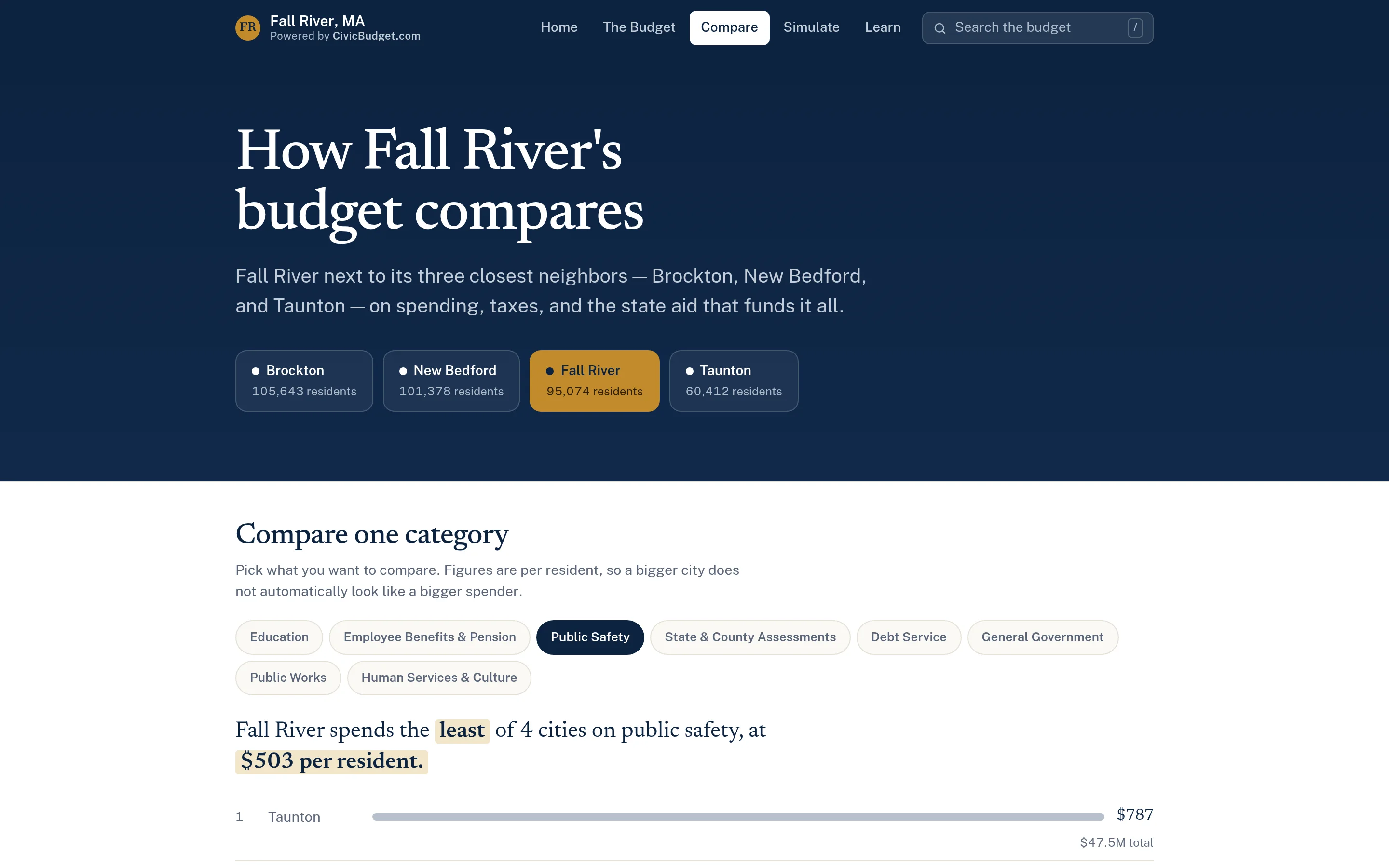
Dollars or per resident, side by side.
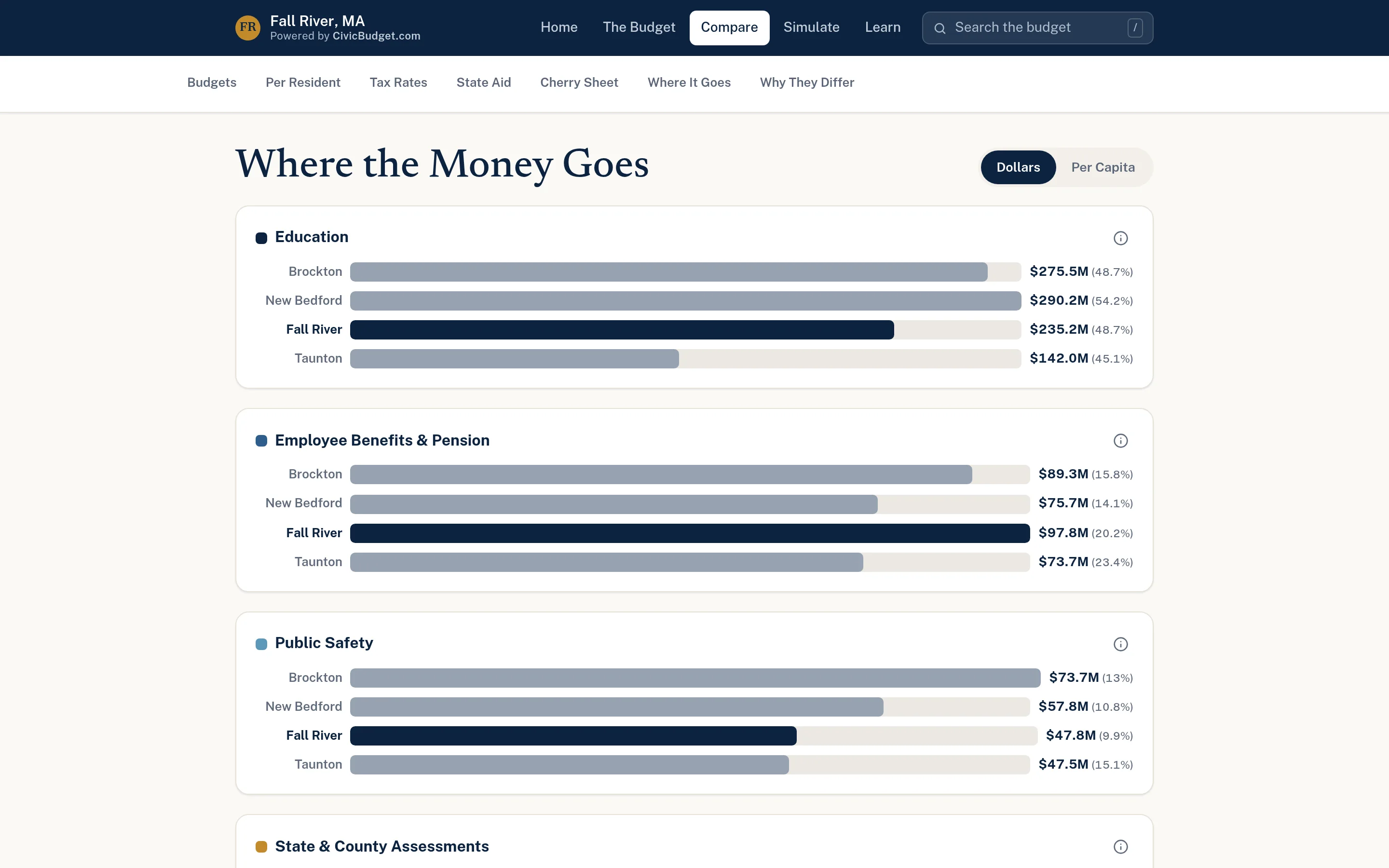
Grouped bar charts compare major categories such as education, employee benefits, and public safety across your municipality and its peers. A toggle switches between total dollars and per-capita figures, which matters when communities differ in size. A category picker narrows the view to a single area and states the result in a plain sentence.
- Grouped horizontal bars across peer communities
- Dollars and per-capita toggle
- Category picker with a plain-language result
Peer context on every department page.
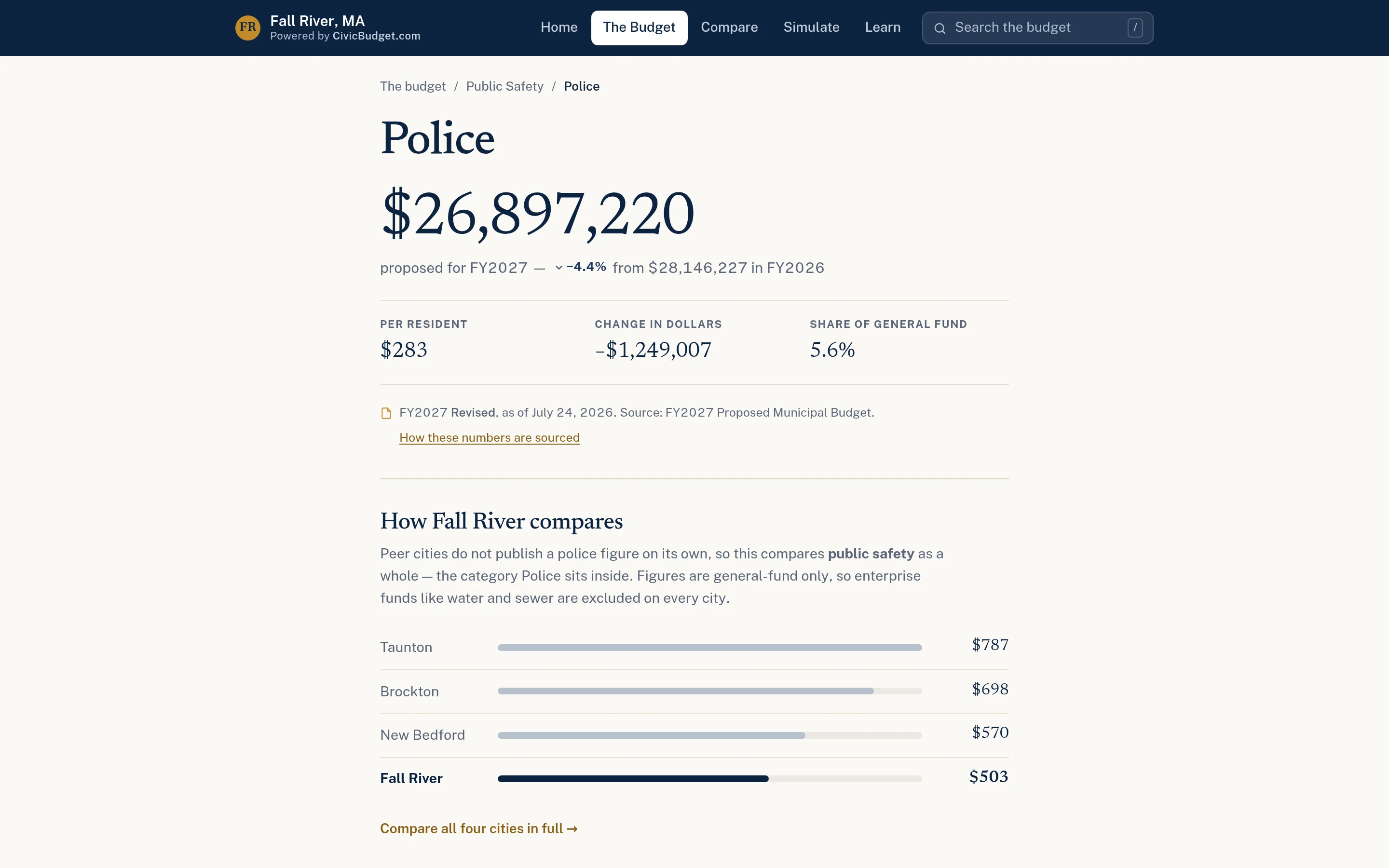
Comparisons are not limited to one page. Department and category pages can include a chart of the same area per resident across peer communities, so readers see the comparison at the moment they look at the figure. The official source for the figures is cited on the page.
- Peer chart on department and category pages
- Per-resident figures for fair comparison
- Official sources cited on every page
Peer columns, line by line.
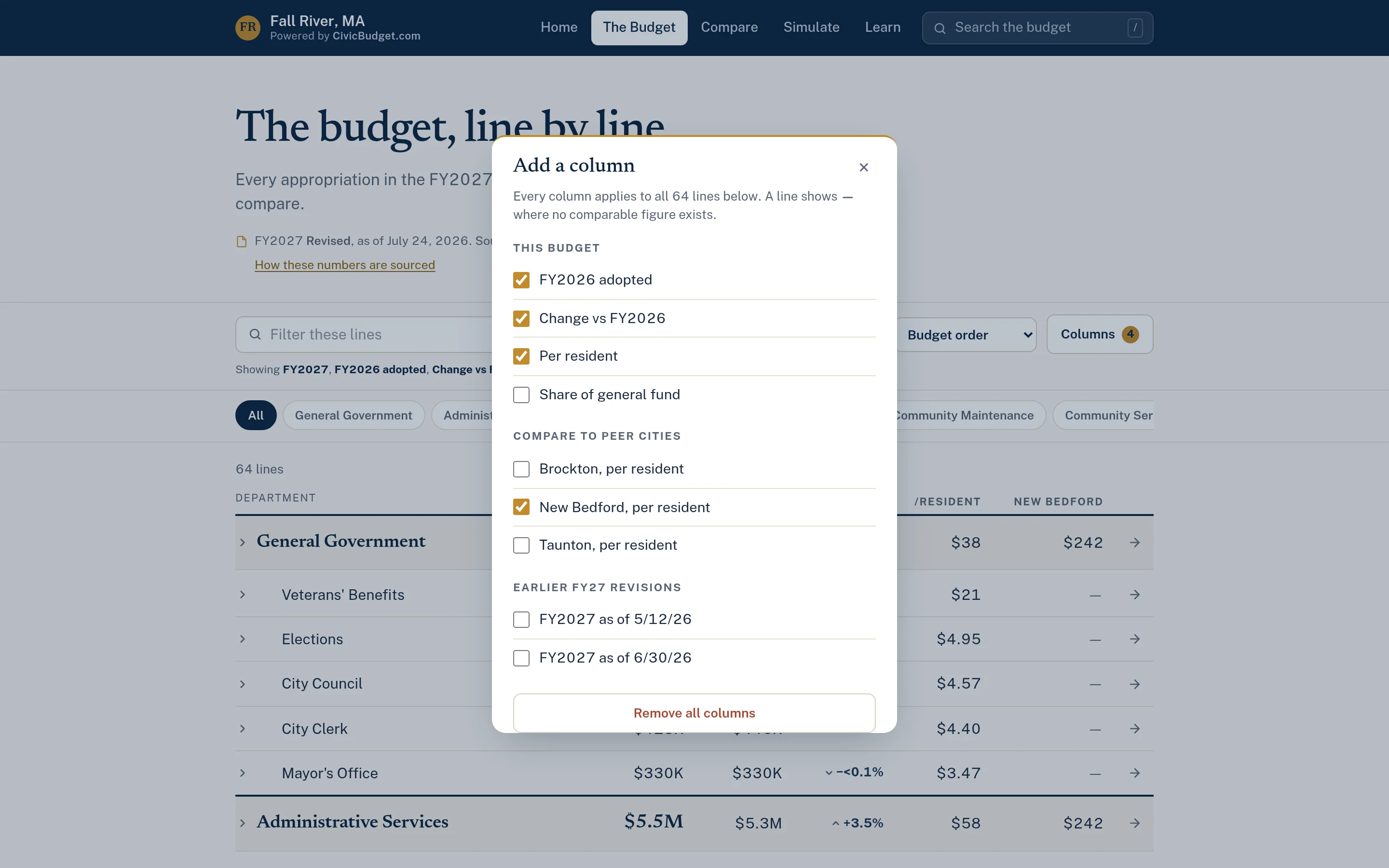
Readers exploring the full ledger can add a per-resident column for any peer community and see it next to your own figures. Where a peer's budget has no comparable line, the cell is left blank. Combined with prior-year and share-of-general-fund columns, it gives a complete picture of each line in one table.
- Add a per-resident column for each peer
- Blank where no comparable line exists
- Works alongside prior-year and share columns
Example: a councilor asks how public safety spending compares
This is an illustrative workflow showing how a town's administrator might use municipal comparisons to answer an official's question.
Comparisons describe budgeted amounts in published documents. They are context for discussion, not a measure of service quality or efficiency.
A councilor asks whether the town spends more or less on public safety than nearby communities of similar size.
The administrator opens the comparison page and selects public safety in the category picker.
They switch to the per-resident view so the difference in population does not distort the comparison.
They open the "why they differ" explainer, which notes that comparisons cover the general fund only and that service models vary.
They send the councilor a link to the comparison, along with the cited sources for each community's figures.
Practical benefits for your municipality.
Context for discussion
Residents and officials can see how local spending sits alongside similar communities.
Fair comparisons
Per-resident views and general-fund-only rules reduce misleading comparisons.
Less manual research
Finance staff no longer need to compile peer budgets by hand for each request.
Sources for every figure
Each community's numbers cite the published budget they came from.
Keep exploring.
Features that work alongside municipal comparisons, in CivicBudget and across the CivicTally portfolio.
How are peer communities chosen?
You choose them with CivicTally, typically based on size, region, or municipal structure. A community can only be included if it publishes a budget in a usable form.
Why are comparisons limited to the general fund?
Municipalities organize enterprise funds such as water and sewer very differently, which makes those figures hard to compare fairly. Keeping comparisons to the general fund gives a more consistent basis, and the site explains this to readers.
Why show per-resident figures?
Communities differ in population, so total dollars alone can be misleading. Per-resident figures divide each budget by a published population estimate, and readers can switch between both views.
What if a peer community does not have a comparable figure?
The figure is shown as missing rather than estimated. CivicBudget does not fill gaps with assumptions.
Can comparisons include other public data?
Where suitable, related published data, such as tax rates or state aid figures, can be added alongside budget comparisons. What is included depends on what is publicly available and comparable for your peers.
See municipal comparisons with your own municipality in mind.
We’ll walk through CivicBudget using your departments, categories, and goals — and answer the practical questions about setup.