Make public meetings searchable without losing the source
Help residents find public meeting discussions while keeping searchable transcripts, AI summaries, official minutes, and source verification clearly distinct.
Start with questions people need to answer
A recording makes a meeting available, but it does not necessarily make a particular discussion easy to find. A resident may remember a road name rather than the meeting date. A department head may need to locate an earlier presentation before preparing the next one.
List a few representative questions before organizing an archive. Include an address, a project name, a department, and a topic that spans several meetings. These become practical checks for whether readers can locate a discussion and verify what happened, rather than simply reach a video library.
Build a dependable source inventory
Identify the public bodies, years, and recordings to include. Keep agendas and official minutes associated with the correct meeting where available. Note missing recordings, inaccessible documents, and inconsistent titles rather than implying the archive is complete.
For each meeting, check the body name, date, source recording link, and availability of minutes. Assign someone to review new source links and receive correction requests. Decide how a missing or replaced recording will be explained to readers.
CivicMeeting works from published meeting sources. Its available modules depend partly on which records are accessible, so an inventory is a better starting point than assuming every body can support the same features.
Use transcripts to locate the discussion
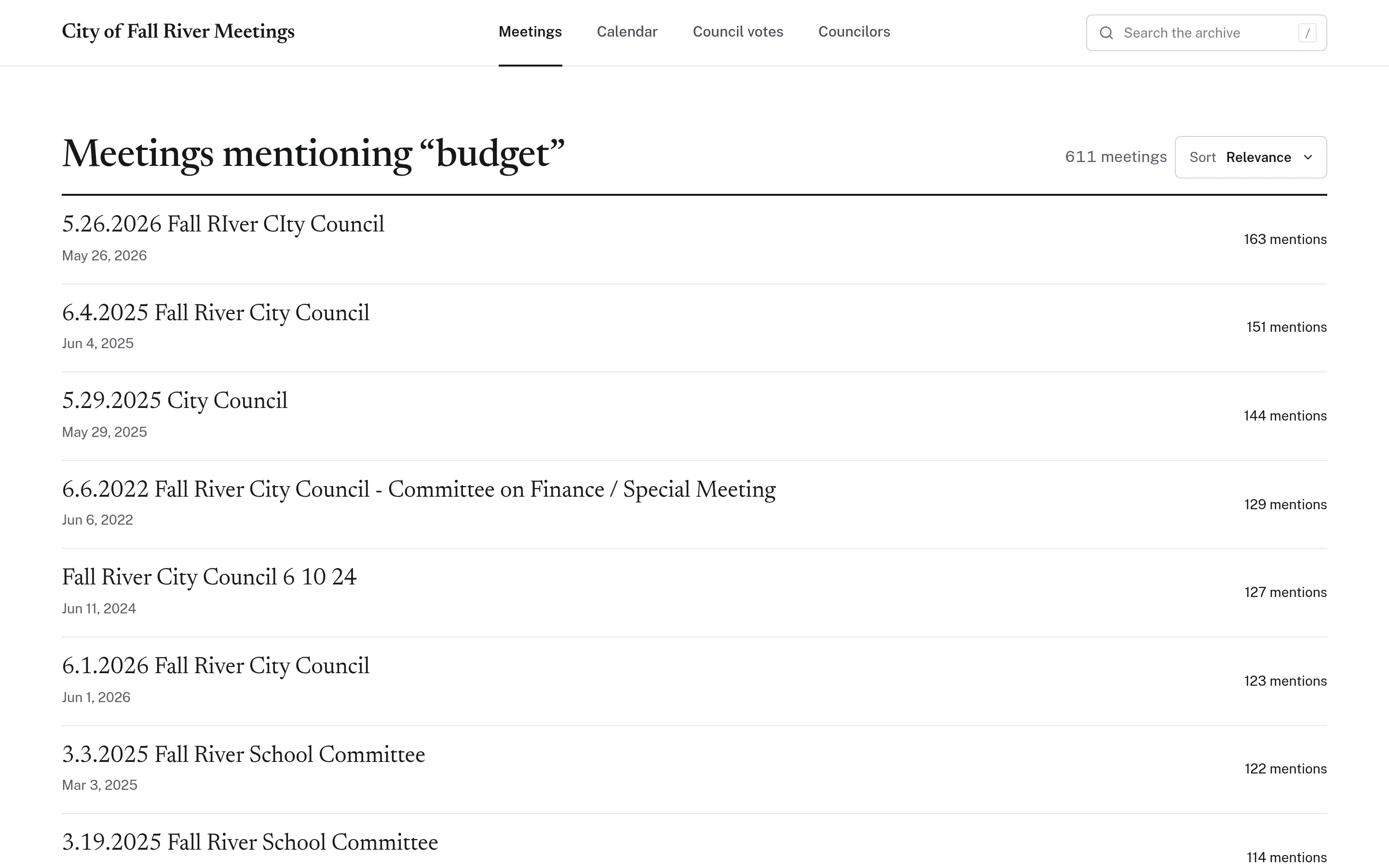
A searchable transcript turns spoken words into a route through the archive. Meeting search helps readers identify relevant meetings; timestamped transcriptions connect matching lines to moments in the recording.
Test with the terms people actually use, including abbreviated project names and alternate spellings. If a query returns nothing, try related language and check the likely meeting directly. An empty result is not proof that a topic was never discussed: the recording may be missing, the speaker may have used another term, or transcription may be wrong.
Automated transcripts can mishear names, figures, and overlapping speech. Listen to the surrounding exchange before reusing a passage. A timestamp is a navigation aid, not a guarantee of accuracy.
Keep summaries and official minutes distinct
Give each layer a clear purpose:
- Searchable transcript: helps locate spoken material, with the recording available for verification.
- AI summary: offers an overview that may omit nuance or contain errors; label it clearly as generated content.
- Official minutes: provide the municipality’s published meeting record; link to the source and identify its status, including whether it is a draft.
Topics and summaries can help readers choose where to begin, but should not be presented as official minutes. For decisions and vote details, consult the official minutes rather than inferring an outcome from discussion alone. CivicMeeting’s voting records use minutes citations, a different source basis from transcript-derived summaries.
Share an answer people can check
Before sending a meeting link in a resident response or public update, verify the relevant passage against the recording and any decision against the minutes. Include the meeting date, body, and enough context to avoid making a tentative suggestion sound like an approved action.
Share a timestamped link rather than describing it as a separately produced video clip. Keep a visible correction path and route source-record questions to the appropriate municipal office. To scope an archive, contact CivicTally with sample recordings, minutes links, the bodies you publish, and known gaps.